> ## Documentation Index
> Fetch the complete documentation index at: https://docs.flashquotes.com/llms.txt
> Use this file to discover all available pages before exploring further.
# Product Updates
> New features and improvements to Flashquotes are released **every week**.
export const ScaleBadge = () =>
Scale
;
export const ProBadge = () =>
Pro
;
export const PlusBadge = () =>
Plus
;
This changelog documents product updates and new features in Flashquotes. These updates are rolled out directly to the live application - no separate changelog feature exists within the app itself.
A quick recap of what shipped this week — focused on giving your lead intake form a sharper, more organized first impression.
### New features
* **Group Services into Sections** — Organize 10+ services into named, collapsible groups on the Services question so leads can scan without scrolling a wall of options. [Learn more →](/forms/lead-intake)
### Updates
* **Redesigned Form Theme Editor** — Simpler layout, plus **Copy from another form** and **Reset theme** for faster customization. Design now opens from the palette icon in the top-right of the form editor. [Learn more →](/forms/lead-intake#custom-themes)
* **Custom Themes for Lead Intake Forms** — Design a theme that matches your brand and website. Customize colors, fonts, and corners with live preview, and use a different theme per form. [Learn more →](/forms/lead-intake#custom-themes)
## Group Services into Sections on Your Lead Intake Form
Organize 10+ services into named, collapsible groups so leads can find what they need without scrolling a wall of options.
* Add named sections (e.g. "Bar service", "Desserts") to the Services question on any form
* Drag services between sections, reorder sections, and rename them inline
* Leads see sections collapsed by default with a count — tap to expand
[Learn about lead intake forms →](/forms/lead-intake)
## Redesigned Form Theme Editor
The lead intake form theme editor got a fresh coat of paint, with a simpler layout and a couple of new ways to move fast.
* **Open from the palette button** — Design now opens from the palette icon in the top-right of the form editor (replacing the old left-rail toggle)
* **Copy from another form** — reuse a theme you've already built on another form via the new **Copy from** menu in the Design panel header
* **Reset theme** — click **Reset theme** in the Basics header to restore the Flashquotes default, seeded from your company brand color
* Dropdown and color-picker surfaces are now lighter for better readability
[Customize your form theme →](/forms/lead-intake#custom-themes)
## Custom Themes for Your Lead Intake Form
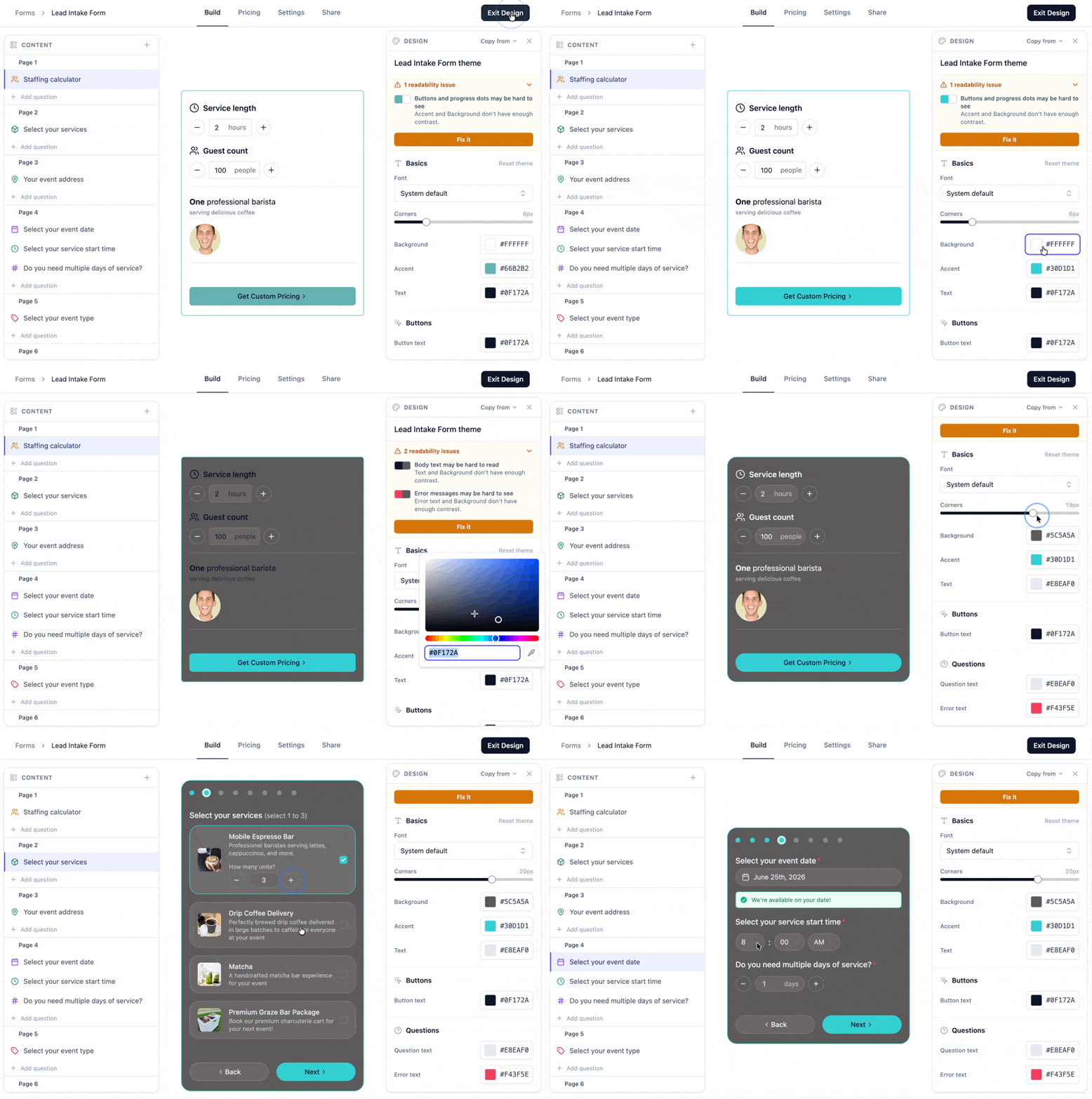 Now you can design a theme for your lead intake form that fully matches your brand and website!
Use the new form design tab to customize colors, font, and corners and see the changes live on your form. You can even have different themes for different forms and will get live feedback on color pairs for the best form readability.
[Customize your form theme →](/forms/lead-intake#custom-themes)
## Add-on and Service Quantities on Events and Event Briefs
Quantities for add-ons and services now flow through to events and event briefs, so your team sees exactly how many of each item the customer ordered.
* Add-on and service quantities surface on the event details page and the [event brief](/events/event-brief)
* Special add-ons still appear as prominent yellow banners — now with quantity included
* Quantities update automatically when you edit the underlying quote or booking
[Learn more about event briefs →](/events/event-brief)
## Auto-Calculate Travel Fee When Adding Services
Add a service to a quote and the travel fee calculates automatically — no second step, no manual math.
* Auto-calculate travel fees when adding a new service line item to a quote
* Override or remove the calculated fee on any line item
* Configure per-service calculation with [service-level travel fees](/services/travel-fees)
[Learn about travel fees →](/services/travel-fees)
## Resource Availability and Calendar Improvements
See exactly when your resources are free, and view the calendar the way you actually work.
* **Resource availability** in the quote editor and on the calendar — spot conflicts before they happen
* **Service time vs. shift time** toggle on the calendar to plan around setup and teardown
* **Multi-day events** render cleanly across both days
[Learn more about resources →](/resources) and [calendar →](/calendar)
## Shortcodes in Line Item Descriptions
Use [quote shortcodes](/workflows/shortcodes/overview) inside Service and Add-on line item descriptions on your quotes.
* Personalize each line with guest count, event date, customer name, and more
* Edit descriptions inline with a rich text editor
* Shortcodes resolve when the quote is created
[Learn about shortcodes →](/workflows/shortcodes/overview)
## Custom Button Labels on Your Lead Intake Form
Now you can design a theme for your lead intake form that fully matches your brand and website!
Use the new form design tab to customize colors, font, and corners and see the changes live on your form. You can even have different themes for different forms and will get live feedback on color pairs for the best form readability.
[Customize your form theme →](/forms/lead-intake#custom-themes)
## Add-on and Service Quantities on Events and Event Briefs
Quantities for add-ons and services now flow through to events and event briefs, so your team sees exactly how many of each item the customer ordered.
* Add-on and service quantities surface on the event details page and the [event brief](/events/event-brief)
* Special add-ons still appear as prominent yellow banners — now with quantity included
* Quantities update automatically when you edit the underlying quote or booking
[Learn more about event briefs →](/events/event-brief)
## Auto-Calculate Travel Fee When Adding Services
Add a service to a quote and the travel fee calculates automatically — no second step, no manual math.
* Auto-calculate travel fees when adding a new service line item to a quote
* Override or remove the calculated fee on any line item
* Configure per-service calculation with [service-level travel fees](/services/travel-fees)
[Learn about travel fees →](/services/travel-fees)
## Resource Availability and Calendar Improvements
See exactly when your resources are free, and view the calendar the way you actually work.
* **Resource availability** in the quote editor and on the calendar — spot conflicts before they happen
* **Service time vs. shift time** toggle on the calendar to plan around setup and teardown
* **Multi-day events** render cleanly across both days
[Learn more about resources →](/resources) and [calendar →](/calendar)
## Shortcodes in Line Item Descriptions
Use [quote shortcodes](/workflows/shortcodes/overview) inside Service and Add-on line item descriptions on your quotes.
* Personalize each line with guest count, event date, customer name, and more
* Edit descriptions inline with a rich text editor
* Shortcodes resolve when the quote is created
[Learn about shortcodes →](/workflows/shortcodes/overview)
## Custom Button Labels on Your Lead Intake Form
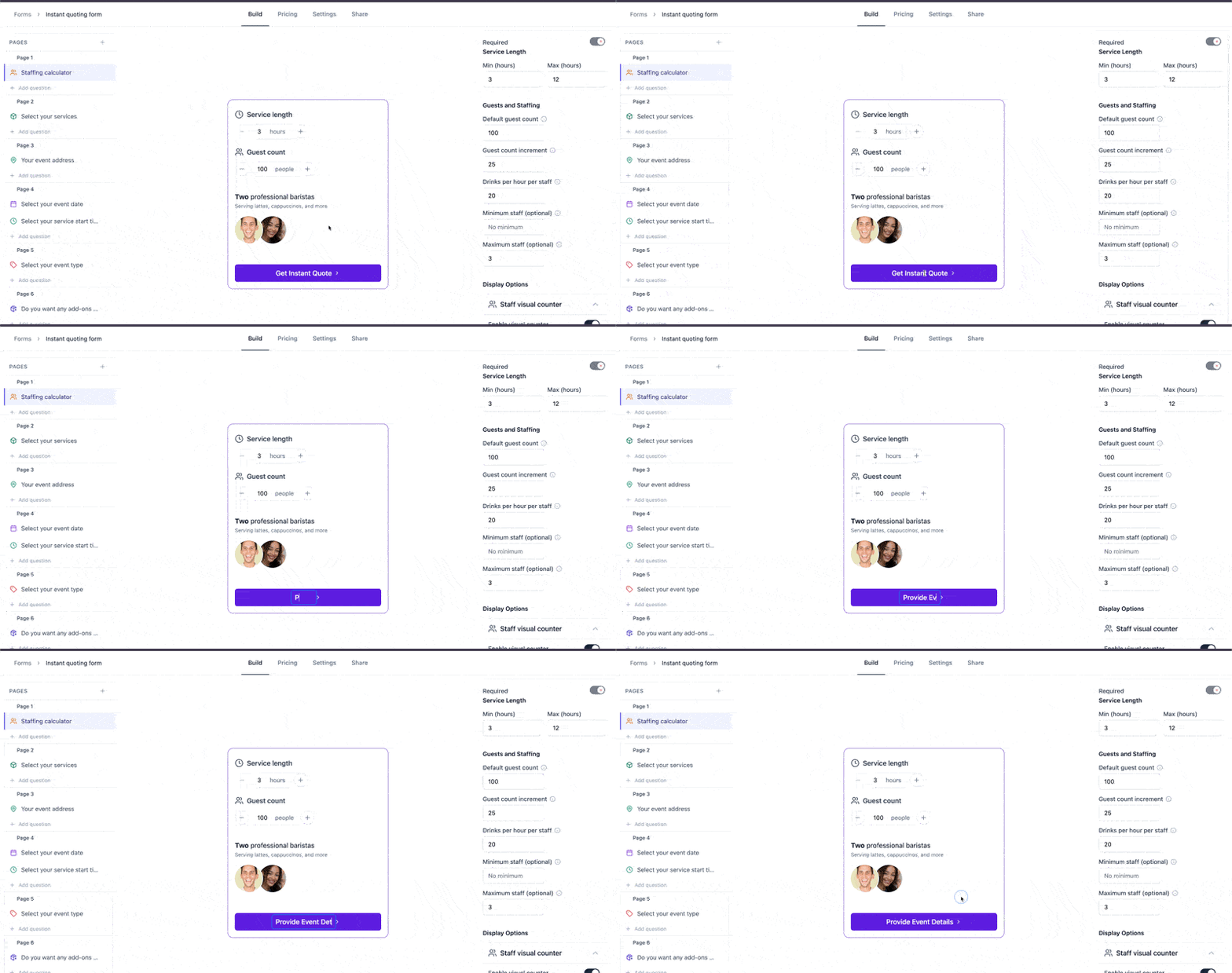 You can now edit the CTA button copy on your lead intake form directly in the form editor — no code, no settings panel.
* **First-page button** — defaults to **"Get Custom Pricing"** (or **"Get My Instant Quote"** when Instant Quoting is on)
* **Last-page button** — defaults to **"Get My Quote"** (or **"Get My Instant Quote"** when Instant Quoting is on)
In the form editor, hover the button to highlight it, click to edit, then press **Enter** or click outside to save. Leave it blank to restore the default. Labels are capped at 100 characters.
[Learn how to edit button labels →](/forms/lead-intake)
## Pricing by Event Type
Charge differently for the same service depending on the event type — wedding pricing, corporate pricing, festival pricing, set once per service.
* Set a price modifier for any event type
* Applies everywhere prices are calculated, including instant quoting
* Pairs with the new [Event Type form question](/forms/lead-intake)
[Learn about pricing →](/services/pricing)
## Event Type on Quotes and Booked Events
Ask customers what kind of event they're hosting, then surface that answer where it matters.
* New **Event Type** lead intake form question — configure and sort your own options
* Event type displays on the quote, the event details page, and booked events
* Use it for filtering, reporting, and event-type pricing
[Learn about lead intake forms →](/forms/lead-intake)
## Tiered Pricing for Volume Discounts
Offer volume discounts on services and add-ons by setting per-guest pricing tiers.
* **Service tiers** — drop the per-guest rate as guest counts climb, with an optional minimum hourly guests floor
* **Add-on tiers** — the same volume-discount logic applies to add-ons
[Learn about service pricing →](/services/pricing) and [add-ons →](/services/add-ons)
## Surge Pricing and Days-Out Modifier
Charge more when resource availability is low or when bookings come in late — automatically.
* **Surge pricing** — percentage uplift triggered when [resources linked to a service](/resources#service-specific-resources) are scarce on the event date (service-aware, no flat-fee option)
* **Days-out modifier** — modify pricing based on event lead time (upcharge rush jobs, premium-price far-out reservations, or both)
[See Scale plan features →](/settings/plans)
## Per-Staff-Hour Travel Billing
Bill drive time per staff member in addition to your per-mile, per-resource travel fee.
* Travel labor scales with crew size — the per-mile, per-resource charge still covers the vehicles
* Added on top of the existing travel fee (not subject to the mileage minimum)
[Learn about travel fees →](/services/travel-fees)
## Per-Shift-Hour Labor Pricing
Choose how hourly labor is counted on each service — by **shift hours** (full on-site time, including setup and teardown) or **service hours** (the customer-facing window only).
* Both modes exclude travel — bill drive time separately via [travel fees](/services/travel-fees)
* Pairs naturally with [per-staff-hour travel billing](/services/travel-fees) to itemize travel as its own line
[Learn about service pricing →](/services/pricing)
## Service-Level Travel Fees
Travel fees are now configured and calculated **per service** — each service on a quote gets its own travel fee based on its core resources.
* **Free Travel Radius**: Set a radius around your business with no travel charge — events outside the radius are charged on the full distance
* **Per-Service Settings**: Each service has its own price per mile and minimum fee
* **Resource-Aware**: Fees calculate from the resources needed for that specific service
* **Editable Line Items**: View the calculation breakdown and edit or remove travel fees per service
[Learn about travel fee settings →](/services/travel-fees)
## Platform Fee Flexibility
You set how to pay for the platform fee - either pass it to the end customer (**default**) or absorb it. Easily override your company's platform fee setting to absorb or pass the fee at a customer quote level.
For example, you can choose to absorb and not show any fee to certain customers.
[Learn about platform fee options →](/settings/plans#platform-fee)
## Staff & Resource Rules
Now you can always calculate the right number of staff and resources for each service, allowing you to dial in your autodraft and instant quotes!
Set per-service staffing rules that automatically calculate staff and resource quantities on quotes. Choose from four modes — Hourly Capacity, By Guest Count, By Duration, or By Guest Count + Duration — based on how your staffing scales.
[Learn more about Staff & Resource Rules →](/services/staff-resource-rules)
## Show or Hide Tip on Event Briefs
Control whether staff can see pre-paid gratuity amounts on event briefs. The setting lives on the event details page under the **Tip amount** field — click the inline link to toggle it on or off company-wide.
When hidden, the "Pre-paid gratuity" in the **Setup** section of the event brief will not be shown.
[Learn how to change the setting →](/events/event-brief#gratuity-visibility)
## Notes on Leads
Add notes directly to any lead. Create, edit, delete, and pin notes from the new **Notes** tab on the lead detail page. Pin important notes to keep them at the top, and use search to find what you need fast.
[Learn more about managing leads →](/leads/managing)
## Per-Unit Pricing for Services
Add per-unit pricing to any service — useful for services where you want to price based on user selected quantities.
* Set a unit name, price per unit, and optional min/max quantity limits
* Customers see a quantity selector on the lead intake form for services with unit pricing
[Learn more about service pricing →](/services/pricing)
## Invoice and Payment Exports
Improved sorting, filtering and search on the Invoices view as well as a new Payments view under Finance > Payments.
Additionally, you can now export both Invoice and Payments to CSV to support accounting and data analysis.
[Learn more about invoices →](/invoices) and [Learn more about exports →](/imports-exports/overview)
## Quote PDF Download
Download or print any quote as a PDF. Open a quote and click the menu icon to find the new **Download PDF** and **Print** options. The PDF includes your full quote details, line items, and pricing — ready to share offline.
[Learn more about the quote page →](/leads/quote-view)
## Pay Full Balance at Booking
Customers with a deposit payment schedule now see a **"Pay full balance today"** checkbox on the booking form. When toggled, the full invoice amount due is charged in a single transaction instead of a deposit with a later balance payment.
[Learn more about payment terms →](/leads/booking-flow)
***
## Quote Booked Workflow Trigger
Create workflows that fire automatically when a quote is booked. Select "When a quote is booked" as the trigger when creating a new workflow. Use booking and lead shortcodes in your message templates to personalize post-booking communications.
[Learn more about triggers →](/workflows/triggers)
***
## Hide Services from Lead Intake Form
Control which services appear on your public lead intake form. In the form builder, each service now has a toggle switch to show or hide it. Hidden services won't appear to customers but stay available for quotes you build manually.
[Learn more about the lead intake form →](/forms/lead-intake)
***
## New Booking Shortcodes
Six new shortcodes are available for booking-based workflow templates:
* `{{booking.first_event_end_date}}` and `{{booking.first_event_end_time}}` — end of the first event
* `{{booking.last_event_start_date}}` and `{{booking.last_event_start_time}}` — start of the last event
* `{{booking.first_event_address}}` — venue address
* `{{booking.first_event_guest_count}}` — guest count (shows "TBD" if not set)
[View all shortcodes →](/workflows/shortcodes/overview)
## Multiple Quote Follow-Up Workflows
Create as many Quote Sent workflows as you need. Previously limited to one, you can now build different follow-up sequences for different situations — and choose which workflow to enroll a quote in when sending.
* Designate a default workflow per trigger type
* Default is pre-selected in the send quote modal
* Switch workflows per quote as needed
[Learn more about workflows →](/workflows/overview)
## Per Guest Per Hour Add-on Pricing
A new add-on pricing type lets you charge based on guest count and service duration combined. Set a per-guest-per-hour rate, and the price calculates automatically: rate x guests x hours.
**Example**: $2/guest/hr add-on with 50 guests, 1 day, 4 hours = $400
[Learn more about add-on pricing →](/services/add-ons)
## Calendar Month View
The calendar is completely rebuilt. You now have four views, a smarter sidebar, and full control over what you see.
**Views**
* Day, Week, Month, and Agenda views (Week was the only option before)
* On mobile, Day and Agenda views only
* Week and Day headers include a timezone switcher
* Calendar auto-scrolls to current time on load
**Sidebar**
* Toggle visibility for Events, Quotes, Blocked dates, Invoice due dates, Tasks, Scheduled payments, and Quote expirations
* Filter by Location, Staff, and Resource — Staff and Resource filters update based on selected locations
* "Block out dates" button for quick date blocking
* "Clear all" resets all filters at once
**Clicking items**
* Events, Tasks, Invoices, and Payments open a detail slideover
* Quotes navigate directly to the quote page
* Blocked dates let you view or delete them
Your sidebar visibility preferences save automatically in your browser.
[Learn more about the calendar →](/calendar)
## Service-Specific Add-ons
You can now control which add-ons are available for each service. When a customer selects services on a quote request form, only add-ons linked to those services are shown.
* **Configure per service** — On the service detail page, use the "Linked Add-ons" section to select which add-ons apply
* **Multiple services** — When multiple services are selected, the customer sees every add-on linked to any of the selected services
* Add-on options update instantly as customers change their service selection on forms
[Learn more →](/services/core-services#service-specific-add-ons)
***
## Service-Specific Resources
You can now control which resources are eligible for each service, ensuring the right equipment is matched to the right services.
* **Configure per service** — On the service detail page, use the "Linked Resources" section to select which resources can fulfill the service
* **Date selection** — The date picker on your lead intake form now reflects only the resources linked to the selected services
* **Availability badges** — Quote presentation and booking form availability badges update based on linked resources
* **Multi-day events** — The date picker checks that linked resources are available for every consecutive day, not just the start date
* **Multiple services** — When a quote includes multiple services, only resources linked to all selected services count toward availability
[Learn more →](/services/core-services#service-specific-resources)
## Conditional Logic for Booking Forms
Show or hide form pages based on what a customer has already selected. Set rules like "show this page when the service selected is the Premium Package" or "show this page when the Custom Branding add-on is included." Flashquotes automatically skips hidden pages and drops their required fields.
**How it works:**
* Open any booking form and go to the new **Logic** tab
* Set visibility conditions per page using the service or add-on the customer selected
* Pages match on ANY rule (OR logic), or show always if no rules are set
* Hidden pages are skipped automatically and their fields won't block form submission
Only available for booking forms. Lead intake form support is coming soon.
[Set up conditional logic →](/forms/conditional-logic)
## New Pricing Options
* **Per unit per guest add-on pricing** — Add-ons that scale by quantity and guest count (and days); quantity limits apply. [Learn more →](/services/add-ons)
* **Minimum price for add-ons** — Optional floor for variable-rate add-ons; if the calculated price is below the minimum, the minimum is used. [Learn more →](/services/add-ons)
* **Per guest per hour service pricing** — Service price scales with both guest count and event duration (e.g. \$3/guest/hr for bar service). [Learn more →](/services/pricing)
***
## QuickBooks Deposit Sync Improvements
QuickBooks deposits now sync based on actual Stripe payouts instead of being created immediately with each payment. This aligns your QuickBooks records with real bank deposits for easier reconciliation.
**What changed:**
* **Stripe payments**: Deposits are created automatically when Stripe sends the payout to your bank, grouping multiple payments into a single deposit that matches your bank statement
* **Manual payments** (cash, check): Continue to create deposits immediately when synced
* **Payout trace ID**: Each deposit includes the Stripe trace ID for automatic bank reconciliation
* **Failed payouts**: If a Stripe payout fails, the corresponding deposit is automatically removed
[QuickBooks sync docs →](/finance/quickbooks-sync) | [QuickBooks integration →](/settings/integrations/quickbooks)
***
## Saved Filters & Sorting on Leads Table
Your lead table filters and sort preferences are now automatically saved and restored when you return to the page. No more re-applying the same filters every time you navigate away.
**What's saved:**
* Date range filter
* Lead status filter
* Source filter
* Location filter
* Lead owner filter
* Sort column and direction
Preferences are saved per company, so switching between companies loads the right view for each. Click **Clear filters** to reset everything back to defaults.
[Learn about managing leads →](/leads/managing)
## Global Currency Support
Flashquotes now supports multiple currencies and locales, enabling businesses outside the United States to quote, invoice, and accept payments in their local currency.
**Supported Currencies:**
| Currency | Code | Symbol | Locales |
| ----------------- | ---- | ------ | ------- |
| US Dollar | USD | \$ | en-US |
| British Pound | GBP | £ | en-GB |
| Australian Dollar | AUD | \$ | en-AU |
| Canadian Dollar | CAD | \$ | en-CA |
Currency and locale are configured during company onboarding based on your country. All amounts — quotes, invoices, payments, and reports — display in your company's currency with locale-appropriate formatting.
[Learn about company settings →](/settings/general#currency-and-locale)
## Google Analytics & Tag Manager Integration
You can now edit the CTA button copy on your lead intake form directly in the form editor — no code, no settings panel.
* **First-page button** — defaults to **"Get Custom Pricing"** (or **"Get My Instant Quote"** when Instant Quoting is on)
* **Last-page button** — defaults to **"Get My Quote"** (or **"Get My Instant Quote"** when Instant Quoting is on)
In the form editor, hover the button to highlight it, click to edit, then press **Enter** or click outside to save. Leave it blank to restore the default. Labels are capped at 100 characters.
[Learn how to edit button labels →](/forms/lead-intake)
## Pricing by Event Type
Charge differently for the same service depending on the event type — wedding pricing, corporate pricing, festival pricing, set once per service.
* Set a price modifier for any event type
* Applies everywhere prices are calculated, including instant quoting
* Pairs with the new [Event Type form question](/forms/lead-intake)
[Learn about pricing →](/services/pricing)
## Event Type on Quotes and Booked Events
Ask customers what kind of event they're hosting, then surface that answer where it matters.
* New **Event Type** lead intake form question — configure and sort your own options
* Event type displays on the quote, the event details page, and booked events
* Use it for filtering, reporting, and event-type pricing
[Learn about lead intake forms →](/forms/lead-intake)
## Tiered Pricing for Volume Discounts
Offer volume discounts on services and add-ons by setting per-guest pricing tiers.
* **Service tiers** — drop the per-guest rate as guest counts climb, with an optional minimum hourly guests floor
* **Add-on tiers** — the same volume-discount logic applies to add-ons
[Learn about service pricing →](/services/pricing) and [add-ons →](/services/add-ons)
## Surge Pricing and Days-Out Modifier
Charge more when resource availability is low or when bookings come in late — automatically.
* **Surge pricing** — percentage uplift triggered when [resources linked to a service](/resources#service-specific-resources) are scarce on the event date (service-aware, no flat-fee option)
* **Days-out modifier** — modify pricing based on event lead time (upcharge rush jobs, premium-price far-out reservations, or both)
[See Scale plan features →](/settings/plans)
## Per-Staff-Hour Travel Billing
Bill drive time per staff member in addition to your per-mile, per-resource travel fee.
* Travel labor scales with crew size — the per-mile, per-resource charge still covers the vehicles
* Added on top of the existing travel fee (not subject to the mileage minimum)
[Learn about travel fees →](/services/travel-fees)
## Per-Shift-Hour Labor Pricing
Choose how hourly labor is counted on each service — by **shift hours** (full on-site time, including setup and teardown) or **service hours** (the customer-facing window only).
* Both modes exclude travel — bill drive time separately via [travel fees](/services/travel-fees)
* Pairs naturally with [per-staff-hour travel billing](/services/travel-fees) to itemize travel as its own line
[Learn about service pricing →](/services/pricing)
## Service-Level Travel Fees
Travel fees are now configured and calculated **per service** — each service on a quote gets its own travel fee based on its core resources.
* **Free Travel Radius**: Set a radius around your business with no travel charge — events outside the radius are charged on the full distance
* **Per-Service Settings**: Each service has its own price per mile and minimum fee
* **Resource-Aware**: Fees calculate from the resources needed for that specific service
* **Editable Line Items**: View the calculation breakdown and edit or remove travel fees per service
[Learn about travel fee settings →](/services/travel-fees)
## Platform Fee Flexibility
You set how to pay for the platform fee - either pass it to the end customer (**default**) or absorb it. Easily override your company's platform fee setting to absorb or pass the fee at a customer quote level.
For example, you can choose to absorb and not show any fee to certain customers.
[Learn about platform fee options →](/settings/plans#platform-fee)
## Staff & Resource Rules
Now you can always calculate the right number of staff and resources for each service, allowing you to dial in your autodraft and instant quotes!
Set per-service staffing rules that automatically calculate staff and resource quantities on quotes. Choose from four modes — Hourly Capacity, By Guest Count, By Duration, or By Guest Count + Duration — based on how your staffing scales.
[Learn more about Staff & Resource Rules →](/services/staff-resource-rules)
## Show or Hide Tip on Event Briefs
Control whether staff can see pre-paid gratuity amounts on event briefs. The setting lives on the event details page under the **Tip amount** field — click the inline link to toggle it on or off company-wide.
When hidden, the "Pre-paid gratuity" in the **Setup** section of the event brief will not be shown.
[Learn how to change the setting →](/events/event-brief#gratuity-visibility)
## Notes on Leads
Add notes directly to any lead. Create, edit, delete, and pin notes from the new **Notes** tab on the lead detail page. Pin important notes to keep them at the top, and use search to find what you need fast.
[Learn more about managing leads →](/leads/managing)
## Per-Unit Pricing for Services
Add per-unit pricing to any service — useful for services where you want to price based on user selected quantities.
* Set a unit name, price per unit, and optional min/max quantity limits
* Customers see a quantity selector on the lead intake form for services with unit pricing
[Learn more about service pricing →](/services/pricing)
## Invoice and Payment Exports
Improved sorting, filtering and search on the Invoices view as well as a new Payments view under Finance > Payments.
Additionally, you can now export both Invoice and Payments to CSV to support accounting and data analysis.
[Learn more about invoices →](/invoices) and [Learn more about exports →](/imports-exports/overview)
## Quote PDF Download
Download or print any quote as a PDF. Open a quote and click the menu icon to find the new **Download PDF** and **Print** options. The PDF includes your full quote details, line items, and pricing — ready to share offline.
[Learn more about the quote page →](/leads/quote-view)
## Pay Full Balance at Booking
Customers with a deposit payment schedule now see a **"Pay full balance today"** checkbox on the booking form. When toggled, the full invoice amount due is charged in a single transaction instead of a deposit with a later balance payment.
[Learn more about payment terms →](/leads/booking-flow)
***
## Quote Booked Workflow Trigger
Create workflows that fire automatically when a quote is booked. Select "When a quote is booked" as the trigger when creating a new workflow. Use booking and lead shortcodes in your message templates to personalize post-booking communications.
[Learn more about triggers →](/workflows/triggers)
***
## Hide Services from Lead Intake Form
Control which services appear on your public lead intake form. In the form builder, each service now has a toggle switch to show or hide it. Hidden services won't appear to customers but stay available for quotes you build manually.
[Learn more about the lead intake form →](/forms/lead-intake)
***
## New Booking Shortcodes
Six new shortcodes are available for booking-based workflow templates:
* `{{booking.first_event_end_date}}` and `{{booking.first_event_end_time}}` — end of the first event
* `{{booking.last_event_start_date}}` and `{{booking.last_event_start_time}}` — start of the last event
* `{{booking.first_event_address}}` — venue address
* `{{booking.first_event_guest_count}}` — guest count (shows "TBD" if not set)
[View all shortcodes →](/workflows/shortcodes/overview)
## Multiple Quote Follow-Up Workflows
Create as many Quote Sent workflows as you need. Previously limited to one, you can now build different follow-up sequences for different situations — and choose which workflow to enroll a quote in when sending.
* Designate a default workflow per trigger type
* Default is pre-selected in the send quote modal
* Switch workflows per quote as needed
[Learn more about workflows →](/workflows/overview)
## Per Guest Per Hour Add-on Pricing
A new add-on pricing type lets you charge based on guest count and service duration combined. Set a per-guest-per-hour rate, and the price calculates automatically: rate x guests x hours.
**Example**: $2/guest/hr add-on with 50 guests, 1 day, 4 hours = $400
[Learn more about add-on pricing →](/services/add-ons)
## Calendar Month View
The calendar is completely rebuilt. You now have four views, a smarter sidebar, and full control over what you see.
**Views**
* Day, Week, Month, and Agenda views (Week was the only option before)
* On mobile, Day and Agenda views only
* Week and Day headers include a timezone switcher
* Calendar auto-scrolls to current time on load
**Sidebar**
* Toggle visibility for Events, Quotes, Blocked dates, Invoice due dates, Tasks, Scheduled payments, and Quote expirations
* Filter by Location, Staff, and Resource — Staff and Resource filters update based on selected locations
* "Block out dates" button for quick date blocking
* "Clear all" resets all filters at once
**Clicking items**
* Events, Tasks, Invoices, and Payments open a detail slideover
* Quotes navigate directly to the quote page
* Blocked dates let you view or delete them
Your sidebar visibility preferences save automatically in your browser.
[Learn more about the calendar →](/calendar)
## Service-Specific Add-ons
You can now control which add-ons are available for each service. When a customer selects services on a quote request form, only add-ons linked to those services are shown.
* **Configure per service** — On the service detail page, use the "Linked Add-ons" section to select which add-ons apply
* **Multiple services** — When multiple services are selected, the customer sees every add-on linked to any of the selected services
* Add-on options update instantly as customers change their service selection on forms
[Learn more →](/services/core-services#service-specific-add-ons)
***
## Service-Specific Resources
You can now control which resources are eligible for each service, ensuring the right equipment is matched to the right services.
* **Configure per service** — On the service detail page, use the "Linked Resources" section to select which resources can fulfill the service
* **Date selection** — The date picker on your lead intake form now reflects only the resources linked to the selected services
* **Availability badges** — Quote presentation and booking form availability badges update based on linked resources
* **Multi-day events** — The date picker checks that linked resources are available for every consecutive day, not just the start date
* **Multiple services** — When a quote includes multiple services, only resources linked to all selected services count toward availability
[Learn more →](/services/core-services#service-specific-resources)
## Conditional Logic for Booking Forms
Show or hide form pages based on what a customer has already selected. Set rules like "show this page when the service selected is the Premium Package" or "show this page when the Custom Branding add-on is included." Flashquotes automatically skips hidden pages and drops their required fields.
**How it works:**
* Open any booking form and go to the new **Logic** tab
* Set visibility conditions per page using the service or add-on the customer selected
* Pages match on ANY rule (OR logic), or show always if no rules are set
* Hidden pages are skipped automatically and their fields won't block form submission
Only available for booking forms. Lead intake form support is coming soon.
[Set up conditional logic →](/forms/conditional-logic)
## New Pricing Options
* **Per unit per guest add-on pricing** — Add-ons that scale by quantity and guest count (and days); quantity limits apply. [Learn more →](/services/add-ons)
* **Minimum price for add-ons** — Optional floor for variable-rate add-ons; if the calculated price is below the minimum, the minimum is used. [Learn more →](/services/add-ons)
* **Per guest per hour service pricing** — Service price scales with both guest count and event duration (e.g. \$3/guest/hr for bar service). [Learn more →](/services/pricing)
***
## QuickBooks Deposit Sync Improvements
QuickBooks deposits now sync based on actual Stripe payouts instead of being created immediately with each payment. This aligns your QuickBooks records with real bank deposits for easier reconciliation.
**What changed:**
* **Stripe payments**: Deposits are created automatically when Stripe sends the payout to your bank, grouping multiple payments into a single deposit that matches your bank statement
* **Manual payments** (cash, check): Continue to create deposits immediately when synced
* **Payout trace ID**: Each deposit includes the Stripe trace ID for automatic bank reconciliation
* **Failed payouts**: If a Stripe payout fails, the corresponding deposit is automatically removed
[QuickBooks sync docs →](/finance/quickbooks-sync) | [QuickBooks integration →](/settings/integrations/quickbooks)
***
## Saved Filters & Sorting on Leads Table
Your lead table filters and sort preferences are now automatically saved and restored when you return to the page. No more re-applying the same filters every time you navigate away.
**What's saved:**
* Date range filter
* Lead status filter
* Source filter
* Location filter
* Lead owner filter
* Sort column and direction
Preferences are saved per company, so switching between companies loads the right view for each. Click **Clear filters** to reset everything back to defaults.
[Learn about managing leads →](/leads/managing)
## Global Currency Support
Flashquotes now supports multiple currencies and locales, enabling businesses outside the United States to quote, invoice, and accept payments in their local currency.
**Supported Currencies:**
| Currency | Code | Symbol | Locales |
| ----------------- | ---- | ------ | ------- |
| US Dollar | USD | \$ | en-US |
| British Pound | GBP | £ | en-GB |
| Australian Dollar | AUD | \$ | en-AU |
| Canadian Dollar | CAD | \$ | en-CA |
Currency and locale are configured during company onboarding based on your country. All amounts — quotes, invoices, payments, and reports — display in your company's currency with locale-appropriate formatting.
[Learn about company settings →](/settings/general#currency-and-locale)
## Google Analytics & Tag Manager Integration
 Finally know which marketing channels are actually driving bookings. Connect Google Analytics 4 or Google Tag Manager to track every step of your lead funnel — from form view to submission.
**What You Can Track:**
* **Form views** — See how many people land on your intake form
* **Form starts** — Know when someone begins filling out your form
* **Lead conversions** — Track successful submissions as conversions
UTM parameters are automatically captured, so you can attribute leads back to specific campaigns, ads, and traffic sources. Build conversion funnels in GA4, optimize your ad spend, and finally prove ROI on your marketing efforts.
Using Google Tag Manager? Push events to your dataLayer to fire Facebook Pixel, LinkedIn Insight Tag, TikTok Pixel, and any other tracking tools — all from one place.
[Set up Google Analytics →](/settings/integrations/google-analytics) | [Set up Google Tag Manager →](/settings/integrations/google-tag-manager)
## Enhancements to Leads Dashboard
We gave the lead table some love with faster data retrieval and more functionality!
**New Columns**
* Upcoming Bookings count - View future confirmed events
* Lead Created date
* Latest Quote date
* Lead Owner - the company member assigned to this lead
* Latest Communication - See the date of your last email with the lead
**Improved Functionality**
* All columns are sortable
* Lead owner filter (Plus/Pro plans)
* Sticky first column for easier scrolling on wide tables
The enhanced table gives you instant visibility into lead engagement and helps prioritize follow-up actions.
[Learn about managing leads →](/leads)
## Bulk Enroll Bookings in Workflows
Save time by enrolling multiple upcoming bookings into workflows at once.
**Key Features**
* Select multiple bookings with upcoming events
* See booking details including event name, date, and location
* Only eligible bookings appear (future events, not already enrolled)
Perfect for enrolling existing bookings when you create a new pre/post-event workflow.
[Learn about bulk enrollment →](/workflows/workflow-enrollments#bulk-enrolling-bookings)
## Lead Owner Assignment
Assign leads to specific team members for better accountability and organization. Lead owners appear in the lead table and can be used as a filter to view your assigned leads.
**Key Features**
* Assign leads from the lead edit drawer
* See lead owner in lead header and table
* Filter leads by owner (Plus/Pro plans only)
* Internal support accounts automatically hidden from assignment lists
**Plan Availability**
* Plus: Assign leads to team members
* Pro: Assign leads to team members
Perfect for teams managing leads collaboratively or tracking individual team member performance.
[Learn about managing leads →](/leads)
## Digital Contracts
Add contracts to your booking flow with electronic signatures. Customers review and sign contracts before payment, allowing you to include a formal contract on any of your quotes.
**Key Features**
* Rich text editor with headers, lists, and signature blocks
* Dynamic shortcodes for personalized contract content
* Electronic signature capture with legal acknowledgment
* Signed contracts are linked to the booking for you and your client to reference
* Download and print signed contracts anytime
**Plan Availability**
* Plus: Up to 2 contract templates
* Pro: Unlimited contract templates
[Learn about contracts →](/templates/contracts/overview)
## Refunded Invoice Status
Invoices now display a "Refunded" status when all payments have been fully refunded.
**What changed:**
* Gray "Refunded" badge appears when net payments equal zero after refunds
* Refunded invoices don't count toward "amount due" or "overdue" totals
* Status updates automatically when refunds are processed
This makes it easier to distinguish fully refunded invoices from active ones at a glance.
[Learn about invoices →](/invoices)
## Redesigned Booking Experience with Native Payments
The customer booking experience has been completely redesigned with a streamlined step-by-step flow and integrated payment processing.
**Visual Progress Tracker**
* Clear step indicator showing progress through Details, Payment and Confirmation
* Clickable steps allow customers to navigate back and review their information
* Brand-colored theming matches your company colors
**Integrated Payment Experience**
* Customers complete payment directly within Flashquotes — no redirect to Stripe checkout
* Embedded Stripe Payment Element for secure card entry
* Real-time order summary updates as customers fill out their booking details
* Supports all payment term types: Full Payment, Deposit, Card on File, and Invoice Only
## Invoice Payment Breakdown
Invoices now display a detailed breakdown of all payments and their status, giving both you and your customers complete visibility into payment history.
**Payment Details**
* Each payment shows the date, payment method, and amount
* Card payments display the card brand and last 4 digits (e.g., Visa •••• 4242)
* Pending payments are clearly distinguished from completed payments
* Refunds appear in the breakdown with negative amounts
**Automatic Receipt Links**
* Payments processed through Stripe automatically include a receipt link
* Click the payment amount to open the Stripe receipt in a new tab
* Perfect for customers who need receipts for expense reports or records
**Enhanced Invoice PDF**
* Payment breakdown is included when you download or print the invoice
* Card details and receipt links are preserved in the PDF export
[Learn about invoices →](/invoices)
## Quote Templates
Create multiple reusable quote designs tailored to different event types, services, or branding variations. Instead of a single global template, you can now build a library of templates and apply the right one to each quote with a single click.
* **Specialized designs for every occasion**: Create templates for weddings, corporate events, coffee service, and more — each with its own gallery images, testimonials, and add-ons
* **Faster quoting**: Apply templates instantly from the Quote Template tab on any quote, or set a default template for new quotes
* **Consistent branding**: Maintain professional presentation across your team while still customizing for specific event types
[Learn about quote templates →](/templates/quote-templates) | [Configure your quote page →](/leads/quote-view)
## Simplified Quote Payment Terms
We've streamlined how you configure payment terms on quotes.
Using the new **booking flow**, you can now:
* Select how you want each quote to be paid directly from the quote editor
* Set a default payment terms to apply to all new quotes
* Easily add new payment terms without needing a separate booking form
[Learn about booking flow →](/leads/booking-flow)
## Per-Resource Pricing
Set a "Price Per Resource" on services to automatically adjust quotes based on equipment or station counts. Perfect for businesses that charge per booth, per bar, per machine, or per station. The pricing formula now includes resource costs alongside base price, staff, and guest pricing.
[Configure service pricing →](/services/pricing)
***
## Void Invoices
Cancel invoices while keeping them in your records for accounting purposes. Voided invoices display a "Void" status and are excluded from revenue statistics, but remain visible in your invoice list for audit trail purposes. Available for invoices with no payments recorded.
[Learn about voiding invoices →](/invoices/voiding)
## Improved Travel Fee Calculations
Travel fees now scale with the number of core resources on your quotes. The updated formula calculates fees per resource per day, ensuring accurate pricing for multi-resource events. The minimum fee also scales accordingly - for example, a \$35 minimum with 2 resources over 2 days results in a \$140 effective minimum *(\$35 x 2 x 2)*.
[Learn about travel fee settings →](/services/travel-fees)
## Lead Intake Form Editor Upgrade
Your lead intake form is now fully customizable. Add custom questions, drag to reorder, move questions between pages, and remove what you don't need. The redesigned editor shows every question at a glance so you can build exactly the form your business needs.
[See how it works →](/forms/lead-intake)
## First Event Start Trigger
Automate customer communications around your actual event dates with two powerful new workflow triggers: **First Event Start** and **Last Event End**. These triggers allow you to send perfectly timed emails before, during, or after events based on when they actually occur.
### First Event Start Trigger
Trigger workflows based on when the first event in a booking begins. Perfect for pre-event reminders, preparation instructions, or day-of communications.
### Last Event End Trigger
Trigger workflows based on when the final event in a booking concludes. Ideal for post-event follow-ups, review requests, and relationship nurturing.
**How It Works:**
1. Create a workflow and select First Event Start or Last Event End as the trigger
2. Add email steps with delays relative to the event time (e.g., "2 days before" or "1 day after")
3. Publish the workflow
4. When bookings are created, workflows automatically enroll and schedule based on actual event dates
5. If event times change, workflow emails automatically reschedule
[Learn about workflow triggers →](/workflows/triggers) | [View all shortcodes →](/workflows/shortcodes/overview)
## Unified Email Inbox
Manage all your lead communications in one place with the new Inbox feature. View and organize Gmail messages synced from your connected accounts, see associated lead information at a glance, and mark emails as done to keep your inbox clean.
**Key Features:**
* **Thread-Based Organization**: Emails grouped by conversation with participant lists and message counts
* **Lead Integration**: Instantly see which leads are associated with each email thread via hover cards
* **Multi-Account Support**: Filter by different connected Gmail accounts
* **Mark as Done**: Remove emails from your inbox once handled, syncs back to Gmail
* **Real-Time Sync**: Email updates and label changes sync automatically with Gmail
[Learn more about the Inbox →](/inbox)
## Rich Text Editor for Special Notes
Special notes on quotes and events now use a visual rich text editor instead of Markdown. Format your internal notes with bold, italic, headings, lists, links, and dividers using familiar toolbar buttons - no Markdown syntax required.
**What's New:**
* **Visual Formatting Toolbar**: Format text with buttons instead of typing Markdown
* **Full Formatting Support**: Bold, italic, underline, strikethrough, headings (H1-H3), bullet and numbered lists, horizontal rules, and links
* **Keyboard Shortcuts**: Press `Cmd+Enter` (Mac) or `Ctrl+Enter` (Windows) to save quickly
* **Backwards Compatible**: Existing Markdown notes automatically convert when you edit them
Perfect for creating well-organized internal notes with clear structure and formatting. Special notes remain internal-only and are not visible to customers.
## Import Bookings from CSV
Save time migrating data or adding historical bookings with the new CSV import feature. Upload up to 100 bookings at once using a simple spreadsheet format, perfect for businesses transitioning from other systems or adding past events to Flashquotes.
**What's New:**
* **CSV Template**: Download a pre-formatted template with all required fields and example data
* **Column Mapping**: Upload your CSV and map columns to Flashquotes fields with auto-matching
* **Real-time Validation**: Errors are highlighted before import with specific guidance on fixes
* **Background Processing**: Large imports run in the background with progress tracking and detailed results
**How It Works:**
1. Download the CSV template from the Import Bookings page
2. Fill in your booking data with event details, client info, and pricing
3. Upload and map your columns to Flashquotes fields
4. Review validation, fix any errors, then import
5. Track progress and view results with success/failure breakdown
Imported bookings include all event details, timeline entries, and trigger event brief tasks automatically. Email notifications are not sent during import to avoid duplicate communications.
[Learn how to import bookings →](/imports-exports/import-bookings)
## Bulk Apply Admin Tasks to Upcoming Events
When you update your admin task templates, apply those changes to all upcoming events with one click. Go to Settings → Tasks → Admin Default Tasks, click the menu icon, and select "Apply to events" to sync your latest task checklist across all future bookings.
## Auto-Invite Staff to Calendar Events
Automatically manage Google Calendar attendees when staff is assigned to or removed from events. When enabled, assigned staff members receive calendar invitations via email, ensuring everyone knows about their scheduled events without manual invite management.
**Perfect For:**
* Teams that need calendar-based event notifications
* Ensuring staff have event details in their personal calendars
* Eliminating manual calendar invite workflows
* Keeping team schedules synchronized automatically
[Configure auto-invite settings →](/settings/integrations/google-calendar#auto-invite-staff-to-calendar-events)
***
## Manage Required Questions in Lead Intake Forms
Control which questions are mandatory for form submission with a simple toggle. Mark custom questions as required or optional to balance conversion rates with data collection needs.
**What's New:**
* **Required Toggle**: Easily mark questions as required or optional in the form editor
* **System vs User Required**: Some questions are required by Flashquotes and cannot be changed, while custom questions can be toggled
* **Smart Validation**: Required questions must be completed before form submission
[Learn how to manage required questions →](/forms/lead-intake#required-questions)
## Google Calendar Sync Timing Options
Choose whether calendar events sync based on **service time** (customer-facing event hours) or **shift time** (full staff shift including setup, breakdown, and travel). This affects how events appear in your Google Calendar - either showing just the service window or your complete time commitment for each booking.
[Configure calendar sync timing →](/settings/integrations/google-calendar#choose-service-time-or-shift-time)
## Shortcodes in Default Quote Email Body
Personalize your default quote email body with dynamic shortcodes like `{{lead.first_name}}`, `{{company.name}}`, or `{{quote.event_date}}`. Set your template once and every quote email automatically includes personalized details. Live preview shows how your email renders with real quote data before saving.
[Configure quote email settings →](/settings/quotes#quote-delivery) | [View all shortcodes →](/workflows/shortcodes/overview)
## Quote Requested Workflow Trigger
Automatically engage leads the moment they submit a quote request through your lead intake forms. The new Quote Requested workflow trigger enrolls leads in customized email sequences immediately after form submission, helping you nurture interest before you even send a formal quote.
**What's New:**
* **Automatic Enrollment**: Leads who submit your lead intake form are automatically enrolled in Quote Requested workflows
* **Customizable Sequences**: Create personalized email templates that send while you're preparing their quote
* **Smart Timing**: Engage leads during the critical window between request and quote delivery
* **Gmail Integration**: Choose which connected Gmail account sends workflow emails
**How It Works:**
When a lead submits your intake form, Flashquotes automatically enrolls them in any active Quote Requested workflows. These emails can acknowledge their submission, share your company story, provide helpful planning tips, or build excitement while you prepare their custom quote.
**Perfect For:**
* Immediate acknowledgment emails confirming quote request receipt
* Educational content about your services while leads wait
* Building trust and rapport before the first formal quote
* Keeping leads engaged during your quote preparation process
Quote Requested workflows complement the existing Quote Sent workflows, giving you complete automation coverage from initial inquiry through booking.
[Learn about workflow triggers →](/workflows/triggers)
[Track enrollments at the workflow level →](/workflows/workflow-enrollments#tracking-enrollments)
## Enhanced Quote Expiration for Last-Minute Bookings
Quotes now expire at **midnight the day before the event** instead of at the event start time. This prevents your team from having a last minute booking without first confirming that you can service the event.
**What Changed:**
* Event on Oct 27 at 2pm MST → Quote expires Oct 26 at 12am MST (previously expired at 2pm Oct 27)
* Expired last-minute quotes now show specialized messaging encouraging customers to contact your team
This change automatically applies to all new quotes and better supports last-minute event bookings.
## Workflow Management Enhancements
You can now customize workflow sequences to match your sales process:
* **Add Steps**: Insert additional follow-up emails at any position in your workflow with custom timing, subject and email body
* **Delete Steps**: Remove steps that don't fit your strategy (immediately stops them from sending, even for active workflows)
* **Resume Workflows**: Restart stopped workflows from the Lead Workflows tab when leads re-engage
[Learn about workflow customization →](/workflows/templates#customizing-your-workflow)
## Sign in with Microsoft
Users can now create accounts and sign in using their Microsoft work or personal accounts alongside the existing Google authentication option.
## Gmail Integration Enhancements
We've improved the email composer and workflow automation for [Pro/Plus subscribers](https://app.flashquotes.com/settings/plans) with Full Gmail Integration.
**What's New:**
* **Easily compose new email**: Click the email icon on any lead in the list view to start composing a new message
* **Workflow auto-stop on email reply**: When leads reply to emails, active quote follow-up workflows deactivate automatically. This ensures you never send automated follow-ups after a lead has already responded, maintaining a personal touch throughout the sales process.
[Learn more about gmail integration →](/settings/integrations/google-gmail-read)
## Google Calendar Selection
Choose exactly which Google Calendar receives your Flashquotes events. No more cluttering your primary calendar - sync events to dedicated event calendars for better organization.
**What's New:**
* **Calendar Selection**: Choose specific calendars for syncing
* **Smart Migration**: Events automatically move when you change calendars
* **Per-Location Control**: Different locations can sync to different calendars
* **Organized Schedules**: Keep personal and business events separate
**Perfect For:**
* Keeping Flashquotes events out of personal calendar
* Better calendar sharing with team members
* Taking advantage of GCal customizations like colors
[Set up calendar selection →](/settings/integrations/google-calendar#choose-a-specific-calendar)
## QuickBooks Custom Line Item Mappings
Fine-tune your accounting with custom QuickBooks mappings for specific services, add-ons, and service charges. This enhancement gives you granular control over how individual items sync to QuickBooks Online, allowing you to have more flexible accounting treatment for invoice line items.
**What's New:**
* **Item-Specific Mapping**: Override default mappings for individual services, add-ons, and service charges
* **Flexible Accounting**: Map specific items to different QuickBooks items for specialized accounting treatment
* **Easy Management**: Add, view, and delete custom mappings directly from QuickBooks settings
* **Priority System**: Custom mappings automatically override default line item type mappings
[Learn how to set up custom mappings →](/finance/quickbooks-custom-mappings) | [QuickBooks Integration →](/settings/integrations/quickbooks)
## Enhanced Google Integration Suite
We've significantly expanded our Google integration capabilities to help you streamline communication and scheduling. Flashquotes now offers a comprehensive Google integration with Gmail and Google Calendar sync.
**What's New:**
### Gmail Sending
Send quotes directly from your Gmail account to maintain conversation history in one place. Your emails remain in your Gmail inbox and sent folder, creating more personal connections with leads while using your existing email signature and branding. [Learn about Gmail sending →](/settings/integrations/google-gmail-send)
### Full Gmail Integration
Sync email activity from your leads directly into Flashquotes activity feeds. See the complete context of customer communications without switching between applications. Email threads automatically link to the correct leads and appear in activity feeds within minutes. [Enable full Gmail integration →](/settings/integrations/google-gmail-read)
### Google Calendar Sync
Automatically sync booked events to Google Calendar to maintain a unified view of your schedule. Flashquotes creates calendar events with event details, shift times, location, and links back to event details. Updates in Flashquotes automatically sync to Google Calendar, and you can configure different calendars per location. [Configure calendar sync →](/settings/integrations/google-calendar)
Get started by connecting your Google account in [Settings → Integrations](https://app.flashquotes.com/settings/integrations). Learn more in our [Google Integration overview →](/settings/integrations/google)
## Advanced Reporting Analytics
We've added three powerful new reports to help you analyze business performance and make data-driven decisions. These visualizations provide deep insights into resource utilization, customer behavior, and revenue patterns.
Finally know which marketing channels are actually driving bookings. Connect Google Analytics 4 or Google Tag Manager to track every step of your lead funnel — from form view to submission.
**What You Can Track:**
* **Form views** — See how many people land on your intake form
* **Form starts** — Know when someone begins filling out your form
* **Lead conversions** — Track successful submissions as conversions
UTM parameters are automatically captured, so you can attribute leads back to specific campaigns, ads, and traffic sources. Build conversion funnels in GA4, optimize your ad spend, and finally prove ROI on your marketing efforts.
Using Google Tag Manager? Push events to your dataLayer to fire Facebook Pixel, LinkedIn Insight Tag, TikTok Pixel, and any other tracking tools — all from one place.
[Set up Google Analytics →](/settings/integrations/google-analytics) | [Set up Google Tag Manager →](/settings/integrations/google-tag-manager)
## Enhancements to Leads Dashboard
We gave the lead table some love with faster data retrieval and more functionality!
**New Columns**
* Upcoming Bookings count - View future confirmed events
* Lead Created date
* Latest Quote date
* Lead Owner - the company member assigned to this lead
* Latest Communication - See the date of your last email with the lead
**Improved Functionality**
* All columns are sortable
* Lead owner filter (Plus/Pro plans)
* Sticky first column for easier scrolling on wide tables
The enhanced table gives you instant visibility into lead engagement and helps prioritize follow-up actions.
[Learn about managing leads →](/leads)
## Bulk Enroll Bookings in Workflows
Save time by enrolling multiple upcoming bookings into workflows at once.
**Key Features**
* Select multiple bookings with upcoming events
* See booking details including event name, date, and location
* Only eligible bookings appear (future events, not already enrolled)
Perfect for enrolling existing bookings when you create a new pre/post-event workflow.
[Learn about bulk enrollment →](/workflows/workflow-enrollments#bulk-enrolling-bookings)
## Lead Owner Assignment
Assign leads to specific team members for better accountability and organization. Lead owners appear in the lead table and can be used as a filter to view your assigned leads.
**Key Features**
* Assign leads from the lead edit drawer
* See lead owner in lead header and table
* Filter leads by owner (Plus/Pro plans only)
* Internal support accounts automatically hidden from assignment lists
**Plan Availability**
* Plus: Assign leads to team members
* Pro: Assign leads to team members
Perfect for teams managing leads collaboratively or tracking individual team member performance.
[Learn about managing leads →](/leads)
## Digital Contracts
Add contracts to your booking flow with electronic signatures. Customers review and sign contracts before payment, allowing you to include a formal contract on any of your quotes.
**Key Features**
* Rich text editor with headers, lists, and signature blocks
* Dynamic shortcodes for personalized contract content
* Electronic signature capture with legal acknowledgment
* Signed contracts are linked to the booking for you and your client to reference
* Download and print signed contracts anytime
**Plan Availability**
* Plus: Up to 2 contract templates
* Pro: Unlimited contract templates
[Learn about contracts →](/templates/contracts/overview)
## Refunded Invoice Status
Invoices now display a "Refunded" status when all payments have been fully refunded.
**What changed:**
* Gray "Refunded" badge appears when net payments equal zero after refunds
* Refunded invoices don't count toward "amount due" or "overdue" totals
* Status updates automatically when refunds are processed
This makes it easier to distinguish fully refunded invoices from active ones at a glance.
[Learn about invoices →](/invoices)
## Redesigned Booking Experience with Native Payments
The customer booking experience has been completely redesigned with a streamlined step-by-step flow and integrated payment processing.
**Visual Progress Tracker**
* Clear step indicator showing progress through Details, Payment and Confirmation
* Clickable steps allow customers to navigate back and review their information
* Brand-colored theming matches your company colors
**Integrated Payment Experience**
* Customers complete payment directly within Flashquotes — no redirect to Stripe checkout
* Embedded Stripe Payment Element for secure card entry
* Real-time order summary updates as customers fill out their booking details
* Supports all payment term types: Full Payment, Deposit, Card on File, and Invoice Only
## Invoice Payment Breakdown
Invoices now display a detailed breakdown of all payments and their status, giving both you and your customers complete visibility into payment history.
**Payment Details**
* Each payment shows the date, payment method, and amount
* Card payments display the card brand and last 4 digits (e.g., Visa •••• 4242)
* Pending payments are clearly distinguished from completed payments
* Refunds appear in the breakdown with negative amounts
**Automatic Receipt Links**
* Payments processed through Stripe automatically include a receipt link
* Click the payment amount to open the Stripe receipt in a new tab
* Perfect for customers who need receipts for expense reports or records
**Enhanced Invoice PDF**
* Payment breakdown is included when you download or print the invoice
* Card details and receipt links are preserved in the PDF export
[Learn about invoices →](/invoices)
## Quote Templates
Create multiple reusable quote designs tailored to different event types, services, or branding variations. Instead of a single global template, you can now build a library of templates and apply the right one to each quote with a single click.
* **Specialized designs for every occasion**: Create templates for weddings, corporate events, coffee service, and more — each with its own gallery images, testimonials, and add-ons
* **Faster quoting**: Apply templates instantly from the Quote Template tab on any quote, or set a default template for new quotes
* **Consistent branding**: Maintain professional presentation across your team while still customizing for specific event types
[Learn about quote templates →](/templates/quote-templates) | [Configure your quote page →](/leads/quote-view)
## Simplified Quote Payment Terms
We've streamlined how you configure payment terms on quotes.
Using the new **booking flow**, you can now:
* Select how you want each quote to be paid directly from the quote editor
* Set a default payment terms to apply to all new quotes
* Easily add new payment terms without needing a separate booking form
[Learn about booking flow →](/leads/booking-flow)
## Per-Resource Pricing
Set a "Price Per Resource" on services to automatically adjust quotes based on equipment or station counts. Perfect for businesses that charge per booth, per bar, per machine, or per station. The pricing formula now includes resource costs alongside base price, staff, and guest pricing.
[Configure service pricing →](/services/pricing)
***
## Void Invoices
Cancel invoices while keeping them in your records for accounting purposes. Voided invoices display a "Void" status and are excluded from revenue statistics, but remain visible in your invoice list for audit trail purposes. Available for invoices with no payments recorded.
[Learn about voiding invoices →](/invoices/voiding)
## Improved Travel Fee Calculations
Travel fees now scale with the number of core resources on your quotes. The updated formula calculates fees per resource per day, ensuring accurate pricing for multi-resource events. The minimum fee also scales accordingly - for example, a \$35 minimum with 2 resources over 2 days results in a \$140 effective minimum *(\$35 x 2 x 2)*.
[Learn about travel fee settings →](/services/travel-fees)
## Lead Intake Form Editor Upgrade
Your lead intake form is now fully customizable. Add custom questions, drag to reorder, move questions between pages, and remove what you don't need. The redesigned editor shows every question at a glance so you can build exactly the form your business needs.
[See how it works →](/forms/lead-intake)
## First Event Start Trigger
Automate customer communications around your actual event dates with two powerful new workflow triggers: **First Event Start** and **Last Event End**. These triggers allow you to send perfectly timed emails before, during, or after events based on when they actually occur.
### First Event Start Trigger
Trigger workflows based on when the first event in a booking begins. Perfect for pre-event reminders, preparation instructions, or day-of communications.
### Last Event End Trigger
Trigger workflows based on when the final event in a booking concludes. Ideal for post-event follow-ups, review requests, and relationship nurturing.
**How It Works:**
1. Create a workflow and select First Event Start or Last Event End as the trigger
2. Add email steps with delays relative to the event time (e.g., "2 days before" or "1 day after")
3. Publish the workflow
4. When bookings are created, workflows automatically enroll and schedule based on actual event dates
5. If event times change, workflow emails automatically reschedule
[Learn about workflow triggers →](/workflows/triggers) | [View all shortcodes →](/workflows/shortcodes/overview)
## Unified Email Inbox
Manage all your lead communications in one place with the new Inbox feature. View and organize Gmail messages synced from your connected accounts, see associated lead information at a glance, and mark emails as done to keep your inbox clean.
**Key Features:**
* **Thread-Based Organization**: Emails grouped by conversation with participant lists and message counts
* **Lead Integration**: Instantly see which leads are associated with each email thread via hover cards
* **Multi-Account Support**: Filter by different connected Gmail accounts
* **Mark as Done**: Remove emails from your inbox once handled, syncs back to Gmail
* **Real-Time Sync**: Email updates and label changes sync automatically with Gmail
[Learn more about the Inbox →](/inbox)
## Rich Text Editor for Special Notes
Special notes on quotes and events now use a visual rich text editor instead of Markdown. Format your internal notes with bold, italic, headings, lists, links, and dividers using familiar toolbar buttons - no Markdown syntax required.
**What's New:**
* **Visual Formatting Toolbar**: Format text with buttons instead of typing Markdown
* **Full Formatting Support**: Bold, italic, underline, strikethrough, headings (H1-H3), bullet and numbered lists, horizontal rules, and links
* **Keyboard Shortcuts**: Press `Cmd+Enter` (Mac) or `Ctrl+Enter` (Windows) to save quickly
* **Backwards Compatible**: Existing Markdown notes automatically convert when you edit them
Perfect for creating well-organized internal notes with clear structure and formatting. Special notes remain internal-only and are not visible to customers.
## Import Bookings from CSV
Save time migrating data or adding historical bookings with the new CSV import feature. Upload up to 100 bookings at once using a simple spreadsheet format, perfect for businesses transitioning from other systems or adding past events to Flashquotes.
**What's New:**
* **CSV Template**: Download a pre-formatted template with all required fields and example data
* **Column Mapping**: Upload your CSV and map columns to Flashquotes fields with auto-matching
* **Real-time Validation**: Errors are highlighted before import with specific guidance on fixes
* **Background Processing**: Large imports run in the background with progress tracking and detailed results
**How It Works:**
1. Download the CSV template from the Import Bookings page
2. Fill in your booking data with event details, client info, and pricing
3. Upload and map your columns to Flashquotes fields
4. Review validation, fix any errors, then import
5. Track progress and view results with success/failure breakdown
Imported bookings include all event details, timeline entries, and trigger event brief tasks automatically. Email notifications are not sent during import to avoid duplicate communications.
[Learn how to import bookings →](/imports-exports/import-bookings)
## Bulk Apply Admin Tasks to Upcoming Events
When you update your admin task templates, apply those changes to all upcoming events with one click. Go to Settings → Tasks → Admin Default Tasks, click the menu icon, and select "Apply to events" to sync your latest task checklist across all future bookings.
## Auto-Invite Staff to Calendar Events
Automatically manage Google Calendar attendees when staff is assigned to or removed from events. When enabled, assigned staff members receive calendar invitations via email, ensuring everyone knows about their scheduled events without manual invite management.
**Perfect For:**
* Teams that need calendar-based event notifications
* Ensuring staff have event details in their personal calendars
* Eliminating manual calendar invite workflows
* Keeping team schedules synchronized automatically
[Configure auto-invite settings →](/settings/integrations/google-calendar#auto-invite-staff-to-calendar-events)
***
## Manage Required Questions in Lead Intake Forms
Control which questions are mandatory for form submission with a simple toggle. Mark custom questions as required or optional to balance conversion rates with data collection needs.
**What's New:**
* **Required Toggle**: Easily mark questions as required or optional in the form editor
* **System vs User Required**: Some questions are required by Flashquotes and cannot be changed, while custom questions can be toggled
* **Smart Validation**: Required questions must be completed before form submission
[Learn how to manage required questions →](/forms/lead-intake#required-questions)
## Google Calendar Sync Timing Options
Choose whether calendar events sync based on **service time** (customer-facing event hours) or **shift time** (full staff shift including setup, breakdown, and travel). This affects how events appear in your Google Calendar - either showing just the service window or your complete time commitment for each booking.
[Configure calendar sync timing →](/settings/integrations/google-calendar#choose-service-time-or-shift-time)
## Shortcodes in Default Quote Email Body
Personalize your default quote email body with dynamic shortcodes like `{{lead.first_name}}`, `{{company.name}}`, or `{{quote.event_date}}`. Set your template once and every quote email automatically includes personalized details. Live preview shows how your email renders with real quote data before saving.
[Configure quote email settings →](/settings/quotes#quote-delivery) | [View all shortcodes →](/workflows/shortcodes/overview)
## Quote Requested Workflow Trigger
Automatically engage leads the moment they submit a quote request through your lead intake forms. The new Quote Requested workflow trigger enrolls leads in customized email sequences immediately after form submission, helping you nurture interest before you even send a formal quote.
**What's New:**
* **Automatic Enrollment**: Leads who submit your lead intake form are automatically enrolled in Quote Requested workflows
* **Customizable Sequences**: Create personalized email templates that send while you're preparing their quote
* **Smart Timing**: Engage leads during the critical window between request and quote delivery
* **Gmail Integration**: Choose which connected Gmail account sends workflow emails
**How It Works:**
When a lead submits your intake form, Flashquotes automatically enrolls them in any active Quote Requested workflows. These emails can acknowledge their submission, share your company story, provide helpful planning tips, or build excitement while you prepare their custom quote.
**Perfect For:**
* Immediate acknowledgment emails confirming quote request receipt
* Educational content about your services while leads wait
* Building trust and rapport before the first formal quote
* Keeping leads engaged during your quote preparation process
Quote Requested workflows complement the existing Quote Sent workflows, giving you complete automation coverage from initial inquiry through booking.
[Learn about workflow triggers →](/workflows/triggers)
[Track enrollments at the workflow level →](/workflows/workflow-enrollments#tracking-enrollments)
## Enhanced Quote Expiration for Last-Minute Bookings
Quotes now expire at **midnight the day before the event** instead of at the event start time. This prevents your team from having a last minute booking without first confirming that you can service the event.
**What Changed:**
* Event on Oct 27 at 2pm MST → Quote expires Oct 26 at 12am MST (previously expired at 2pm Oct 27)
* Expired last-minute quotes now show specialized messaging encouraging customers to contact your team
This change automatically applies to all new quotes and better supports last-minute event bookings.
## Workflow Management Enhancements
You can now customize workflow sequences to match your sales process:
* **Add Steps**: Insert additional follow-up emails at any position in your workflow with custom timing, subject and email body
* **Delete Steps**: Remove steps that don't fit your strategy (immediately stops them from sending, even for active workflows)
* **Resume Workflows**: Restart stopped workflows from the Lead Workflows tab when leads re-engage
[Learn about workflow customization →](/workflows/templates#customizing-your-workflow)
## Sign in with Microsoft
Users can now create accounts and sign in using their Microsoft work or personal accounts alongside the existing Google authentication option.
## Gmail Integration Enhancements
We've improved the email composer and workflow automation for [Pro/Plus subscribers](https://app.flashquotes.com/settings/plans) with Full Gmail Integration.
**What's New:**
* **Easily compose new email**: Click the email icon on any lead in the list view to start composing a new message
* **Workflow auto-stop on email reply**: When leads reply to emails, active quote follow-up workflows deactivate automatically. This ensures you never send automated follow-ups after a lead has already responded, maintaining a personal touch throughout the sales process.
[Learn more about gmail integration →](/settings/integrations/google-gmail-read)
## Google Calendar Selection
Choose exactly which Google Calendar receives your Flashquotes events. No more cluttering your primary calendar - sync events to dedicated event calendars for better organization.
**What's New:**
* **Calendar Selection**: Choose specific calendars for syncing
* **Smart Migration**: Events automatically move when you change calendars
* **Per-Location Control**: Different locations can sync to different calendars
* **Organized Schedules**: Keep personal and business events separate
**Perfect For:**
* Keeping Flashquotes events out of personal calendar
* Better calendar sharing with team members
* Taking advantage of GCal customizations like colors
[Set up calendar selection →](/settings/integrations/google-calendar#choose-a-specific-calendar)
## QuickBooks Custom Line Item Mappings
Fine-tune your accounting with custom QuickBooks mappings for specific services, add-ons, and service charges. This enhancement gives you granular control over how individual items sync to QuickBooks Online, allowing you to have more flexible accounting treatment for invoice line items.
**What's New:**
* **Item-Specific Mapping**: Override default mappings for individual services, add-ons, and service charges
* **Flexible Accounting**: Map specific items to different QuickBooks items for specialized accounting treatment
* **Easy Management**: Add, view, and delete custom mappings directly from QuickBooks settings
* **Priority System**: Custom mappings automatically override default line item type mappings
[Learn how to set up custom mappings →](/finance/quickbooks-custom-mappings) | [QuickBooks Integration →](/settings/integrations/quickbooks)
## Enhanced Google Integration Suite
We've significantly expanded our Google integration capabilities to help you streamline communication and scheduling. Flashquotes now offers a comprehensive Google integration with Gmail and Google Calendar sync.
**What's New:**
### Gmail Sending
Send quotes directly from your Gmail account to maintain conversation history in one place. Your emails remain in your Gmail inbox and sent folder, creating more personal connections with leads while using your existing email signature and branding. [Learn about Gmail sending →](/settings/integrations/google-gmail-send)
### Full Gmail Integration
Sync email activity from your leads directly into Flashquotes activity feeds. See the complete context of customer communications without switching between applications. Email threads automatically link to the correct leads and appear in activity feeds within minutes. [Enable full Gmail integration →](/settings/integrations/google-gmail-read)
### Google Calendar Sync
Automatically sync booked events to Google Calendar to maintain a unified view of your schedule. Flashquotes creates calendar events with event details, shift times, location, and links back to event details. Updates in Flashquotes automatically sync to Google Calendar, and you can configure different calendars per location. [Configure calendar sync →](/settings/integrations/google-calendar)
Get started by connecting your Google account in [Settings → Integrations](https://app.flashquotes.com/settings/integrations). Learn more in our [Google Integration overview →](/settings/integrations/google)
## Advanced Reporting Analytics
We've added three powerful new reports to help you analyze business performance and make data-driven decisions. These visualizations provide deep insights into resource utilization, customer behavior, and revenue patterns.
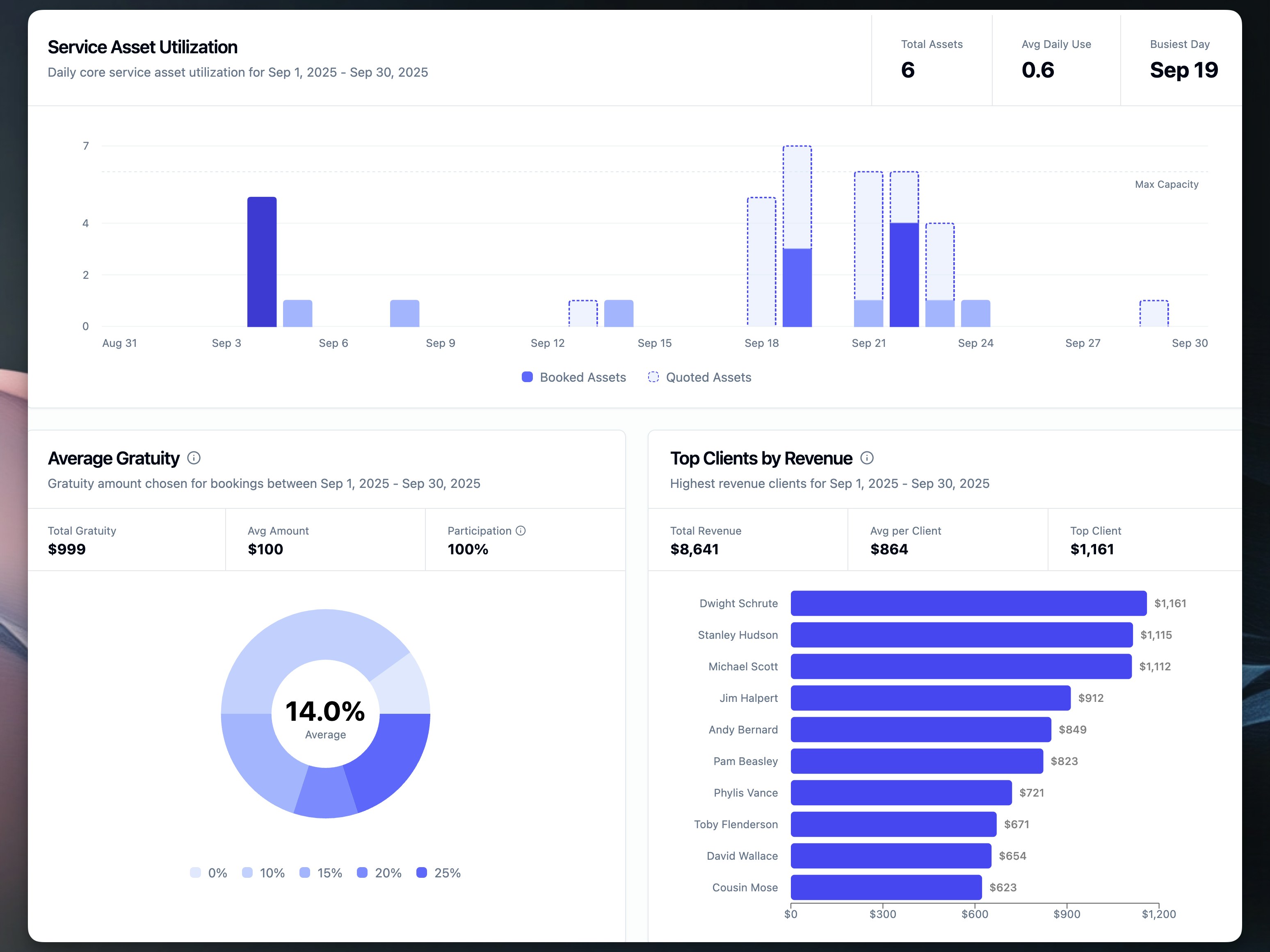 **New Reports:**
### 1. Service Asset Utilization
Track daily usage of your core service resources with a visual chart showing:
* Booked vs quoted assets over time
* Maximum capacity indicators
* Peak utilization dates
* Helps forecast busy periods and optimize resource allocation
### 2. Average Gratuity Analysis
Understand customer tipping patterns with detailed metrics including:
* Distribution of gratuity percentages selected
* Total gratuity revenue
* Average tip amounts
* Participation rates
* Helps optimize gratuity options and predict tip revenue
### 3. Top Clients by Revenue
Identify your most valuable customers with:
* Ranked list of top 10 revenue-generating clients
* Individual client contribution amounts
* Average revenue per client
* Helps focus retention efforts and recognize VIP relationships
**Business Benefits:**
* **Better Forecasting**: Visualize patterns to predict demand
* **Revenue Insights**: Understand income sources and concentration
* **Resource Planning**: Optimize inventory based on actual usage
* **Customer Intelligence**: Focus on high-value relationships
[View the Reports documentation →](/reports)
***
## Block Calendar Dates
You can now block specific dates to prevent new inquiries and automatically manage existing quotes. This powerful feature helps you manage capacity, holidays, and maintenance periods while keeping your calendar accurate.
**Key Features:**
* **Prevent New Inquiries**: Blocked dates can't be selected on lead intake forms
* **Auto-Expire Quotes**: Open quotes on blocked dates expire automatically
* **Bulk Selection**: Block up to 30 dates at once
[Learn how to block dates →](/calendar-blocked-dates)
## Improved Quote Expiration Management
**New Reports:**
### 1. Service Asset Utilization
Track daily usage of your core service resources with a visual chart showing:
* Booked vs quoted assets over time
* Maximum capacity indicators
* Peak utilization dates
* Helps forecast busy periods and optimize resource allocation
### 2. Average Gratuity Analysis
Understand customer tipping patterns with detailed metrics including:
* Distribution of gratuity percentages selected
* Total gratuity revenue
* Average tip amounts
* Participation rates
* Helps optimize gratuity options and predict tip revenue
### 3. Top Clients by Revenue
Identify your most valuable customers with:
* Ranked list of top 10 revenue-generating clients
* Individual client contribution amounts
* Average revenue per client
* Helps focus retention efforts and recognize VIP relationships
**Business Benefits:**
* **Better Forecasting**: Visualize patterns to predict demand
* **Revenue Insights**: Understand income sources and concentration
* **Resource Planning**: Optimize inventory based on actual usage
* **Customer Intelligence**: Focus on high-value relationships
[View the Reports documentation →](/reports)
***
## Block Calendar Dates
You can now block specific dates to prevent new inquiries and automatically manage existing quotes. This powerful feature helps you manage capacity, holidays, and maintenance periods while keeping your calendar accurate.
**Key Features:**
* **Prevent New Inquiries**: Blocked dates can't be selected on lead intake forms
* **Auto-Expire Quotes**: Open quotes on blocked dates expire automatically
* **Bulk Selection**: Block up to 30 dates at once
[Learn how to block dates →](/calendar-blocked-dates)
## Improved Quote Expiration Management
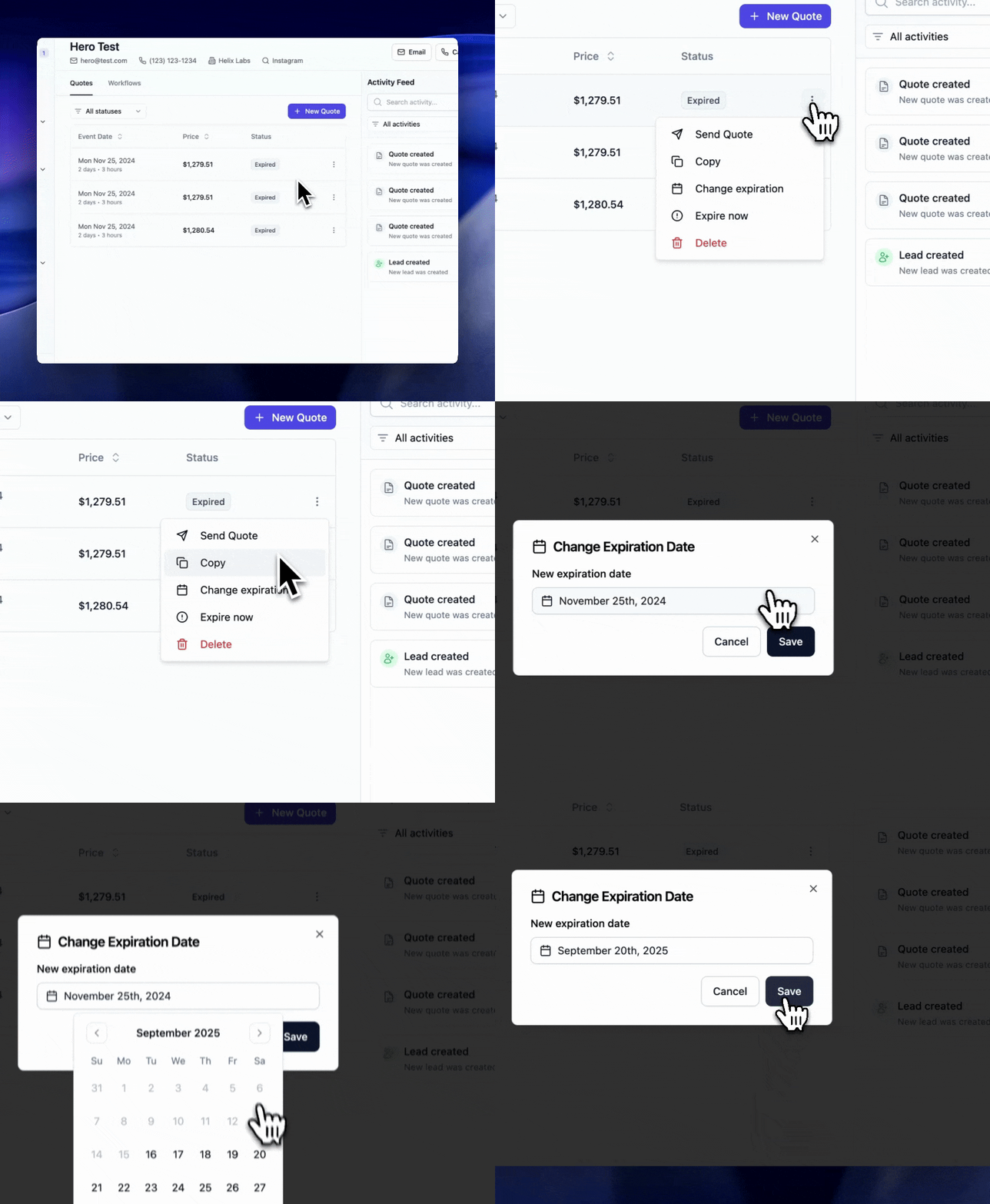 We've enhanced how expired quotes work to protect your business from outdated pricing while giving you more control over expiration dates. These updates ensure customers always receive current pricing and availability.
**What's Changed:**
* **Expired Quote Protection**: Customers can no longer book expired quotes, preventing issues with outdated pricing or unavailable dates
* **Clear Customer Options**: When viewing expired quotes, customers see options to request a fresh quote or contact your company directly
* **Flexible Expiration Control**: Admins can now modify quote expiration dates from three convenient locations:
* Lead details page
* Quote edit page
* Quote view page
**Business Benefits:**
* **Pricing Protection**: Prevents bookings with outdated rates or discontinued services
* **Availability Accuracy**: Ensures dates are verified before booking
* **Reduced Disputes**: Eliminates confusion over old pricing
* **Extended Opportunities**: Easily extend quotes for leads still in negotiation
**Common Use Cases:**
* **Extend Active Negotiations**: Give prospects more time while discussions continue
* **Reactivate Expired Quotes**: Instantly make expired quotes bookable by setting a future date
* **Remove Expiration**: For special clients, remove expiration entirely
This update provides better protection for your business while maintaining flexibility to accommodate different sales scenarios. [Learn about managing expiration →](/leads/managing#managing-quote-expiration-dates) | [Configure quote settings →](/settings/quotes#expiration-settings) | [Handle expired quotes →](/leads/sending-quotes#handling-expired-quotes)
***
## Enhanced Staffing Calculator Settings
The Lead and Take Form Builder now includes reorganized settings and new display options for the staffing calculator, giving you more control over how customers interact with service planning on your forms.
**What's New:**
* **Visual Counter Toggle**: Choose between an engaging visual staff counter or a simplified text-only display
* **Guest Count Increment**: Configure custom increment values (1-100) for the guest count +/- buttons
* **Reorganized Settings**: Cleaner layout with sections for Service Length, Guests and Staffing, and Display Options
* **Smart Collapsing**: The staff counter settings automatically collapse when the visual counter is disabled
These improvements make it easier to customize the staffing calculator to match your brand and customer preferences. The visual counter helps justify pricing by showing customers exactly how many team members will serve their event, while the text-only mode provides a cleaner alternative for businesses preferring a minimalist approach.
[Learn about staffing calculator configuration →](/forms/staffing-calculator) | [View lead intake form settings →](/forms/lead-intake#staffing-calculator-configuration)
## Share Links & Hosted Forms
Create shareable, Flashquotes-hosted versions of your lead intake forms perfect for social media, Instagram link-in-bio, and QR codes. No website or embedding required - just share your link and start collecting leads instantly.
We've enhanced how expired quotes work to protect your business from outdated pricing while giving you more control over expiration dates. These updates ensure customers always receive current pricing and availability.
**What's Changed:**
* **Expired Quote Protection**: Customers can no longer book expired quotes, preventing issues with outdated pricing or unavailable dates
* **Clear Customer Options**: When viewing expired quotes, customers see options to request a fresh quote or contact your company directly
* **Flexible Expiration Control**: Admins can now modify quote expiration dates from three convenient locations:
* Lead details page
* Quote edit page
* Quote view page
**Business Benefits:**
* **Pricing Protection**: Prevents bookings with outdated rates or discontinued services
* **Availability Accuracy**: Ensures dates are verified before booking
* **Reduced Disputes**: Eliminates confusion over old pricing
* **Extended Opportunities**: Easily extend quotes for leads still in negotiation
**Common Use Cases:**
* **Extend Active Negotiations**: Give prospects more time while discussions continue
* **Reactivate Expired Quotes**: Instantly make expired quotes bookable by setting a future date
* **Remove Expiration**: For special clients, remove expiration entirely
This update provides better protection for your business while maintaining flexibility to accommodate different sales scenarios. [Learn about managing expiration →](/leads/managing#managing-quote-expiration-dates) | [Configure quote settings →](/settings/quotes#expiration-settings) | [Handle expired quotes →](/leads/sending-quotes#handling-expired-quotes)
***
## Enhanced Staffing Calculator Settings
The Lead and Take Form Builder now includes reorganized settings and new display options for the staffing calculator, giving you more control over how customers interact with service planning on your forms.
**What's New:**
* **Visual Counter Toggle**: Choose between an engaging visual staff counter or a simplified text-only display
* **Guest Count Increment**: Configure custom increment values (1-100) for the guest count +/- buttons
* **Reorganized Settings**: Cleaner layout with sections for Service Length, Guests and Staffing, and Display Options
* **Smart Collapsing**: The staff counter settings automatically collapse when the visual counter is disabled
These improvements make it easier to customize the staffing calculator to match your brand and customer preferences. The visual counter helps justify pricing by showing customers exactly how many team members will serve their event, while the text-only mode provides a cleaner alternative for businesses preferring a minimalist approach.
[Learn about staffing calculator configuration →](/forms/staffing-calculator) | [View lead intake form settings →](/forms/lead-intake#staffing-calculator-configuration)
## Share Links & Hosted Forms
Create shareable, Flashquotes-hosted versions of your lead intake forms perfect for social media, Instagram link-in-bio, and QR codes. No website or embedding required - just share your link and start collecting leads instantly.
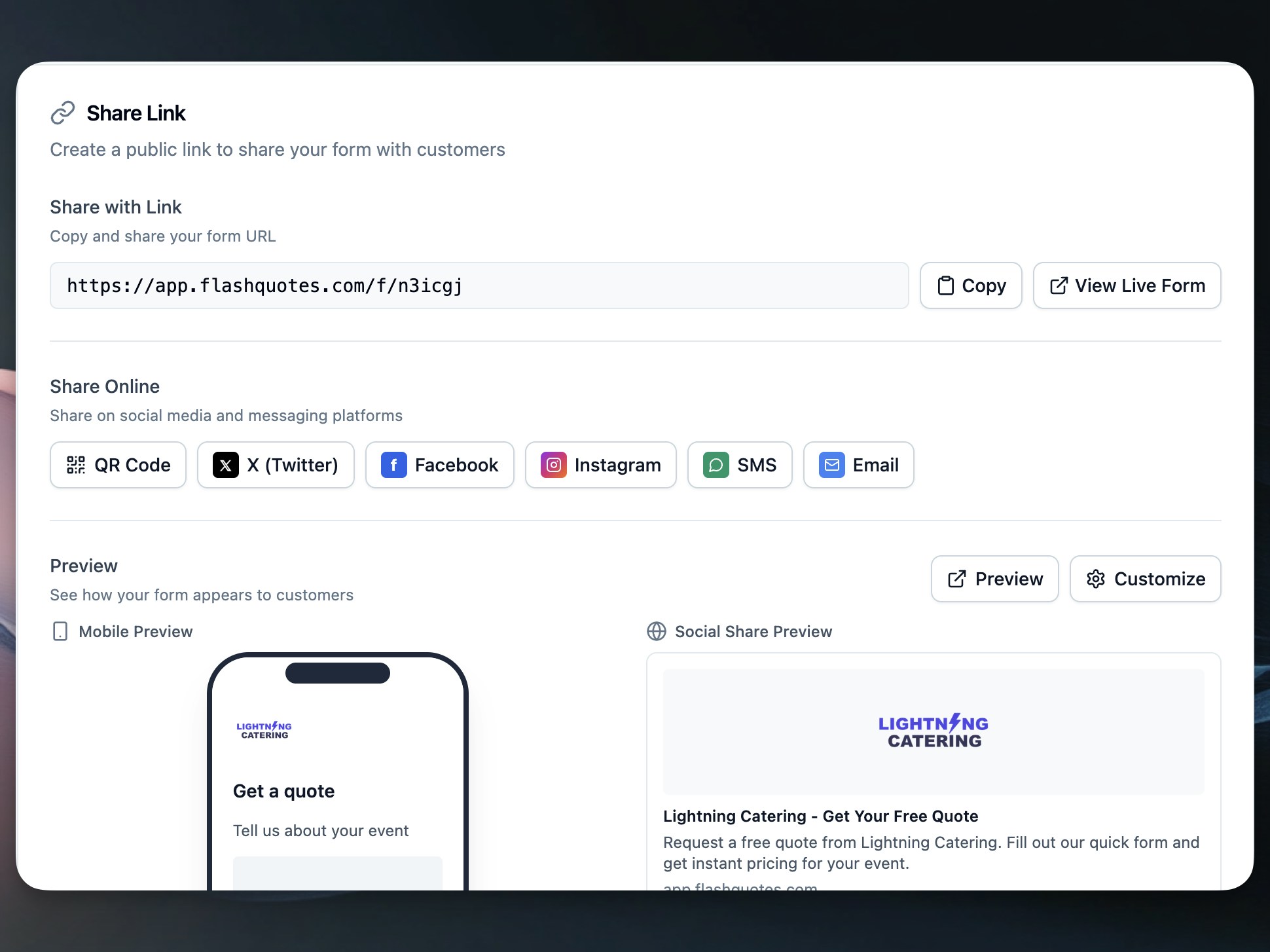 **What's New:**
* **Hosted Form Pages**: Professional landing pages at short URLs (e.g., app.flashquotes.com/f/abc123)
* **Instagram Ready**: Perfect for link-in-bio with mobile-optimized design
* **Social Sharing**: One-click sharing to X, Facebook, Instagram, SMS, and email
* **QR Code Generation**: Create QR codes for print materials and offline marketing
* **Customizable Headlines**: Personalize your form's headline and subheadline
* **Brand Integration**: Automatic company logo and brand color display
Access these features from the new **Publish** tab in your form editor. [Learn how to create share links →](/forms/share-links)
## Quick Access to Stripe Payment Receipts
Admins can now instantly access official Stripe payment receipts directly from the payments table. This quality-of-life improvement makes it easier to share receipts with clients and handle accounting tasks.
**What's New:**
* **Receipt Links**: A new "Receipt" link appears next to payment details in the payments table
* **One-Click Access**: Opens the official Stripe receipt in a new tab for easy printing or sharing
This feature streamlines payment documentation workflows, eliminating the need to log into Stripe separately to retrieve receipts. [Learn more about viewing payment receipts →](/finance/stripe-receipts)
## CSV Export for Leads and Bookings
Export your business data to CSV format for powerful integrations with marketing platforms, analytics tools, and accounting software. This new feature enables seamless data portability for both leads and bookings.
**Key Features:**
* **One-Click Export**: Export up to 1,000 records instantly from the leads or bookings page
* **Comprehensive Data**: Includes all fields, custom form responses, and calculated metrics
* **Marketing Ready**: Perfect for email automation platforms like Mailchimp or Klaviyo
* **Ad Optimization**: Upload to Google Ads for conversion tracking and audience building
* **RFC 4180 Compliant**: Industry-standard CSV format works with all major tools
**Lead Export Includes:**
* Contact information and source tracking
* Quote history and conversion status
* Event details and requirements
* Activity tracking and assignments
**Booking Export Includes:**
* Complete client and event details
* Financial data including payments and balances
* Resource assignments and timelines
* Custom form field responses
**Common Use Cases:**
* **Email Marketing**: Re-engage unconverted leads with targeted campaigns
* **Google Ads**: Track conversions and create lookalike audiences
* **Business Analytics**: Analyze trends in Excel or BI tools
* **Accounting**: Reconcile bookings with QuickBooks
* **Operations**: Plan resource allocation and staffing
The export feature respects your active filters, allowing you to export specific date ranges, statuses, or segments. Files are UTF-8 encoded and compatible with Excel, Google Sheets, and all major data platforms.
Access the export feature from the toolbar on your [Leads](https://app.flashquotes.com/leads) or [Bookings](https://app.flashquotes.com/bookings) page.
## Service Charges: Automated Fees & Gratuity
Streamline your pricing with Service Charges - automatically add percentage or flat fees to quotes and invoices. Perfect for service fees, gratuity, corkage fees, and other standard charges that apply across your business.
**Key Features:**
* **Flexible Pricing**: Configure percentage-based (e.g., 20% gratuity) or flat amount charges
* **Auto-Apply Options**: Set charges to automatically appear on all new quotes
* **Tax Configuration**: Mark charges as taxable or non-taxable based on your needs
* **Smart Application**: Charges apply to all line items except gratuity itself
* **Full Visibility**: Displays clearly across quotes, booking forms, and invoices
**How It Works:**
1. Create service charges in Settings → Service Charges
2. Auto-applied charges appear on new quotes automatically
3. Manually add or remove charges when editing quotes
4. Charges carry through to invoices when bookings are confirmed
5. Customers see transparent pricing at every step
**Common Use Cases:**
* **20% Gratuity**: Auto-apply to all quotes as a taxable percentage
* **Service Fee**: 10% operational charge for event coordination
* **Corkage Fee**: \$75 flat fee for BYOB events
* **Setup Fee**: Fixed charge for equipment preparation
Service charges integrate seamlessly with your existing workflow - they respect tax settings, work with discounts, sync to QuickBooks, and display beautifully in the quote template.
Configure your service charges in [Settings → Service Charges](https://app.flashquotes.com/settings/service-charges).
## Personalized Quote Email Subject Lines
**What's New:**
* **Hosted Form Pages**: Professional landing pages at short URLs (e.g., app.flashquotes.com/f/abc123)
* **Instagram Ready**: Perfect for link-in-bio with mobile-optimized design
* **Social Sharing**: One-click sharing to X, Facebook, Instagram, SMS, and email
* **QR Code Generation**: Create QR codes for print materials and offline marketing
* **Customizable Headlines**: Personalize your form's headline and subheadline
* **Brand Integration**: Automatic company logo and brand color display
Access these features from the new **Publish** tab in your form editor. [Learn how to create share links →](/forms/share-links)
## Quick Access to Stripe Payment Receipts
Admins can now instantly access official Stripe payment receipts directly from the payments table. This quality-of-life improvement makes it easier to share receipts with clients and handle accounting tasks.
**What's New:**
* **Receipt Links**: A new "Receipt" link appears next to payment details in the payments table
* **One-Click Access**: Opens the official Stripe receipt in a new tab for easy printing or sharing
This feature streamlines payment documentation workflows, eliminating the need to log into Stripe separately to retrieve receipts. [Learn more about viewing payment receipts →](/finance/stripe-receipts)
## CSV Export for Leads and Bookings
Export your business data to CSV format for powerful integrations with marketing platforms, analytics tools, and accounting software. This new feature enables seamless data portability for both leads and bookings.
**Key Features:**
* **One-Click Export**: Export up to 1,000 records instantly from the leads or bookings page
* **Comprehensive Data**: Includes all fields, custom form responses, and calculated metrics
* **Marketing Ready**: Perfect for email automation platforms like Mailchimp or Klaviyo
* **Ad Optimization**: Upload to Google Ads for conversion tracking and audience building
* **RFC 4180 Compliant**: Industry-standard CSV format works with all major tools
**Lead Export Includes:**
* Contact information and source tracking
* Quote history and conversion status
* Event details and requirements
* Activity tracking and assignments
**Booking Export Includes:**
* Complete client and event details
* Financial data including payments and balances
* Resource assignments and timelines
* Custom form field responses
**Common Use Cases:**
* **Email Marketing**: Re-engage unconverted leads with targeted campaigns
* **Google Ads**: Track conversions and create lookalike audiences
* **Business Analytics**: Analyze trends in Excel or BI tools
* **Accounting**: Reconcile bookings with QuickBooks
* **Operations**: Plan resource allocation and staffing
The export feature respects your active filters, allowing you to export specific date ranges, statuses, or segments. Files are UTF-8 encoded and compatible with Excel, Google Sheets, and all major data platforms.
Access the export feature from the toolbar on your [Leads](https://app.flashquotes.com/leads) or [Bookings](https://app.flashquotes.com/bookings) page.
## Service Charges: Automated Fees & Gratuity
Streamline your pricing with Service Charges - automatically add percentage or flat fees to quotes and invoices. Perfect for service fees, gratuity, corkage fees, and other standard charges that apply across your business.
**Key Features:**
* **Flexible Pricing**: Configure percentage-based (e.g., 20% gratuity) or flat amount charges
* **Auto-Apply Options**: Set charges to automatically appear on all new quotes
* **Tax Configuration**: Mark charges as taxable or non-taxable based on your needs
* **Smart Application**: Charges apply to all line items except gratuity itself
* **Full Visibility**: Displays clearly across quotes, booking forms, and invoices
**How It Works:**
1. Create service charges in Settings → Service Charges
2. Auto-applied charges appear on new quotes automatically
3. Manually add or remove charges when editing quotes
4. Charges carry through to invoices when bookings are confirmed
5. Customers see transparent pricing at every step
**Common Use Cases:**
* **20% Gratuity**: Auto-apply to all quotes as a taxable percentage
* **Service Fee**: 10% operational charge for event coordination
* **Corkage Fee**: \$75 flat fee for BYOB events
* **Setup Fee**: Fixed charge for equipment preparation
Service charges integrate seamlessly with your existing workflow - they respect tax settings, work with discounts, sync to QuickBooks, and display beautifully in the quote template.
Configure your service charges in [Settings → Service Charges](https://app.flashquotes.com/settings/service-charges).
## Personalized Quote Email Subject Lines
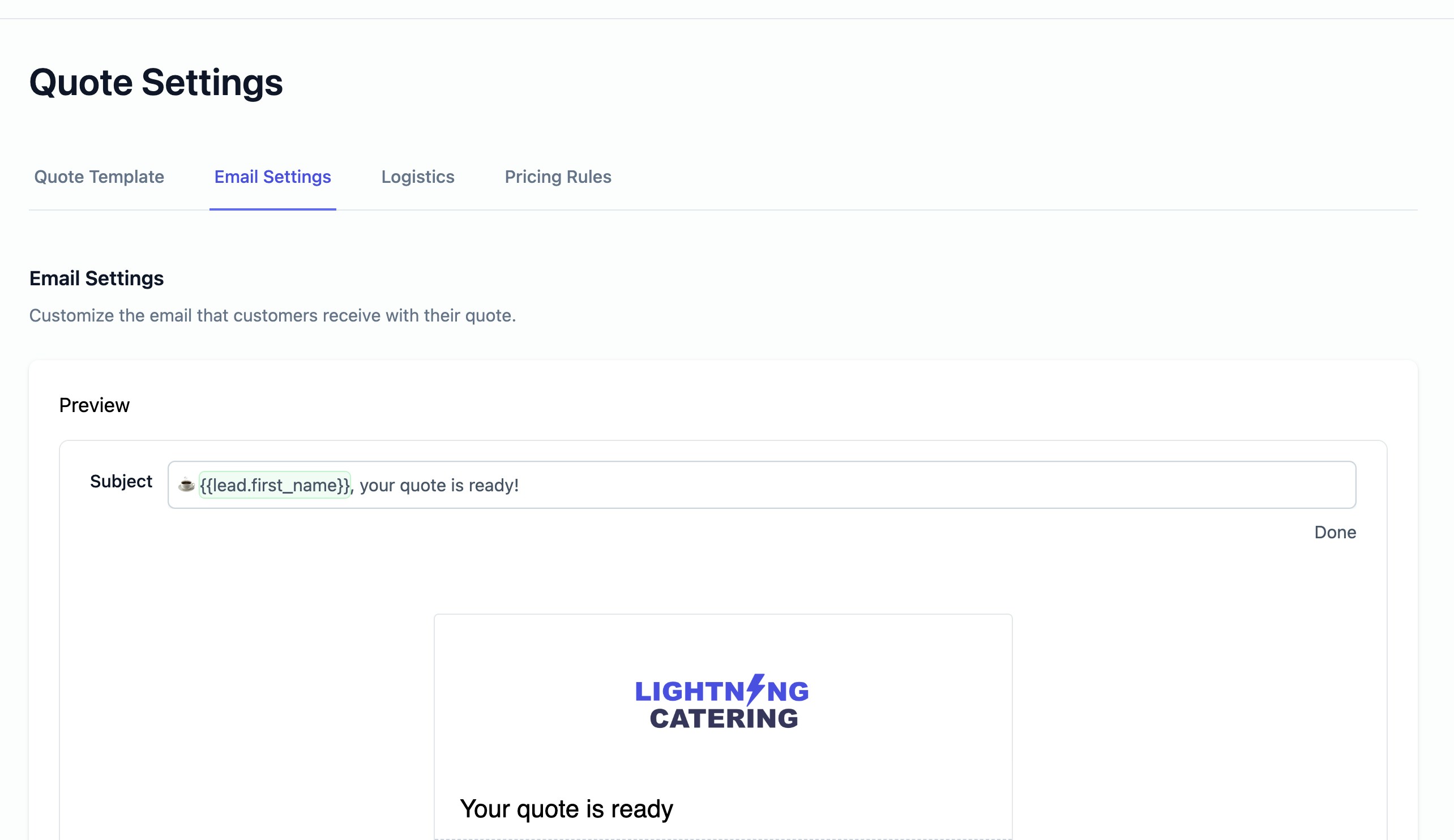 Transform your quote emails with personalized subject lines that automatically include your lead's information. This new feature helps you create more engaging, personalized email subjects that can significantly improve open rates and engagement.
**Key Features:**
* **Lead-Specific Shortcodes**: Use `{{lead.first_name}}`, `{{lead.full_name}}`, `{{lead.company_name}}`, and more
* **Real-Time Preview**: See exactly how your subject line will appear with actual lead data
* **Default Customization**: Set a personalized default subject line in your quote settings
* **Individual Override**: Still edit subject lines when sending individual quotes
**Example Subject Lines:**
* `☕ {{lead.first_name}}, your quote is ready!`
* `✨ {{lead.full_name}}, review your quote from and book online in minutes!`
The system automatically processes these shortcodes when sending quotes, replacing placeholders with actual lead information. This creates a more personal connection with your leads and can help improve email open rates.
Configure your personalized subject lines in [Quote Settings → Email Settings](https://app.flashquotes.com/settings/quotes?tab=email).
## Drag & Drop Line Item Reordering
Admins can now reorder quote line items with simple drag and drop functionality. Quickly reorganize services, add-ons, and custom items to present your quotes in the most logical order for your clients.
## Service Days Editor: Multi-Day Quote Management
Transform your quote emails with personalized subject lines that automatically include your lead's information. This new feature helps you create more engaging, personalized email subjects that can significantly improve open rates and engagement.
**Key Features:**
* **Lead-Specific Shortcodes**: Use `{{lead.first_name}}`, `{{lead.full_name}}`, `{{lead.company_name}}`, and more
* **Real-Time Preview**: See exactly how your subject line will appear with actual lead data
* **Default Customization**: Set a personalized default subject line in your quote settings
* **Individual Override**: Still edit subject lines when sending individual quotes
**Example Subject Lines:**
* `☕ {{lead.first_name}}, your quote is ready!`
* `✨ {{lead.full_name}}, review your quote from and book online in minutes!`
The system automatically processes these shortcodes when sending quotes, replacing placeholders with actual lead information. This creates a more personal connection with your leads and can help improve email open rates.
Configure your personalized subject lines in [Quote Settings → Email Settings](https://app.flashquotes.com/settings/quotes?tab=email).
## Drag & Drop Line Item Reordering
Admins can now reorder quote line items with simple drag and drop functionality. Quickly reorganize services, add-ons, and custom items to present your quotes in the most logical order for your clients.
## Service Days Editor: Multi-Day Quote Management
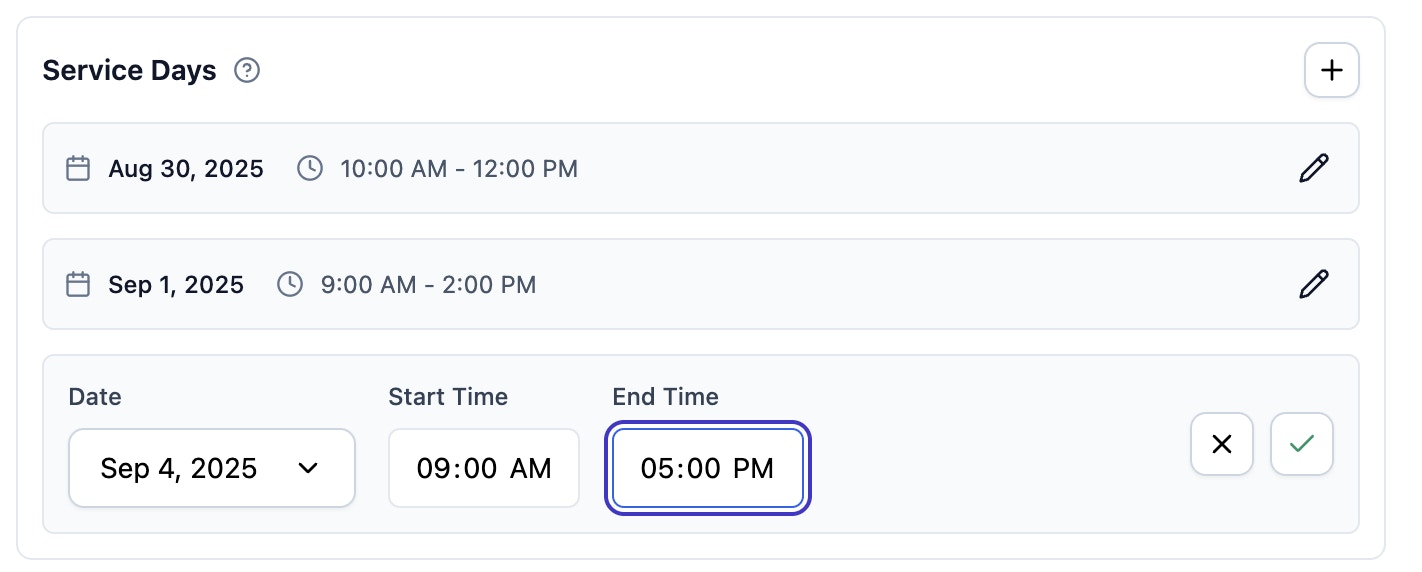 Create complex multi-day quotes with our new Service Days editor. Add multiple dates and times to a single quote, perfect for wedding weekends, corporate events, and festivals.
**Key Features:**
* **Inline Editing**: Edit dates and times directly in the quote editor
* **Flexible Scheduling**: Different start/end times for each service day
* **Automatic Events**: Each service day becomes a separate event when booked
* **Timezone Aware**: All times handled in your location's timezone
**Perfect For:**
* Wedding weekends (setup, ceremony, breakdown)
* Corporate events (setup, main event, teardown)
* Festivals and multi-day celebrations
* Installations with multiple phases
When clients book quotes with service days, each day automatically becomes a separate event in your booking system, making complex scheduling simple to manage.
Learn more in our [Service Days guide](/leads/service-days).
## SMS Opt-in Collection
Many CRMs and SMS automation tools require explicit consent before sending text messages. Flashquotes now helps you capture that consent during lead intake, keeping you compliant while expanding your communication channels.
Create complex multi-day quotes with our new Service Days editor. Add multiple dates and times to a single quote, perfect for wedding weekends, corporate events, and festivals.
**Key Features:**
* **Inline Editing**: Edit dates and times directly in the quote editor
* **Flexible Scheduling**: Different start/end times for each service day
* **Automatic Events**: Each service day becomes a separate event when booked
* **Timezone Aware**: All times handled in your location's timezone
**Perfect For:**
* Wedding weekends (setup, ceremony, breakdown)
* Corporate events (setup, main event, teardown)
* Festivals and multi-day celebrations
* Installations with multiple phases
When clients book quotes with service days, each day automatically becomes a separate event in your booking system, making complex scheduling simple to manage.
Learn more in our [Service Days guide](/leads/service-days).
## SMS Opt-in Collection
Many CRMs and SMS automation tools require explicit consent before sending text messages. Flashquotes now helps you capture that consent during lead intake, keeping you compliant while expanding your communication channels.
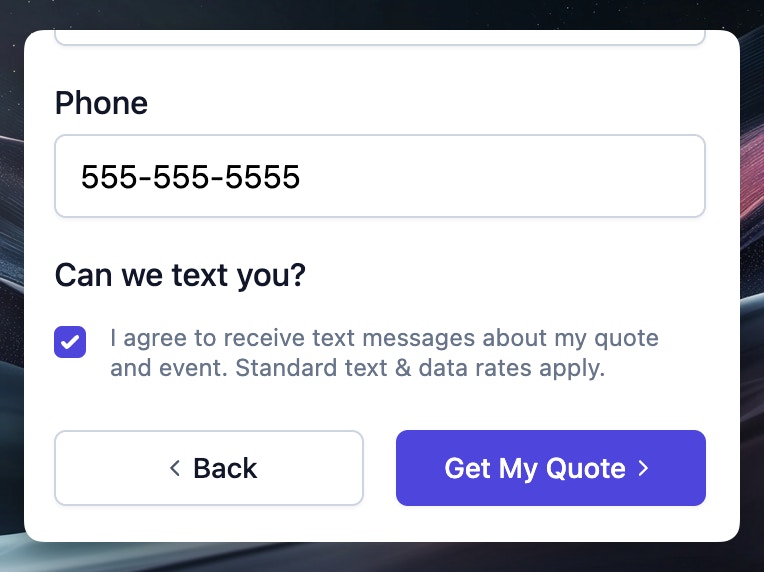 Add a checkbox asking "Can we text you?" with customizable consent language. Leads who opt in display a green "SMS" badge in your dashboard.
[Learn more →](/forms/sms-opt-in)
## Stripe Payouts Dashboard
Monitor and manage your Stripe payouts directly from Flashquotes. The new Payouts dashboard shows exactly when customer payments will be deposited to your bank account, helping you better plan cash flow and reconcile deposits. You can also access instant payouts for immediate access to funds when needed.
Learn more in our [Payouts documentation](/finance/payouts).
## Modern Quote Template for Higher Conversions
Add a checkbox asking "Can we text you?" with customizable consent language. Leads who opt in display a green "SMS" badge in your dashboard.
[Learn more →](/forms/sms-opt-in)
## Stripe Payouts Dashboard
Monitor and manage your Stripe payouts directly from Flashquotes. The new Payouts dashboard shows exactly when customer payments will be deposited to your bank account, helping you better plan cash flow and reconcile deposits. You can also access instant payouts for immediate access to funds when needed.
Learn more in our [Payouts documentation](/finance/payouts).
## Modern Quote Template for Higher Conversions
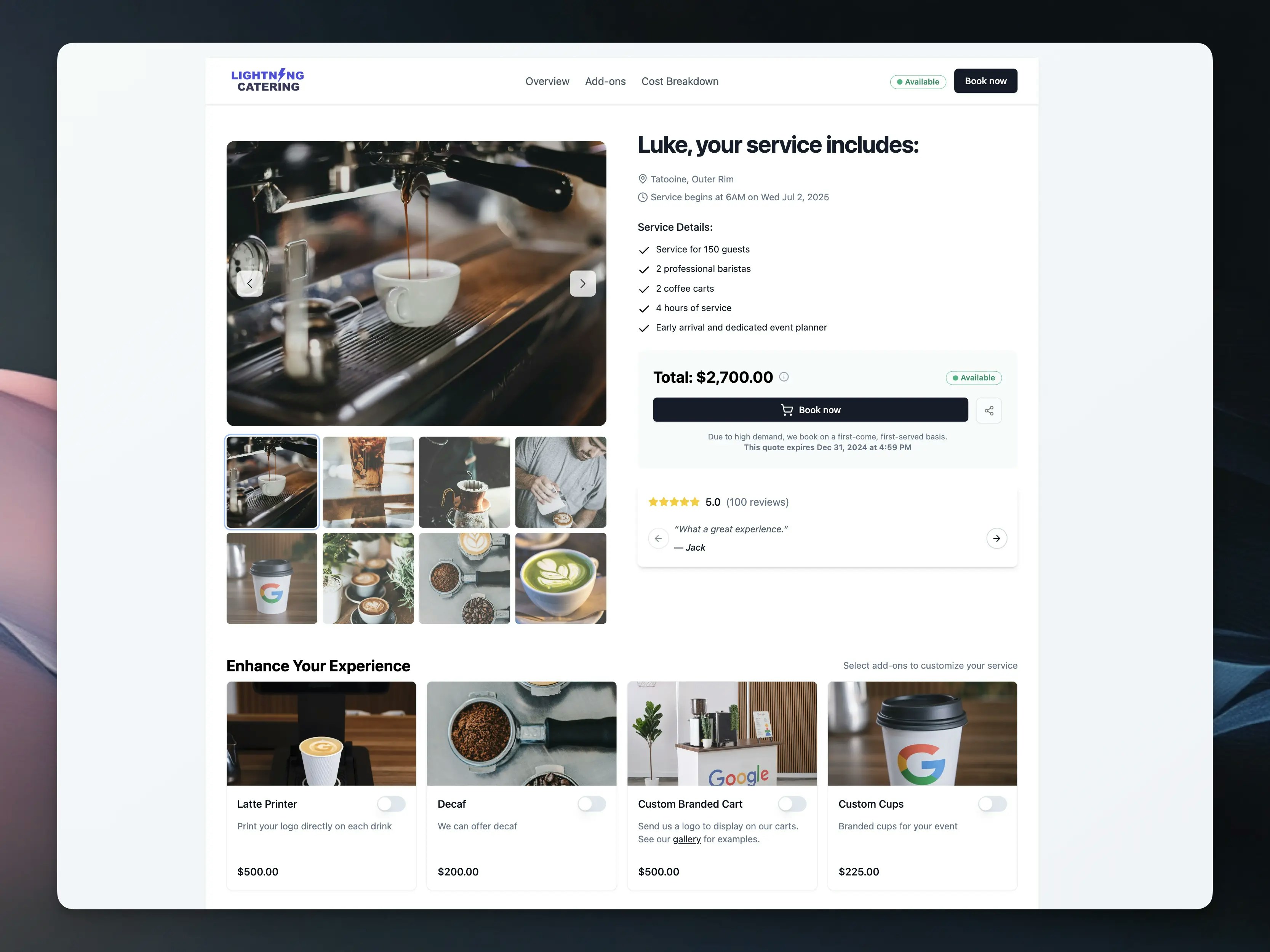 Transform your quote presentation with our modern quote template that brings e-commerce best practices to your service business. This conversion-optimized experience is designed to turn more leads into paying customers through trust-building features and strategic psychology.
Key features include:
* **Rich Photo Galleries**: Showcase up to 8 high-quality images to build trust and demonstrate your service quality
* **Social Proof Integration**: Display customer reviews, star ratings, and testimonials prominently to increase booking confidence
* **Dynamic Add-on Selection**: Enable customers to customize their packages with strategic upsells that boost average order value
* **Real-time Availability Indicators**: Create urgency with live availability status to reduce cart abandonment
* **Mobile-Optimized Design**: Professional, responsive layout that looks stunning on all devices
* **E-commerce Style Checkout**: Modern booking flow that customers recognize and trust
The template is fully customizable through an intuitive visual editor, allowing you to configure galleries, testimonials, and add-ons to match your brand and service offerings.
Ready to boost your booking rates? Learn how to configure your quote template in our comprehensive [setup guide](/leads/quote-view).
## Team Member Roles and Permissions
Transform your quote presentation with our modern quote template that brings e-commerce best practices to your service business. This conversion-optimized experience is designed to turn more leads into paying customers through trust-building features and strategic psychology.
Key features include:
* **Rich Photo Galleries**: Showcase up to 8 high-quality images to build trust and demonstrate your service quality
* **Social Proof Integration**: Display customer reviews, star ratings, and testimonials prominently to increase booking confidence
* **Dynamic Add-on Selection**: Enable customers to customize their packages with strategic upsells that boost average order value
* **Real-time Availability Indicators**: Create urgency with live availability status to reduce cart abandonment
* **Mobile-Optimized Design**: Professional, responsive layout that looks stunning on all devices
* **E-commerce Style Checkout**: Modern booking flow that customers recognize and trust
The template is fully customizable through an intuitive visual editor, allowing you to configure galleries, testimonials, and add-ons to match your brand and service offerings.
Ready to boost your booking rates? Learn how to configure your quote template in our comprehensive [setup guide](/leads/quote-view).
## Team Member Roles and Permissions
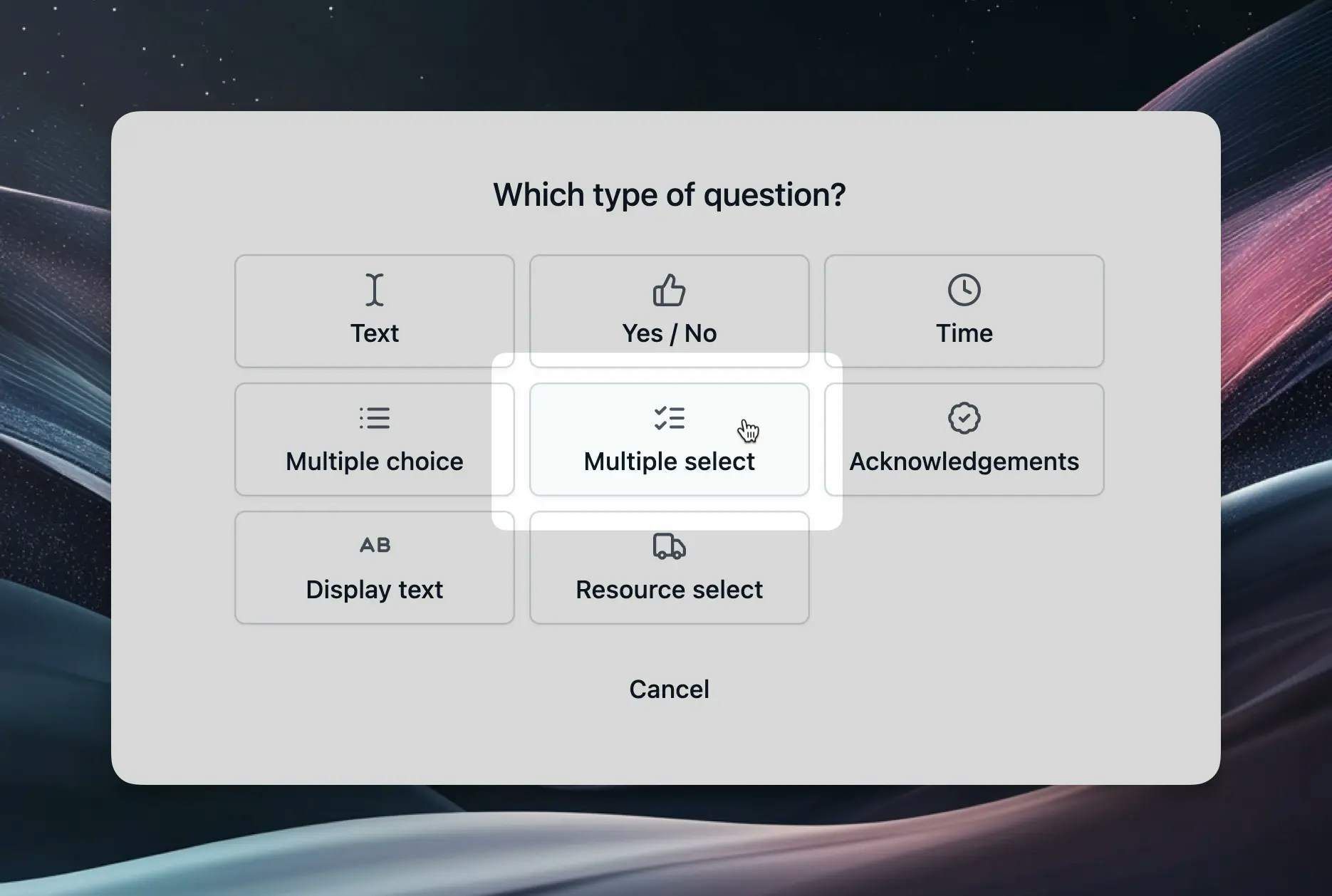 We've enhanced our team management system with flexible role-based permissions. Now you can invite team members with different access levels to help manage your business while maintaining control over sensitive financial data.
Key features include:
* **Admin Role**: Full access to all features including aggregate financial data, member management, and company settings
* **Member Role**: Full access to all features except aggregate financial data (revenue totals, payment statistics)
* **Role Selection**: Choose the appropriate role when inviting new team members
* **Role Management**: Admins can promote or demote members between roles as needed
* **Financial Data Protection**: Members can still see individual invoice amounts and booking details, but not aggregate financial statistics
This feature helps you collaborate with team members while maintaining appropriate access controls. Members can handle day-to-day operations like managing bookings and invoices, while admins retain access to financial reporting and member management.
Learn more about team roles and permissions in our [team management guide](/settings/members).
## Real-Time Availability in Lead Intake Forms
We've enhanced our team management system with flexible role-based permissions. Now you can invite team members with different access levels to help manage your business while maintaining control over sensitive financial data.
Key features include:
* **Admin Role**: Full access to all features including aggregate financial data, member management, and company settings
* **Member Role**: Full access to all features except aggregate financial data (revenue totals, payment statistics)
* **Role Selection**: Choose the appropriate role when inviting new team members
* **Role Management**: Admins can promote or demote members between roles as needed
* **Financial Data Protection**: Members can still see individual invoice amounts and booking details, but not aggregate financial statistics
This feature helps you collaborate with team members while maintaining appropriate access controls. Members can handle day-to-day operations like managing bookings and invoices, while admins retain access to financial reporting and member management.
Learn more about team roles and permissions in our [team management guide](/settings/members).
## Real-Time Availability in Lead Intake Forms
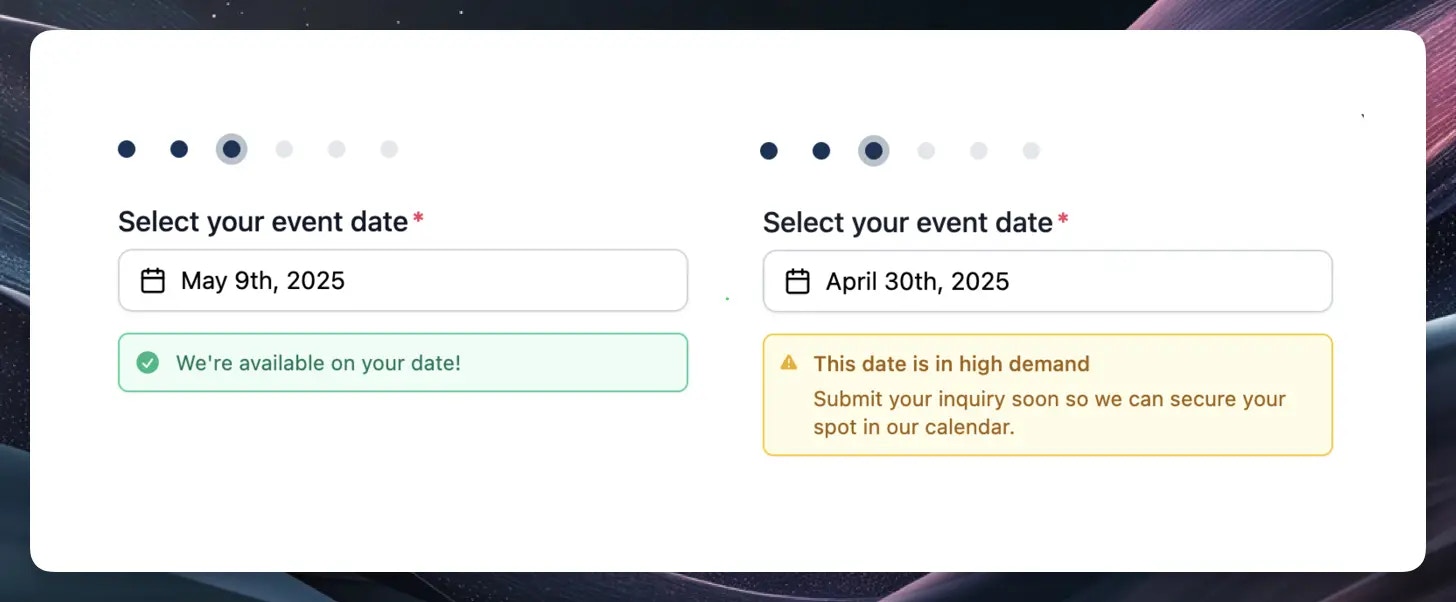 We're excited to introduce real-time availability indicators in your lead intake forms. This feature helps set clear expectations with potential customers from the start and saves you time by reducing inquiries for dates when you're already fully booked.
Key benefits include:
* **Visual date indicators:** Green and yellow dots instantly show customers your availability status
* **Clear messaging:** After selecting a date, customers receive straightforward availability notifications
* **Automatic updates:** Availability updates in real-time based on your blocked dates and resource capacity
* **Resource optimization:** Better manage your team and equipment allocation across events
The system intelligently combines your blocked dates and existing bookings to determine availability status for each date, creating a more transparent booking experience.
Learn more about this feature in our [Real-Time Availability](/forms/real-time-availability) documentation.
## Instant Quoting
We're excited to introduce real-time availability indicators in your lead intake forms. This feature helps set clear expectations with potential customers from the start and saves you time by reducing inquiries for dates when you're already fully booked.
Key benefits include:
* **Visual date indicators:** Green and yellow dots instantly show customers your availability status
* **Clear messaging:** After selecting a date, customers receive straightforward availability notifications
* **Automatic updates:** Availability updates in real-time based on your blocked dates and resource capacity
* **Resource optimization:** Better manage your team and equipment allocation across events
The system intelligently combines your blocked dates and existing bookings to determine availability status for each date, creating a more transparent booking experience.
Learn more about this feature in our [Real-Time Availability](/forms/real-time-availability) documentation.
## Instant Quoting
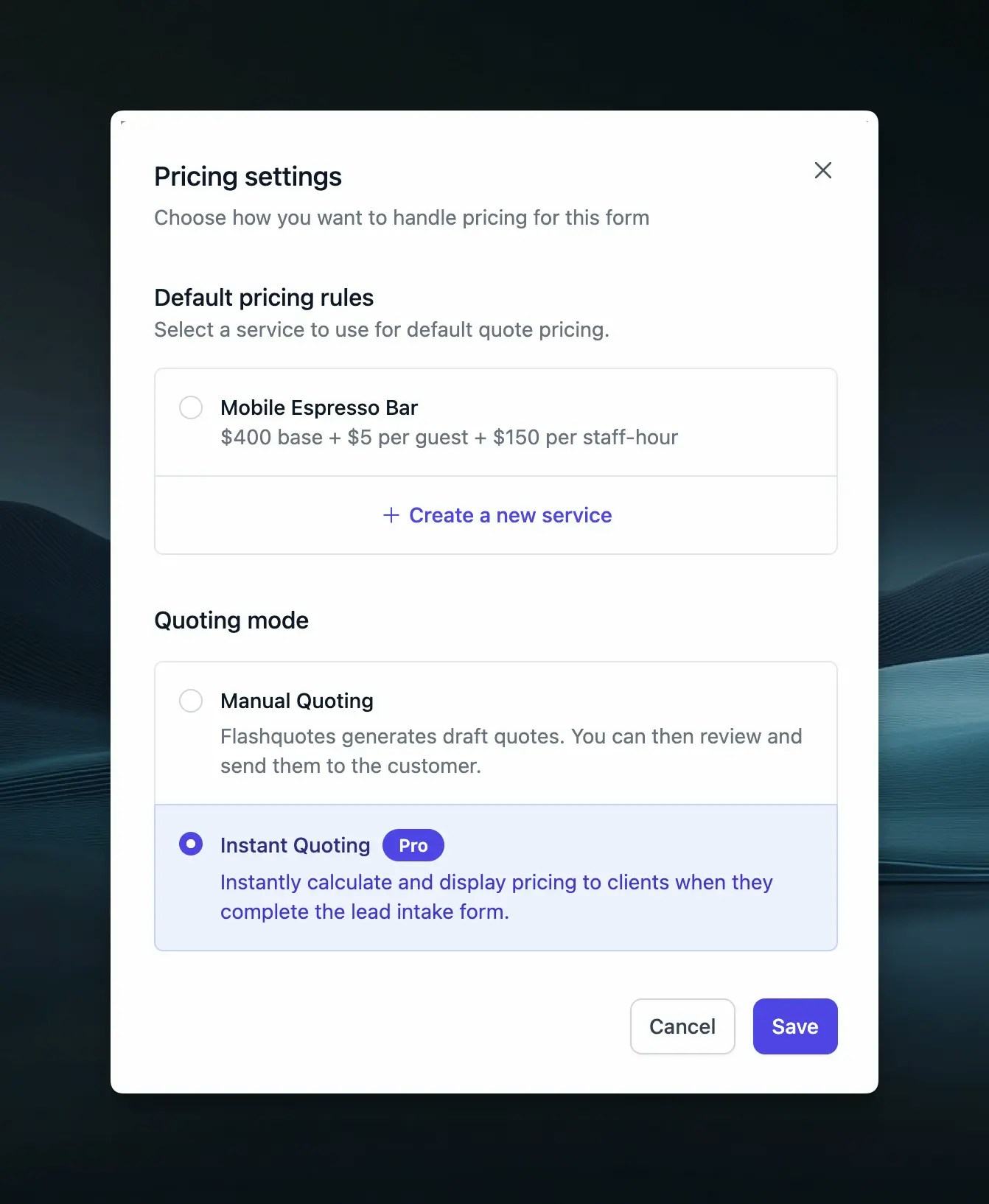 Transform your lead conversion process with our powerful new Instant Quoting feature. Now you can automatically generate and present quotes to clients immediately when they submit your lead intake form, enabling them to book instantly without any back-and-forth communication.
Key features include:
* **Instant Quote Generation**: Automatically calculate and present quotes using your configured pricing rules
* **Immediate Booking**: Clients can review and book quotes instantly upon form submission
* **Seamless Experience**: Direct redirect from form submission to quote presentation
* **Flexible Control**: Choose between manual review or instant quoting modes
* **Pro Plan Feature**: Available exclusively for [FlashQuotes Pro](https://app.flashquotes.com/settings/plans) subscribers
The system uses your existing instant pricing configurations to generate accurate quotes automatically, maintaining consistency while dramatically reducing the time from inquiry to booking.
Learn more about Instant Quoting in our documentation:
* [Instant Pricing & Quoting Guide](/leads/instant-pricing)
* [Lead Intake Form Configuration](/forms/lead-intake)
* [Quote Settings](/settings/quotes)
## Automated Invoice Reminders
Transform your lead conversion process with our powerful new Instant Quoting feature. Now you can automatically generate and present quotes to clients immediately when they submit your lead intake form, enabling them to book instantly without any back-and-forth communication.
Key features include:
* **Instant Quote Generation**: Automatically calculate and present quotes using your configured pricing rules
* **Immediate Booking**: Clients can review and book quotes instantly upon form submission
* **Seamless Experience**: Direct redirect from form submission to quote presentation
* **Flexible Control**: Choose between manual review or instant quoting modes
* **Pro Plan Feature**: Available exclusively for [FlashQuotes Pro](https://app.flashquotes.com/settings/plans) subscribers
The system uses your existing instant pricing configurations to generate accurate quotes automatically, maintaining consistency while dramatically reducing the time from inquiry to booking.
Learn more about Instant Quoting in our documentation:
* [Instant Pricing & Quoting Guide](/leads/instant-pricing)
* [Lead Intake Form Configuration](/forms/lead-intake)
* [Quote Settings](/settings/quotes)
## Automated Invoice Reminders
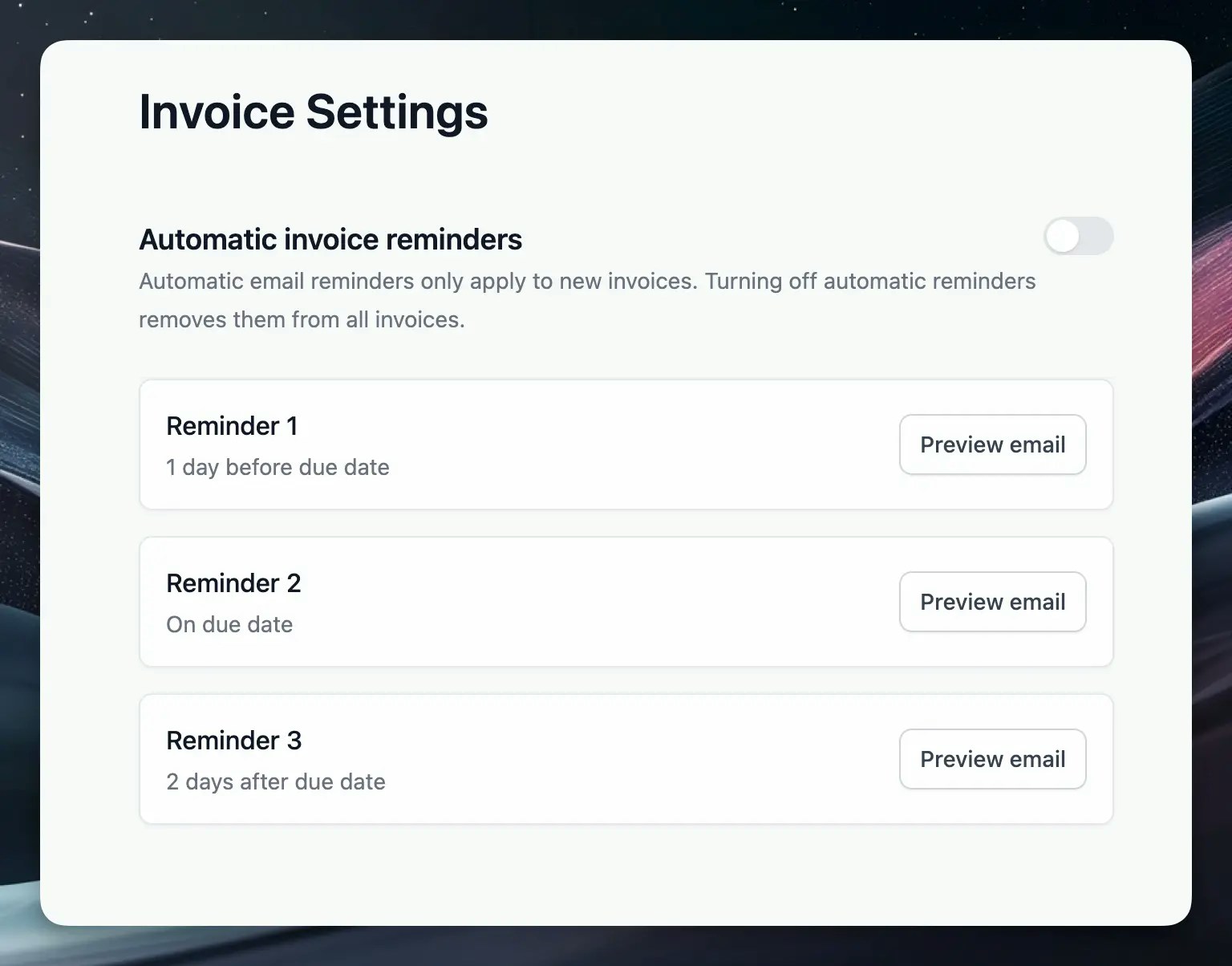 Never chase payments manually again! We've added automated invoice reminders that help ensure timely payments from your clients with minimal effort on your part.
Key features include:
* **Preset reminder schedule** with emails sent 1 day before due date, on the due date, and 2 days after
* **Email preview** option to review all reminder templates before they're sent
* **Toggle control** to easily enable or disable automated reminders
This feature complements the existing manual reminder capabilities, giving you a comprehensive system for payment follow-up that saves time while improving cash flow.
Learn more about this feature in our [Invoice Reminders](/invoices/reminders) documentation.
## Automated Lead Follow-up with Workflows
Never chase payments manually again! We've added automated invoice reminders that help ensure timely payments from your clients with minimal effort on your part.
Key features include:
* **Preset reminder schedule** with emails sent 1 day before due date, on the due date, and 2 days after
* **Email preview** option to review all reminder templates before they're sent
* **Toggle control** to easily enable or disable automated reminders
This feature complements the existing manual reminder capabilities, giving you a comprehensive system for payment follow-up that saves time while improving cash flow.
Learn more about this feature in our [Invoice Reminders](/invoices/reminders) documentation.
## Automated Lead Follow-up with Workflows
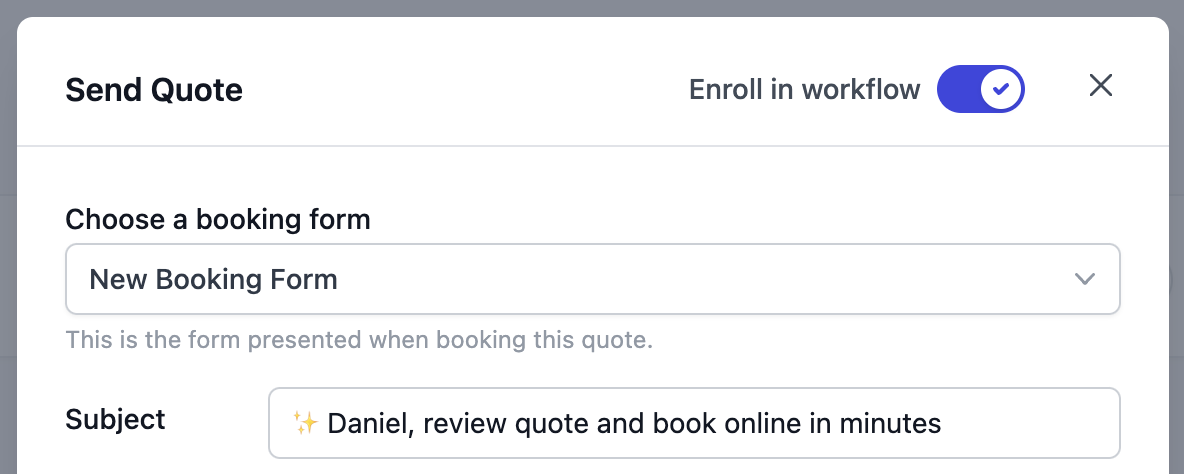 Transform your lead follow-up process with our powerful new Workflows feature. Now you can automatically nurture leads with perfectly timed, personalized email sequences that help convert more quotes into bookings.
Key features include:
* **Smart Email Sequences**: Pre-configured follow-up templates based on industry best practices
* **Dynamic Content**: Automatically insert quote details, lead information, and company data using shortcodes
* **Easy Enrollment**: One-click workflow enrollment when sending quotes
* **Full Visibility**: Track active workflows, scheduled emails, and lead engagement from both quote and lead views
* **Flexible Control**: Stop workflows automatically upon booking or manually when leads engage
The system intelligently handles multi-quote scenarios and automatically stops follow-ups when leads book, ensuring a professional experience throughout the sales process.
Learn more about Workflows in our documentation:
* [Workflows Overview](/workflows/overview)
* [Customizing Templates](/workflows/templates)
* [Managing Enrollments](/workflows/workflow-enrollments)
* [Understanding Triggers](/workflows/triggers)
## Instant Pricing
Transform your lead follow-up process with our powerful new Workflows feature. Now you can automatically nurture leads with perfectly timed, personalized email sequences that help convert more quotes into bookings.
Key features include:
* **Smart Email Sequences**: Pre-configured follow-up templates based on industry best practices
* **Dynamic Content**: Automatically insert quote details, lead information, and company data using shortcodes
* **Easy Enrollment**: One-click workflow enrollment when sending quotes
* **Full Visibility**: Track active workflows, scheduled emails, and lead engagement from both quote and lead views
* **Flexible Control**: Stop workflows automatically upon booking or manually when leads engage
The system intelligently handles multi-quote scenarios and automatically stops follow-ups when leads book, ensuring a professional experience throughout the sales process.
Learn more about Workflows in our documentation:
* [Workflows Overview](/workflows/overview)
* [Customizing Templates](/workflows/templates)
* [Managing Enrollments](/workflows/workflow-enrollments)
* [Understanding Triggers](/workflows/triggers)
## Instant Pricing
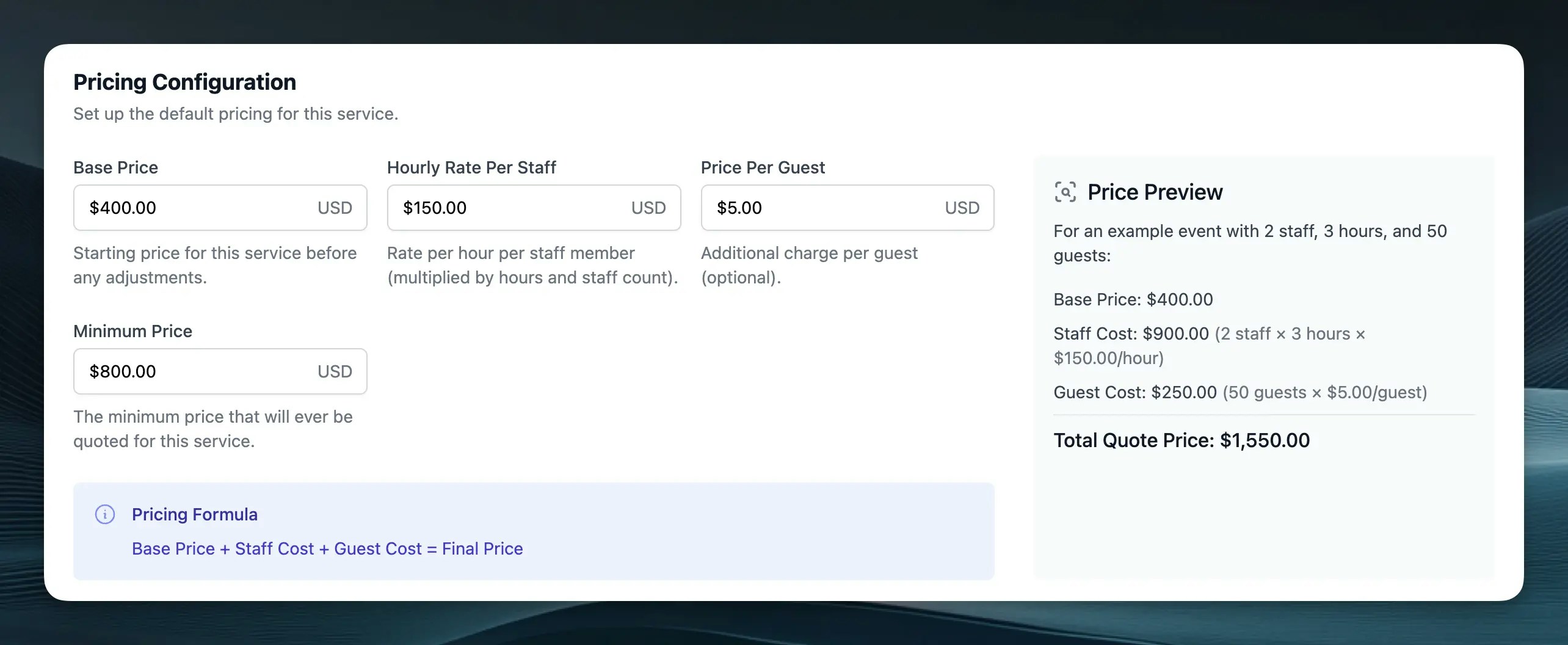 Save time and ensure consistent pricing with our new Instant Pricing feature. Now you can set up automatic price calculations for your services based on:
* Base service price
* Hourly rates per staff member
* Per-guest pricing
* Minimum price thresholds
When leads submit your intake forms, Flashquotes automatically generates draft quotes using your predefined pricing rules. This ensures consistent pricing across your business while still giving you the flexibility to review and adjust quotes before sending them to clients.
Check out our [Instant Pricing guide](/leads/instant-pricing) to learn how to set up automated pricing for your services.
## Team Member Invitations
Bring your whole admin team onto Flashquotes with our new invitation system. You can now easily invite team members to join your company workspace directly through the platform. Head to Settings → Members to invite new users, manage pending invitations, and control user roles. Each invitation includes a secure, unique link that lets new users quickly join your workspace.
Note: You only need to invite admins to your workspace. Event staff can see everything they need without a Flashquotes account.
Check out our [team management guide](/settings/members) to learn more about inviting and managing team members.
## Enhanced Quote Analytics
Track your lead engagement more effectively with our enhanced quote analytics. In addition to email open tracking, you can now monitor two crucial conversion metrics:
* Quote page views
* "Book Now" button clicks
These metrics appear as colored badges on both your lead list and quote details pages, making it easy to identify your hottest leads at a glance. Use these insights to time your follow-ups perfectly and focus on leads showing the strongest booking intent.
Check out the [quote analytics documentation](/leads/sending-quotes#tracking-quote-performance) to learn more about using these new metrics.
## Event Reminders for Staff
Save time and ensure consistent pricing with our new Instant Pricing feature. Now you can set up automatic price calculations for your services based on:
* Base service price
* Hourly rates per staff member
* Per-guest pricing
* Minimum price thresholds
When leads submit your intake forms, Flashquotes automatically generates draft quotes using your predefined pricing rules. This ensures consistent pricing across your business while still giving you the flexibility to review and adjust quotes before sending them to clients.
Check out our [Instant Pricing guide](/leads/instant-pricing) to learn how to set up automated pricing for your services.
## Team Member Invitations
Bring your whole admin team onto Flashquotes with our new invitation system. You can now easily invite team members to join your company workspace directly through the platform. Head to Settings → Members to invite new users, manage pending invitations, and control user roles. Each invitation includes a secure, unique link that lets new users quickly join your workspace.
Note: You only need to invite admins to your workspace. Event staff can see everything they need without a Flashquotes account.
Check out our [team management guide](/settings/members) to learn more about inviting and managing team members.
## Enhanced Quote Analytics
Track your lead engagement more effectively with our enhanced quote analytics. In addition to email open tracking, you can now monitor two crucial conversion metrics:
* Quote page views
* "Book Now" button clicks
These metrics appear as colored badges on both your lead list and quote details pages, making it easy to identify your hottest leads at a glance. Use these insights to time your follow-ups perfectly and focus on leads showing the strongest booking intent.
Check out the [quote analytics documentation](/leads/sending-quotes#tracking-quote-performance) to learn more about using these new metrics.
## Event Reminders for Staff
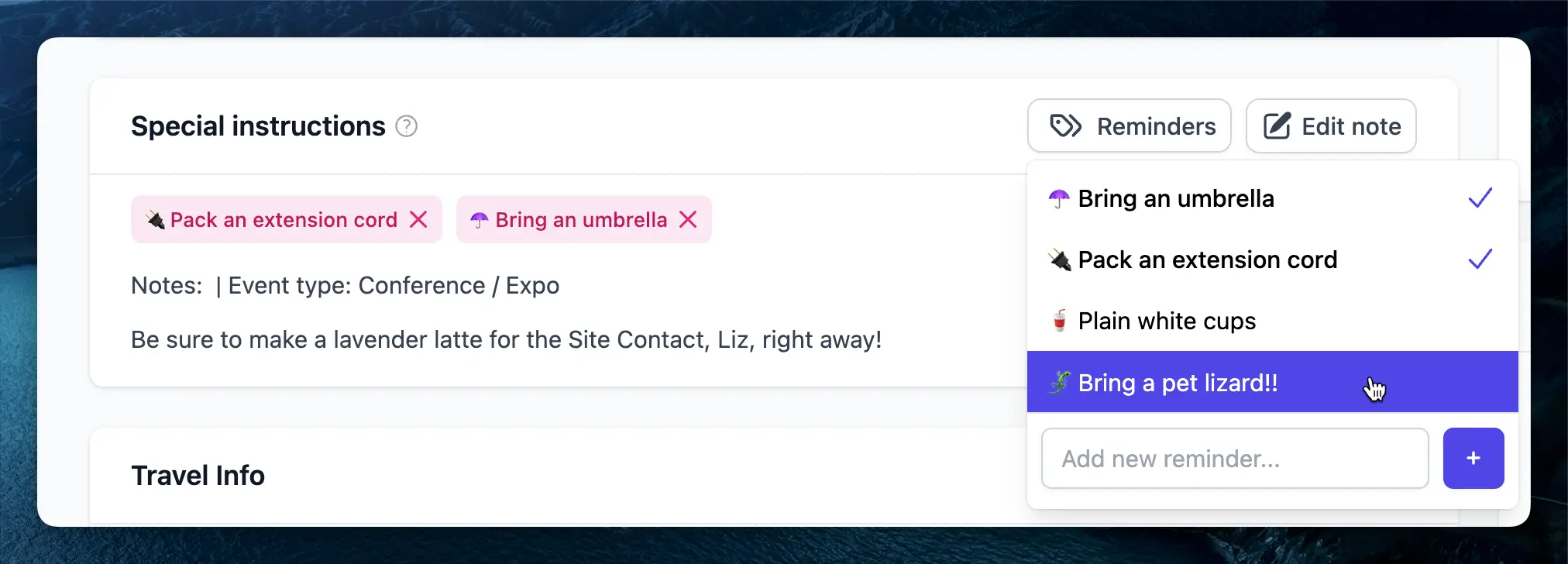 Keep your staff informed with our new Reminders feature. Tag events with important flags that appear prominently in both event details and event briefs. Whether it's equipment requirements, safety precautions, or special client requests, reminders ensure critical information is never overlooked. Create company-wide standard reminders or add custom ones for specific events. A warning banner at the top of event briefs ensures staff members are immediately aware of important details before starting their shift.
Learn more about using Reminders in our [detailed documentation](/events/reminders).
## Send Quotes from Your Gmail Account
Keep your staff informed with our new Reminders feature. Tag events with important flags that appear prominently in both event details and event briefs. Whether it's equipment requirements, safety precautions, or special client requests, reminders ensure critical information is never overlooked. Create company-wide standard reminders or add custom ones for specific events. A warning banner at the top of event briefs ensures staff members are immediately aware of important details before starting their shift.
Learn more about using Reminders in our [detailed documentation](/events/reminders).
## Send Quotes from Your Gmail Account
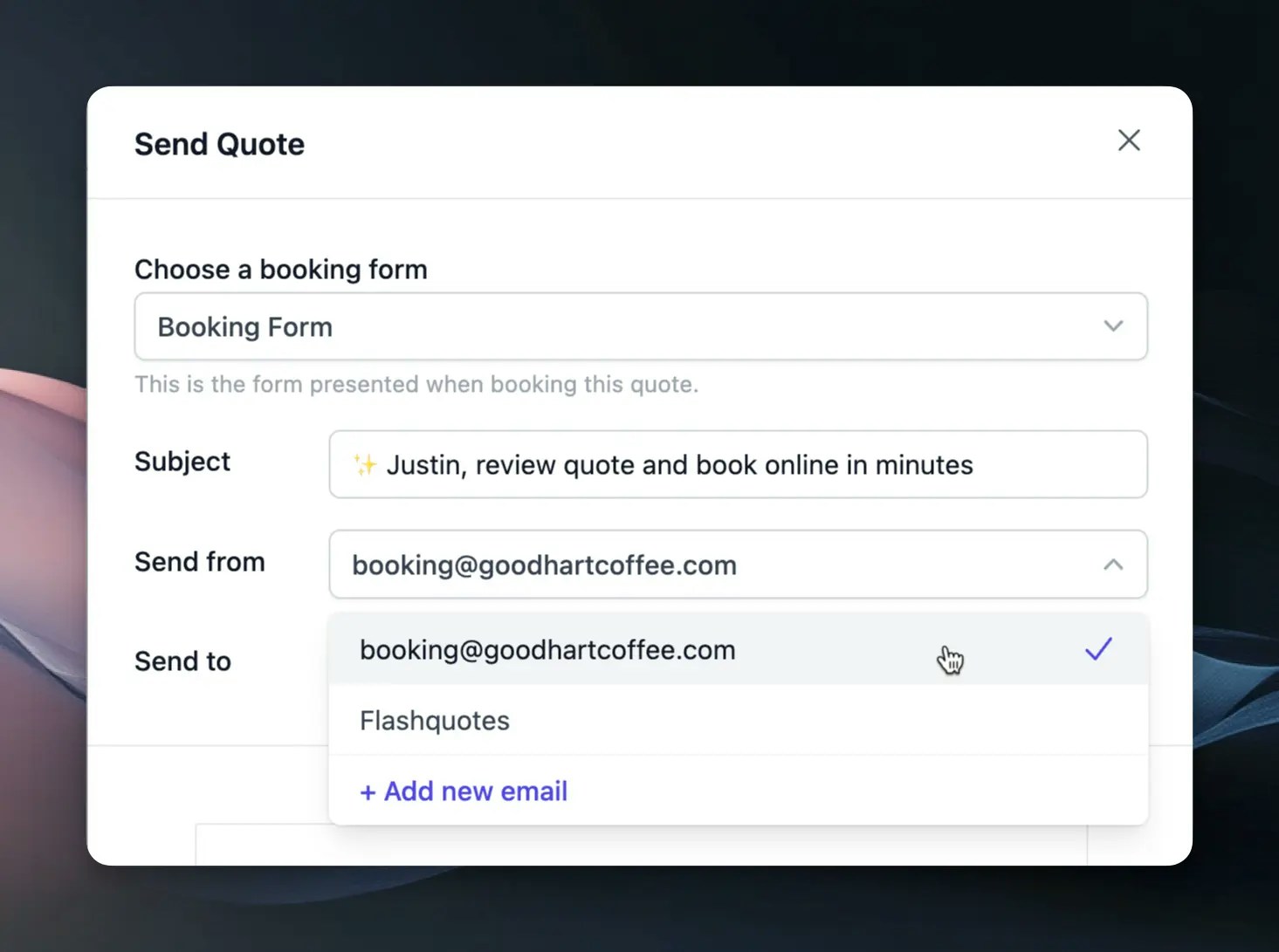 Connect your business Gmail account to send quotes directly from your own email address.
This integration creates a more personal experience for your clients, as they'll
receive quotes from your familiar business email. Your quotes maintain all their
interactive features while appearing more personalized in your client's inbox.
To get started, visit [Google Integrations](https://app.flashquotes.com/settings/integrations) in your settings to connect your Gmail account.
## Email Analytics & Engagement Tracking
Connect your business Gmail account to send quotes directly from your own email address.
This integration creates a more personal experience for your clients, as they'll
receive quotes from your familiar business email. Your quotes maintain all their
interactive features while appearing more personalized in your client's inbox.
To get started, visit [Google Integrations](https://app.flashquotes.com/settings/integrations) in your settings to connect your Gmail account.
## Email Analytics & Engagement Tracking
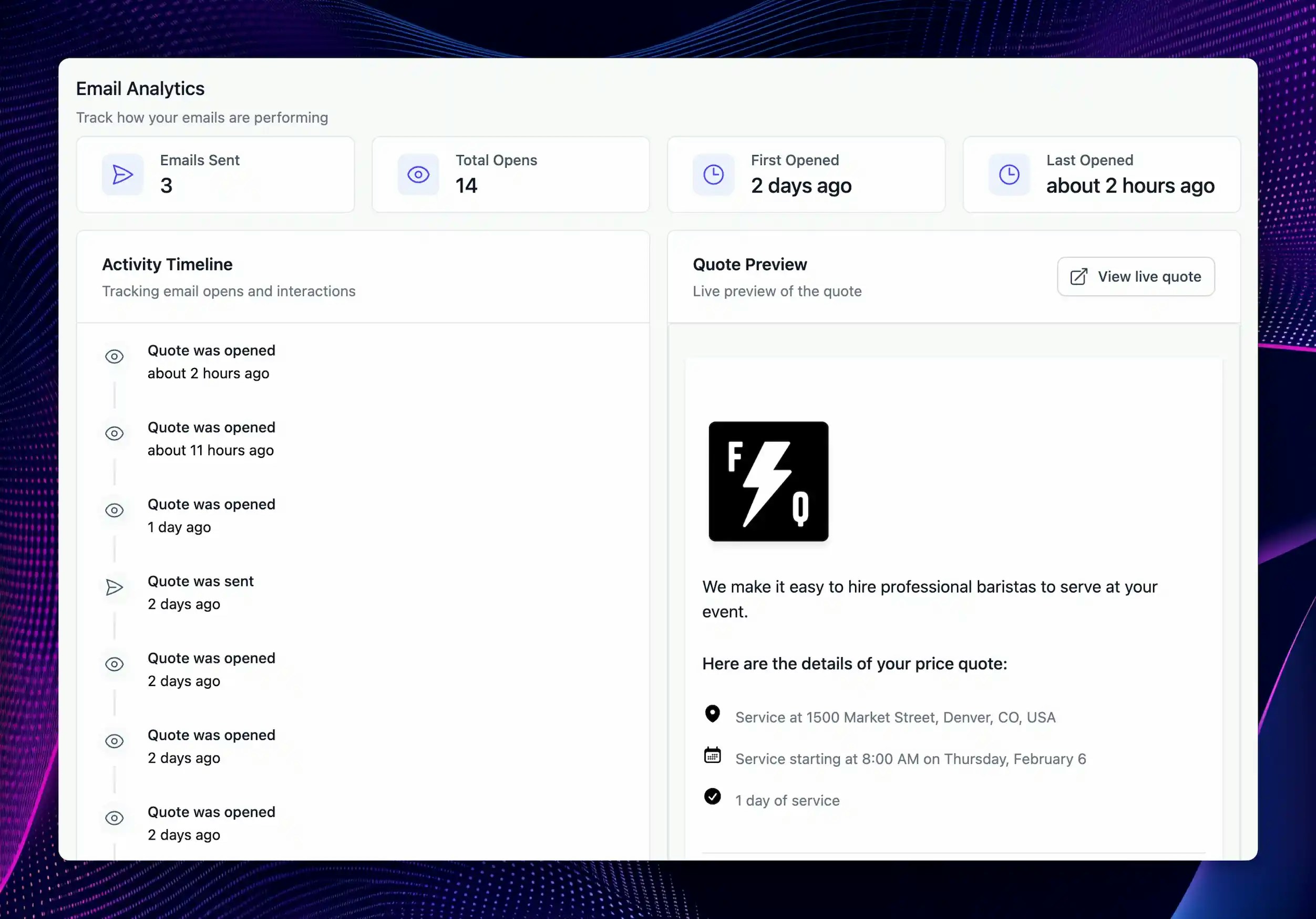 Track how leads interact with your quotes through our new email analytics feature. On the leads page, look for the eye icon next to sent quotes to instantly see how many times each quote has been viewed. For deeper insights, click into any sent quote to access a detailed activity timeline showing:
* Total email opens and unique views
* First and last open timestamps
* Complete chronological feed of all quote interactions
This visibility helps you time your follow-ups perfectly and focus on your most engaged leads.
Check out the [email analytics docs](/leads/sending-quotes#tracking-quote-performance) for more details.
## Customizable Quote Emails
Track how leads interact with your quotes through our new email analytics feature. On the leads page, look for the eye icon next to sent quotes to instantly see how many times each quote has been viewed. For deeper insights, click into any sent quote to access a detailed activity timeline showing:
* Total email opens and unique views
* First and last open timestamps
* Complete chronological feed of all quote interactions
This visibility helps you time your follow-ups perfectly and focus on your most engaged leads.
Check out the [email analytics docs](/leads/sending-quotes#tracking-quote-performance) for more details.
## Customizable Quote Emails
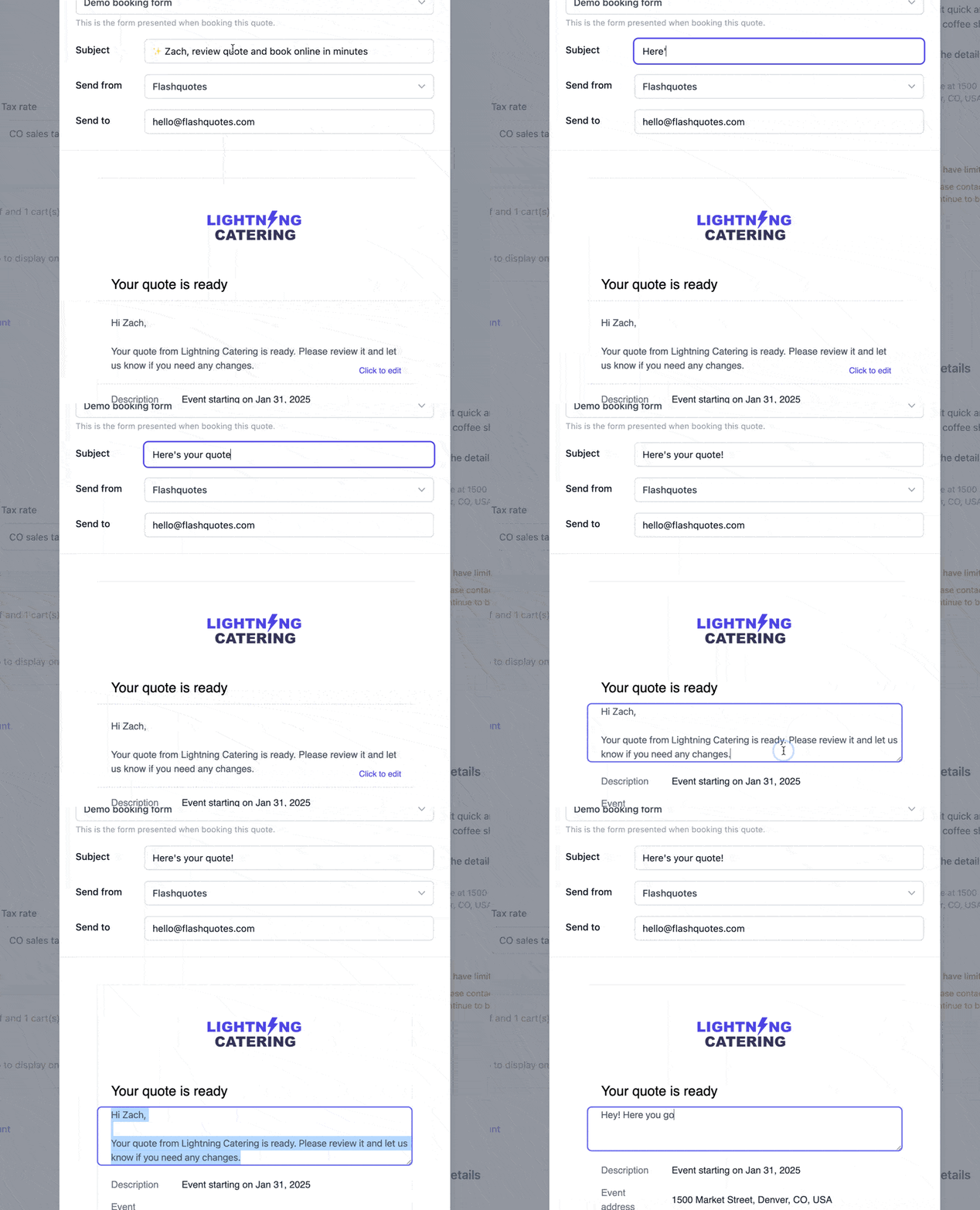 You can now fully edit the subject and body text of quote emails, allowing for more personalized messaging and branding. Whether you want to add a friendly touch, emphasize urgency, or tailor the language to your audience, you now have the flexibility to craft emails that resonate with your clients.
You can set a permanent default for the email body text in [Quote Settings](https://app.flashquotes.com/settings/quotes).
## New Multi-Select Question Type
We've added a multi-select question type to Booking forms, allowing clients to choose multiple options in a single response. This is especially useful for event packages, customer flavor choices, etc.
Find this under Forms → Booking Forms → Add Question
## Copy Quotes with One Click
You can now copy any existing quote with a single click, making it easier to create new quotes based on past proposals. This is perfect for businesses with repeat clients or standard pricing structures.
Simply find the "Copy" option in the quote actions menu.
## In-App AI Help Chat
We've integrated Mintlify's AI-powered help chat directly into the app, making it easier than ever to get real-time assistance without leaving your workflow. Whether you need guidance on features, troubleshooting help, or best practices, our AI chat assistant is available to provide quick answers.
Try it out by clicking the Get Help icon in the bottom right corner of the Flashquotes dashboard.
## QuickBooks Online Integration
You can now fully edit the subject and body text of quote emails, allowing for more personalized messaging and branding. Whether you want to add a friendly touch, emphasize urgency, or tailor the language to your audience, you now have the flexibility to craft emails that resonate with your clients.
You can set a permanent default for the email body text in [Quote Settings](https://app.flashquotes.com/settings/quotes).
## New Multi-Select Question Type
We've added a multi-select question type to Booking forms, allowing clients to choose multiple options in a single response. This is especially useful for event packages, customer flavor choices, etc.
Find this under Forms → Booking Forms → Add Question
## Copy Quotes with One Click
You can now copy any existing quote with a single click, making it easier to create new quotes based on past proposals. This is perfect for businesses with repeat clients or standard pricing structures.
Simply find the "Copy" option in the quote actions menu.
## In-App AI Help Chat
We've integrated Mintlify's AI-powered help chat directly into the app, making it easier than ever to get real-time assistance without leaving your workflow. Whether you need guidance on features, troubleshooting help, or best practices, our AI chat assistant is available to provide quick answers.
Try it out by clicking the Get Help icon in the bottom right corner of the Flashquotes dashboard.
## QuickBooks Online Integration
 [Pro plan](https://app.flashquotes.com/settings/plans) customers can now sync their financial data with QuickBooks Online. The integration automatically creates customers, invoices, payments, and deposits in QuickBooks, with configurable account mappings and tax codes.
Payments are synced in real-time, including proper handling of sales tax and processing fees. The integration maintains your QuickBooks data structure while ensuring accurate financial reporting.
For more details, check out the [QuickBooks integration docs](/settings/integrations/quickbooks).
## Service Area Configuration
Define your service radius to automatically validate event addresses during quote submission. The system checks addresses in real-time against your specified radius. For events outside your service area, a warning banner notifies the client that additional travel fees may apply.
Your service area is defaulted to 150 miles, but you can change this in **[Quote Settings](https://app.flashquotes.com/settings/quotes)**.
## Lead Intake Form Settings
[Pro plan](https://app.flashquotes.com/settings/plans) customers can now sync their financial data with QuickBooks Online. The integration automatically creates customers, invoices, payments, and deposits in QuickBooks, with configurable account mappings and tax codes.
Payments are synced in real-time, including proper handling of sales tax and processing fees. The integration maintains your QuickBooks data structure while ensuring accurate financial reporting.
For more details, check out the [QuickBooks integration docs](/settings/integrations/quickbooks).
## Service Area Configuration
Define your service radius to automatically validate event addresses during quote submission. The system checks addresses in real-time against your specified radius. For events outside your service area, a warning banner notifies the client that additional travel fees may apply.
Your service area is defaulted to 150 miles, but you can change this in **[Quote Settings](https://app.flashquotes.com/settings/quotes)**.
## Lead Intake Form Settings
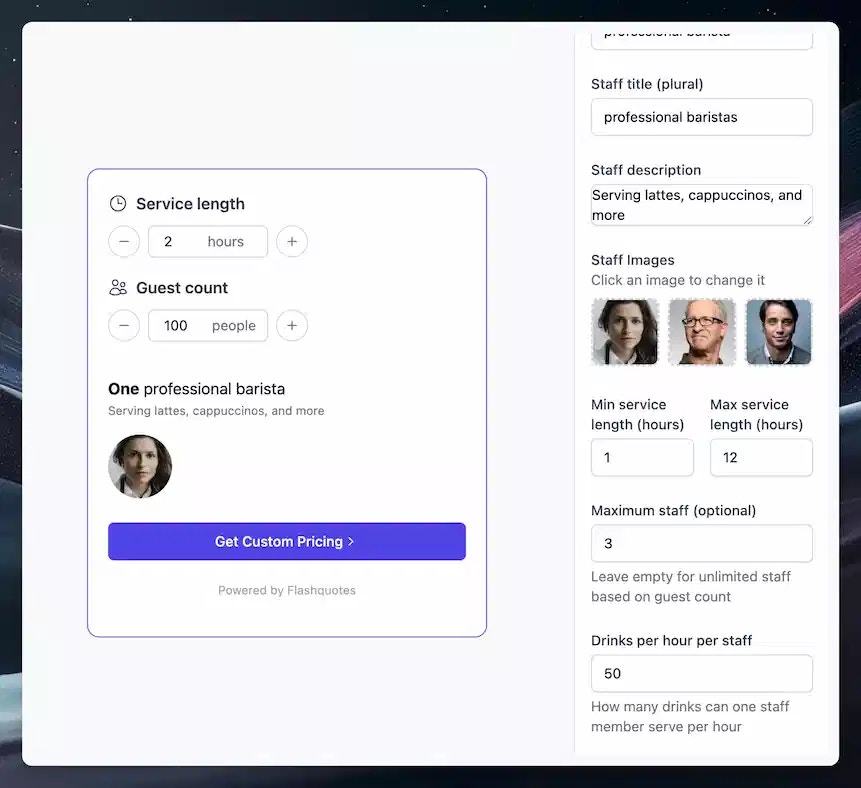 New configuration options include service duration limits, maximum staff counts, and custom redirect URLs after form submission. You can also customize the staff photos and descriptions in the lead intake form.
Form questions can now be fully customized. The system automatically generates optimized default forms for new accounts based on conversion data.
For more details, check out the [lead intake form docs](/forms/lead-intake).
## Zapier Integration Expansion
New configuration options include service duration limits, maximum staff counts, and custom redirect URLs after form submission. You can also customize the staff photos and descriptions in the lead intake form.
Form questions can now be fully customized. The system automatically generates optimized default forms for new accounts based on conversion data.
For more details, check out the [lead intake form docs](/forms/lead-intake).
## Zapier Integration Expansion
 Three new Zapier triggers enable deeper workflow automation:
* **Quote form submission trigger** Send new leads directly to your CRM to streamline lead management.
* **Event timeline trigger** Keep your calendars synchronized with this new trigger which fires whenever event schedules change.
* **Staff assignment trigger** Automatically notify team members when they're assigned to events.
Read more about Zapier integration [here](/settings/integrations/zapier).
## Lead Intake Forms v2
Three new Zapier triggers enable deeper workflow automation:
* **Quote form submission trigger** Send new leads directly to your CRM to streamline lead management.
* **Event timeline trigger** Keep your calendars synchronized with this new trigger which fires whenever event schedules change.
* **Staff assignment trigger** Automatically notify team members when they're assigned to events.
Read more about Zapier integration [here](/settings/integrations/zapier).
## Lead Intake Forms v2
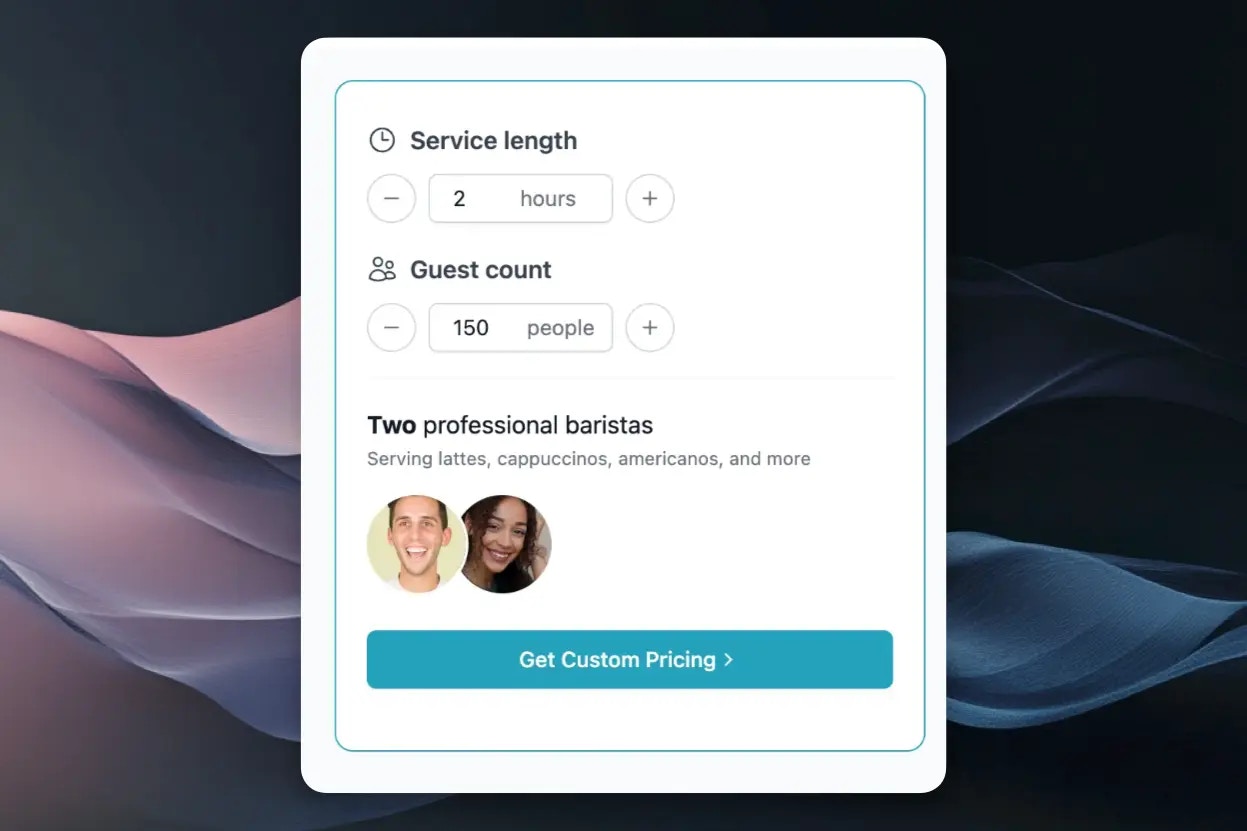 Lead intake forms are now fully customizable while maintaining high conversion rates. Find pre-configured forms under **Forms > Lead Intake Forms**, complete with proven questions and your brand colors automatically applied.
Platform-specific embed instructions make it simple to add forms to any website, whether you're using Webflow, Squarespace, WordPress, or other platforms. All leads flow directly into your Flashquotes dashboard for immediate follow-up.
Read more about lead intake forms [here](/forms/lead-intake).
## Enhanced Quote Customization
Lead intake forms are now fully customizable while maintaining high conversion rates. Find pre-configured forms under **Forms > Lead Intake Forms**, complete with proven questions and your brand colors automatically applied.
Platform-specific embed instructions make it simple to add forms to any website, whether you're using Webflow, Squarespace, WordPress, or other platforms. All leads flow directly into your Flashquotes dashboard for immediate follow-up.
Read more about lead intake forms [here](/forms/lead-intake).
## Enhanced Quote Customization
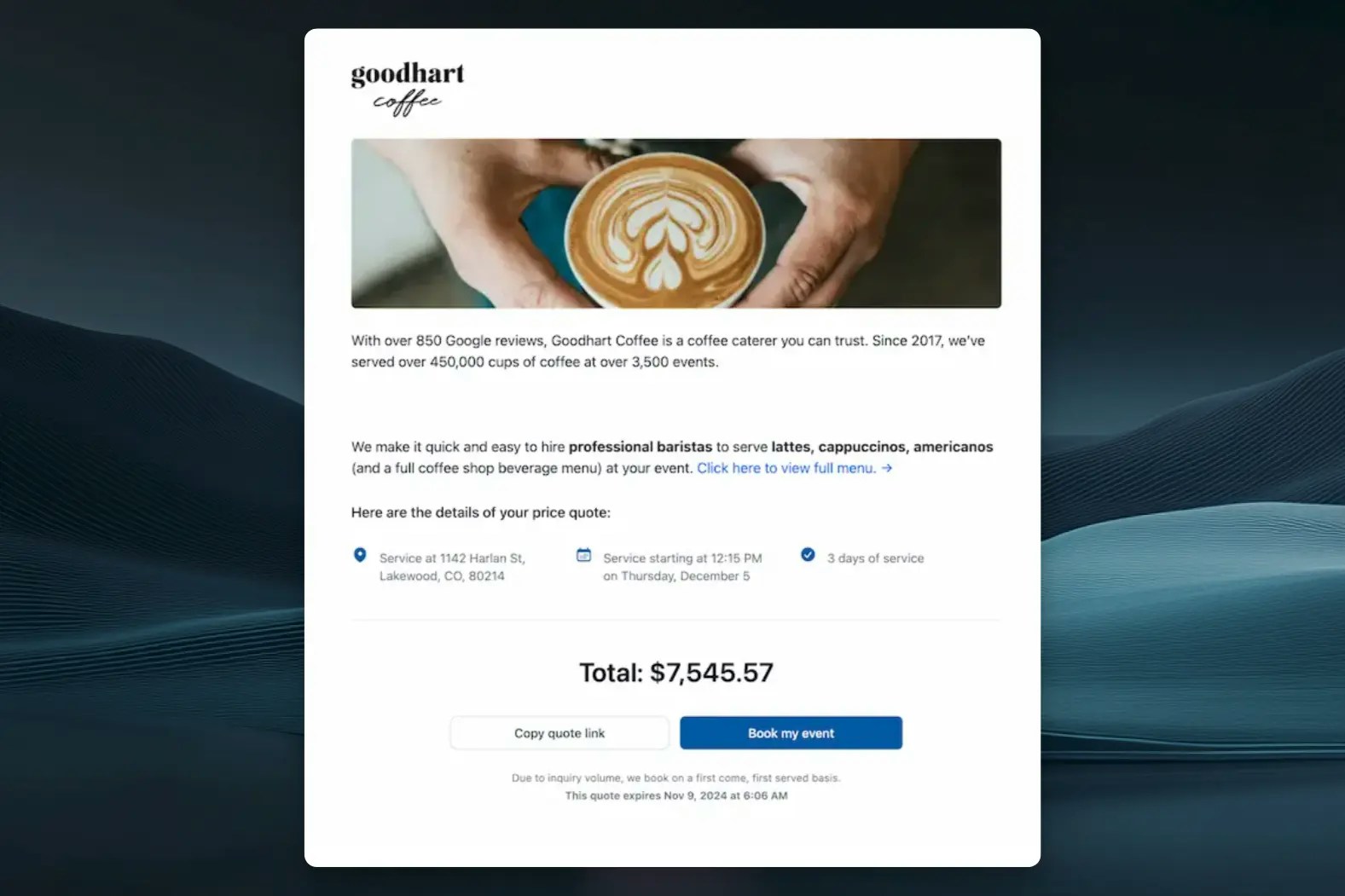 The quote editor now features a live preview as you build, showing exactly how your quote will appear to clients. Customize the hero text at the top of your quotes using markdown formatting for **bold** statements and embedded links. For more details, check out the [quote page docs](/docs/quotes).
Brand your quotes with custom hero images for each quote or set a default in company settings. Your brand colors now extend throughout customer-facing pages - set your signature color in **Settings > Branding** to have buttons and icons match your visual identity. Check out the [branding docs](/settings/branding) for more details.
## Lead Calendar
The quote editor now features a live preview as you build, showing exactly how your quote will appear to clients. Customize the hero text at the top of your quotes using markdown formatting for **bold** statements and embedded links. For more details, check out the [quote page docs](/docs/quotes).
Brand your quotes with custom hero images for each quote or set a default in company settings. Your brand colors now extend throughout customer-facing pages - set your signature color in **Settings > Branding** to have buttons and icons match your visual identity. Check out the [branding docs](/settings/branding) for more details.
## Lead Calendar
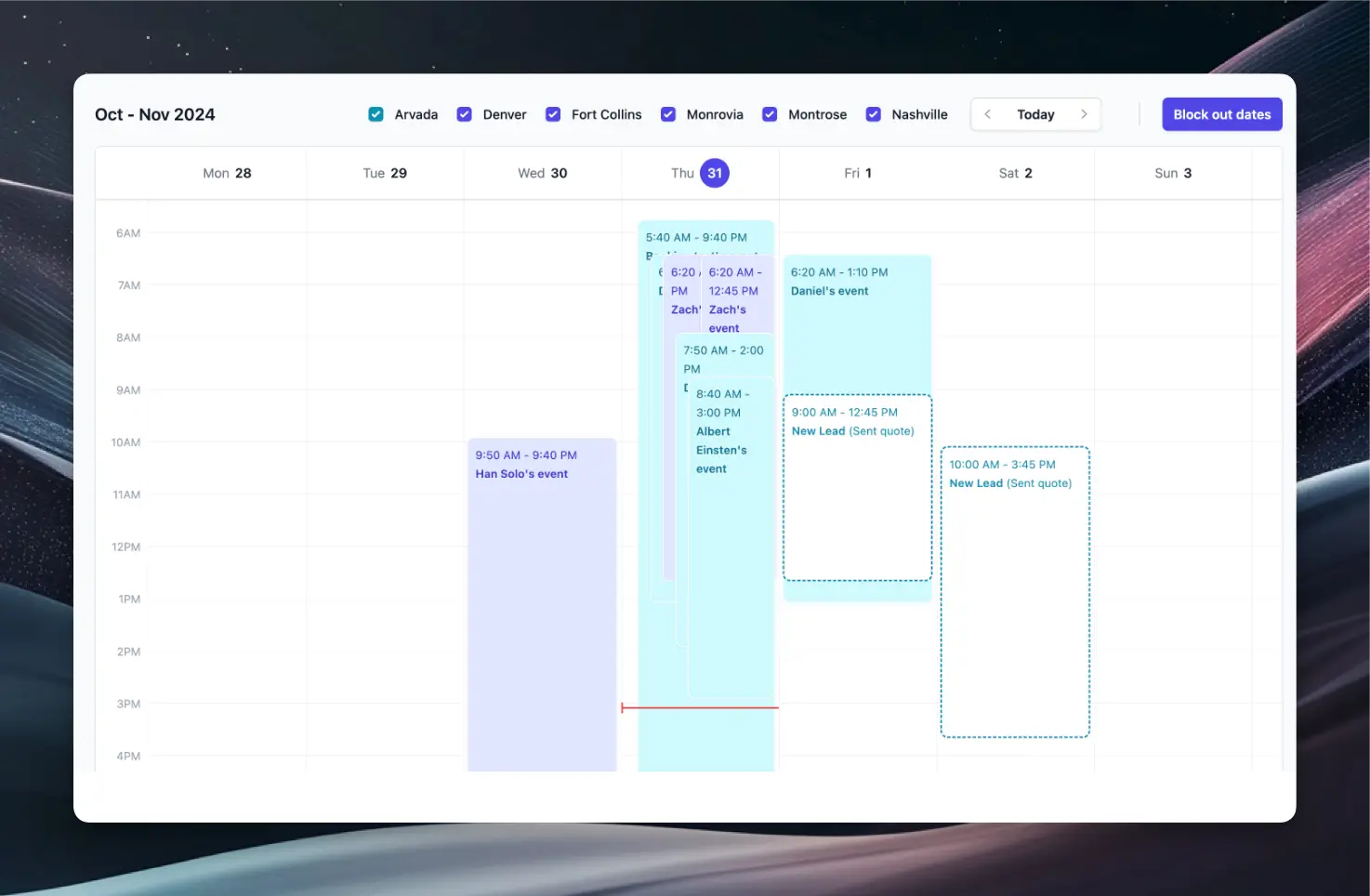 Your calendar now displays both confirmed bookings and potential events from quotes. Quoted events appear with dotted borders, giving you a complete view of upcoming business - both confirmed and potential.
## Sales Tax Reporting
Your calendar now displays both confirmed bookings and potential events from quotes. Quoted events appear with dotted borders, giving you a complete view of upcoming business - both confirmed and potential.
## Sales Tax Reporting
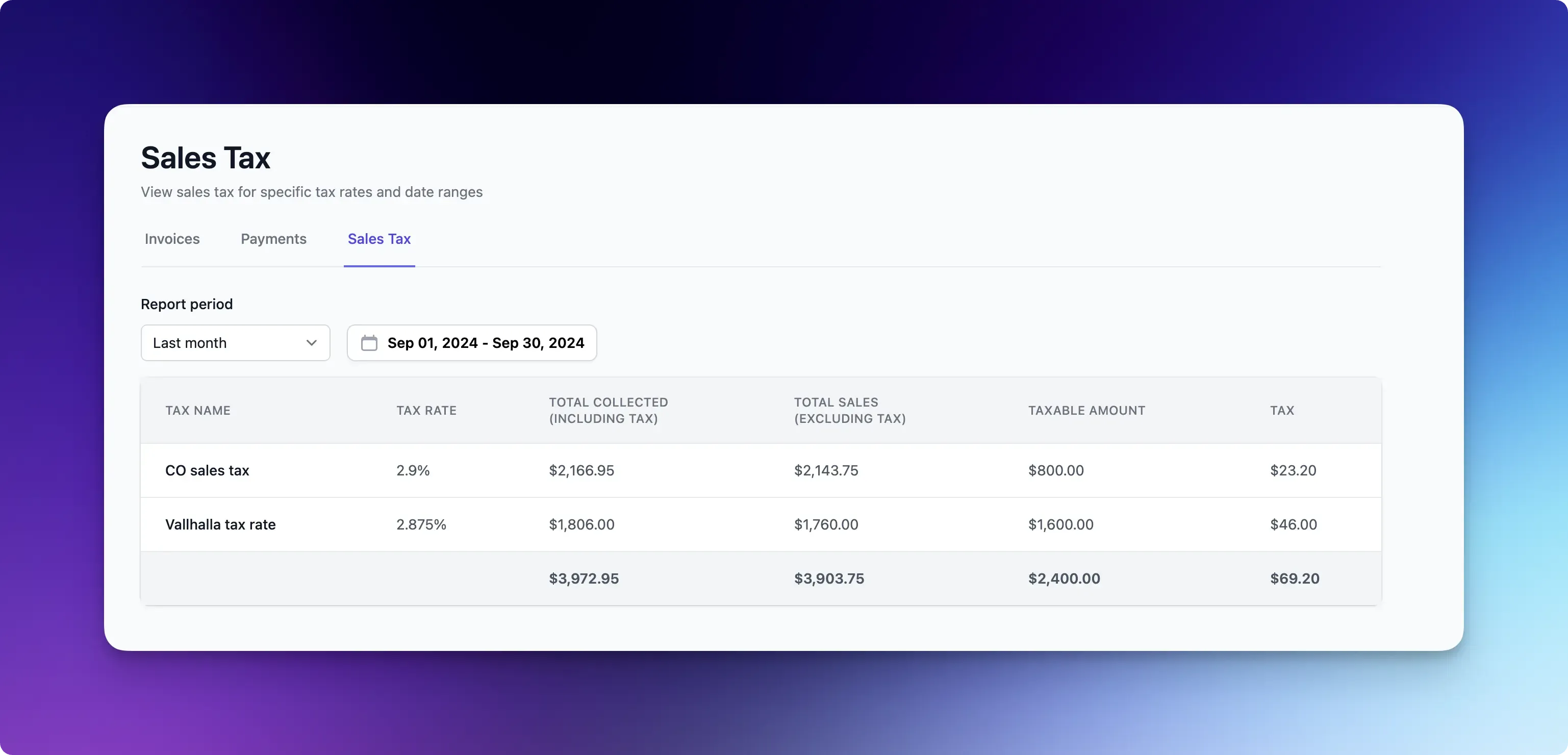 Managing sales tax across multiple jurisdictions is now simpler with our new automated tax reporting. Access comprehensive tax summaries under **Invoices > Sales Tax** to see your total sales, taxable amounts, and taxes owed.
The report breaks down tax data by rate, making it easy to handle different tax jurisdictions. All payment data in Flashquotes automatically flows into these reports, ensuring your numbers are always current.
Need historical data? Filter the report by different time periods, from last month to year-to-date, to get exactly the information you need for tax remittance.
## Resource Selection in Booking Forms
Managing sales tax across multiple jurisdictions is now simpler with our new automated tax reporting. Access comprehensive tax summaries under **Invoices > Sales Tax** to see your total sales, taxable amounts, and taxes owed.
The report breaks down tax data by rate, making it easy to handle different tax jurisdictions. All payment data in Flashquotes automatically flows into these reports, ensuring your numbers are always current.
Need historical data? Filter the report by different time periods, from last month to year-to-date, to get exactly the information you need for tax remittance.
## Resource Selection in Booking Forms
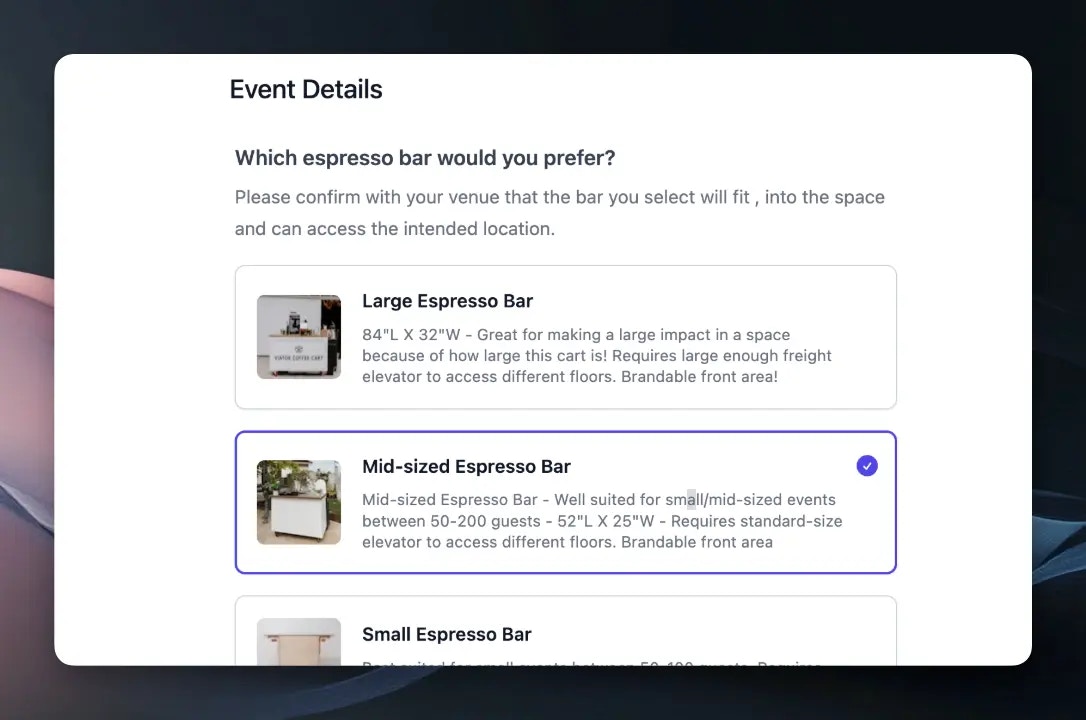 Let clients choose their preferred cart directly in your booking form with our new Resource Select question type. The form shows only carts available for the selected event date, complete with photos and descriptions you can customize in the resource settings.
When a booking is confirmed, the selected cart is automatically assigned to the event, streamlining your workflow and ensuring clients get exactly the setup they want.
## Native email sending
Let clients choose their preferred cart directly in your booking form with our new Resource Select question type. The form shows only carts available for the selected event date, complete with photos and descriptions you can customize in the resource settings.
When a booking is confirmed, the selected cart is automatically assigned to the event, streamlining your workflow and ensuring clients get exactly the setup they want.
## Native email sending
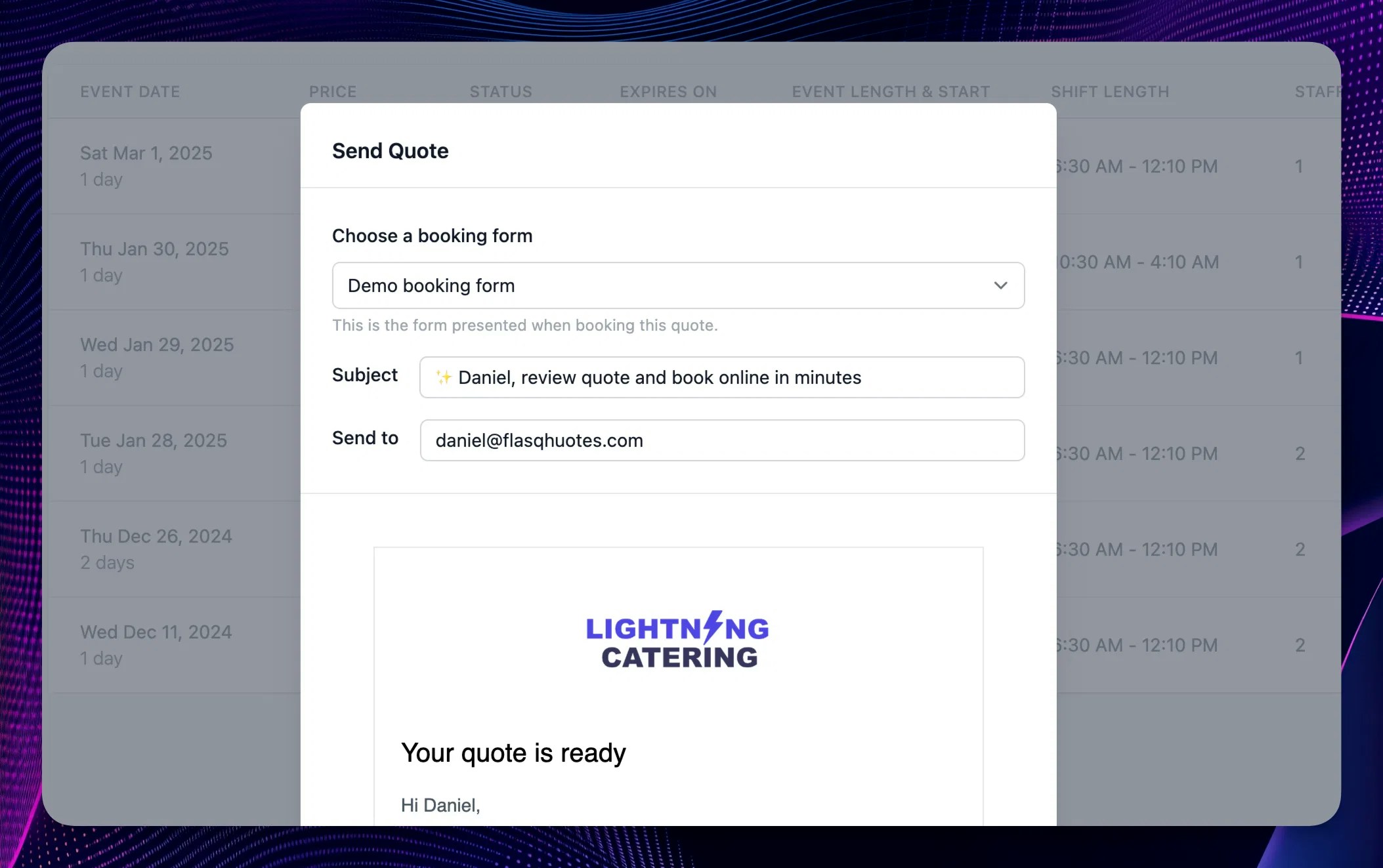 Now you can fire off **quote emails** directly from the quote page. Client quote emails include a link to the quote presentation page and the Book Now button
Click the new "Copy share link" button if you still want to copy/paste the quote link into a separate email
You can also send **invoice reminders** to clients with a single click. Preview the email before sending to ensure it looks great. Emails are branded with your logo and include a direct link to pay.
Now you can fire off **quote emails** directly from the quote page. Client quote emails include a link to the quote presentation page and the Book Now button
Click the new "Copy share link" button if you still want to copy/paste the quote link into a separate email
You can also send **invoice reminders** to clients with a single click. Preview the email before sending to ensure it looks great. Emails are branded with your logo and include a direct link to pay.