

Overview
Have a contract signed before customers pay. Contracts are fully digital with electronic signatures, making the process fast for customers and secure for you.Digital contracts are included on Plus and above.
Create Contracts
Build professional contracts with the rich text editor
Use Shortcodes
Personalize contracts with dynamic customer data
Signing Experience
See what customers experience when signing
How Contracts Work
Customers sign contracts during the booking flow, after filling out details but before payment. Once all signatures are complete, they proceed to payment or booking if no payment is required to book. The signed contract is saved and available for both you and your customer.Creating a Contract Template
- Go to Templates in the sidebar, then open the Contracts tab
- Click New Contract
- Give your contract a name
- Use the rich text editor to write your contract
- Add signature blocks where customers should sign
- Save your template
Assigning a Contract to a Quote
Add contracts to quotes in the Booking Flow section of the quote editor. Select a contract from the dropdown or create a new one.- Open a quote
- Scroll to Booking Flow
- Click the Contract dropdown
- Select a contract template
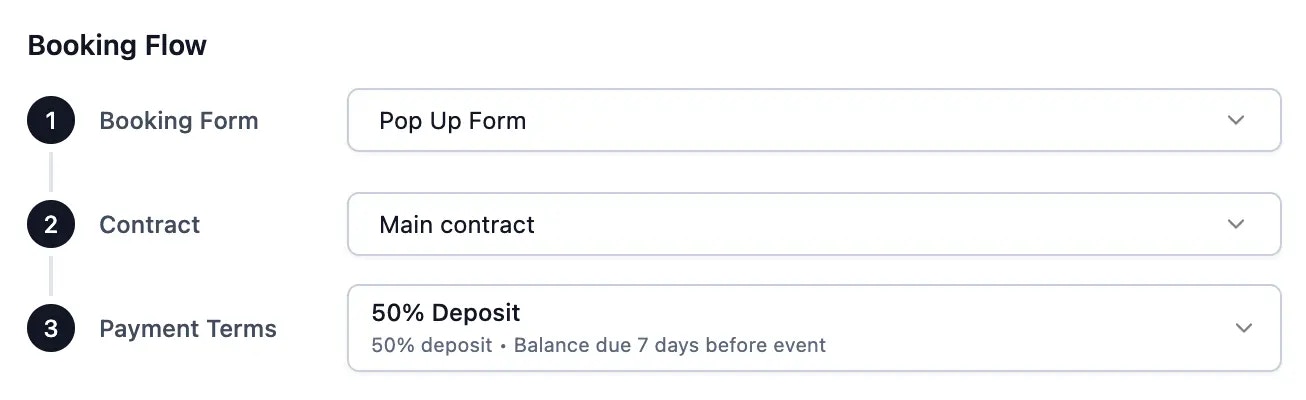
Duplicating a quote keeps the same contract as the original, so repeat clients get the terms they’ve already seen.
Setting a Default Contract
Set a default contract to automatically assign it to new quotes.- Open any quote
- Go to Booking Flow
- Click the Contract dropdown
- Click Edit next to a contract
- Toggle Set as default
The Signing Experience
Customers review and sign contracts after filling out event details but before payment and booking. Here’s what they see:- Contract displays in full with all personalized details
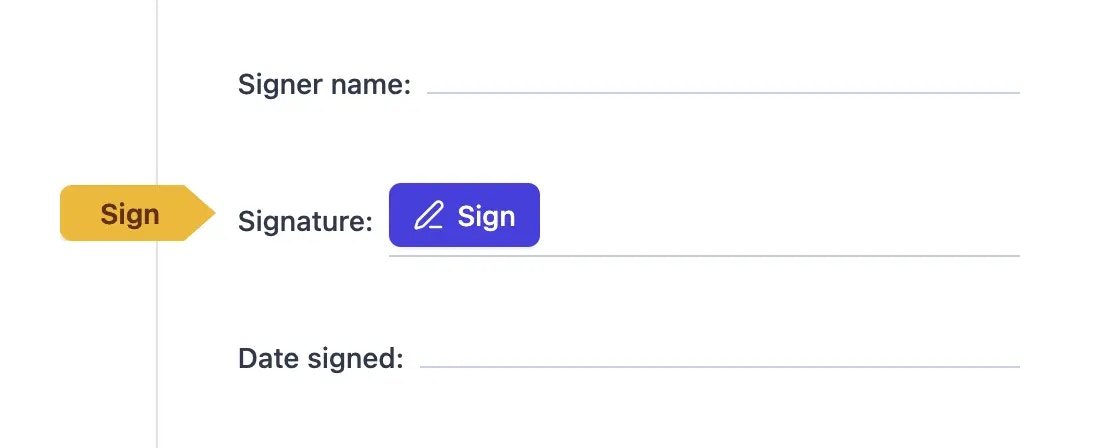
- Signature blocks show where they need to sign
- They click a signature block to begin signing
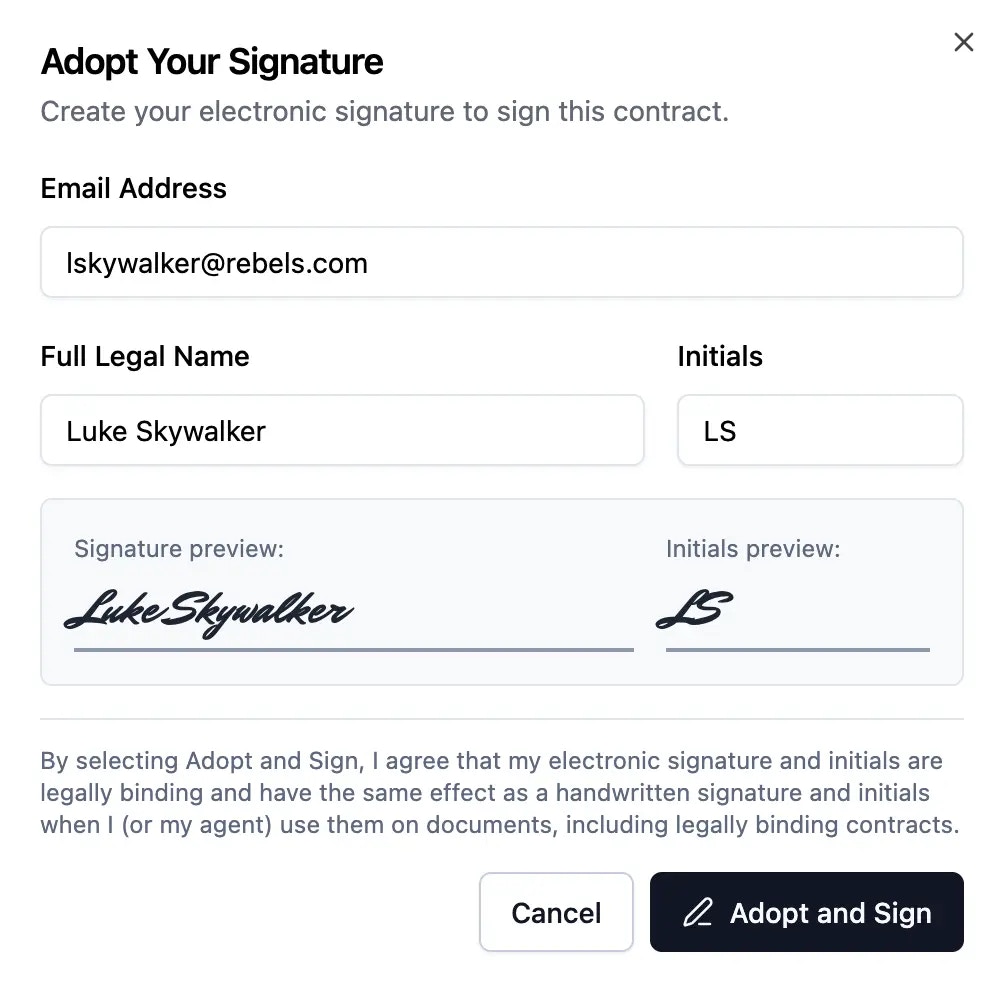
- They enter their name, initials, and email
- They acknowledge electronic signatures are legally binding
- Once all signatures complete, a Finish button appears
- They click Finish to fully execute the contract and proceed to the next step
After Signing
The signed contract is saved with signature data and timestamp. Both you and your customer can download or print it anytime from the booking details page.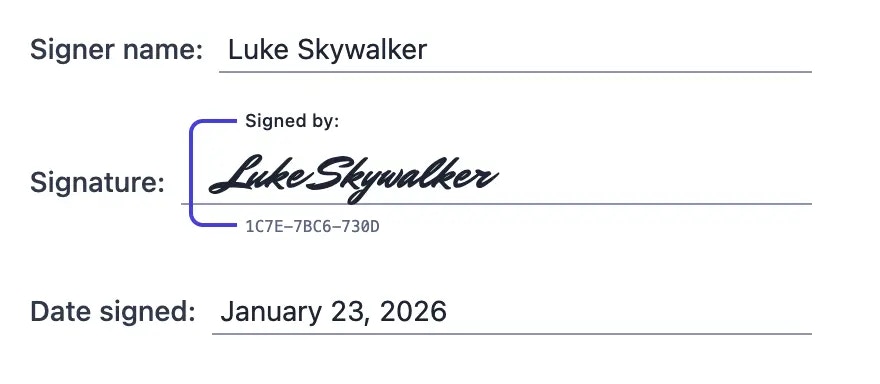
Next Steps
Contract Editor
Build contracts with formatting and signature blocks
Shortcodes
Insert dynamic customer and quote data
Booking Flow
Configure the booking experience