

Overview
Staff & Resource Rules let you define staffing rules at the service level. When a customer fills out your lead intake form, Flashquotes automatically calculates how many staff and resources are needed — based on hourly capacity, guest count, duration, or a combination — and applies those quantities directly to your quote pricing. Each service gets its own rule. When a quote is created, Flashquotes calculates the price for each service individually using that service’s calculated staff and resource quantities.If a selected service doesn’t have a staffing rule configured, Flashquotes falls back to the form-level staffing calculator settings.
Rule Modes
Each service’s rule uses one of four modes. Choose the one that matches how your staffing scales.Hourly Capacity
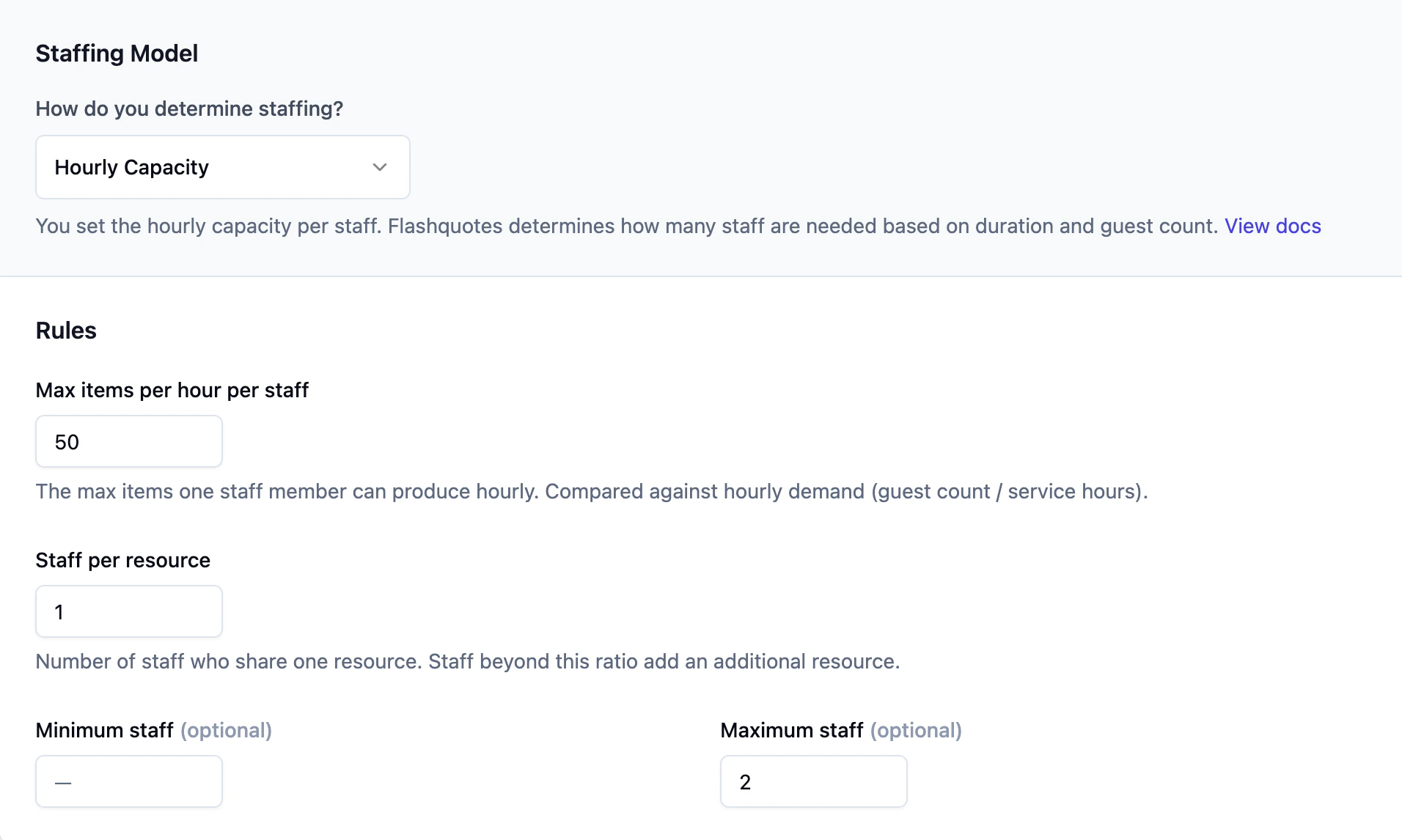
The default mode. Uses a formula based on guest count, service duration, and a capacity ratio. How it works:- Set how many items (coffees, cocktails, etc.) one staff member can serve per hour
- Flashquotes divides total demand by that capacity to get the staff count
- Optionally set a minimum and maximum staff count
- Set a staff-per-resource ratio (e.g., 1 resource for every 2 staff)
200 guests / 3 hours / 50 per hour = 2 staff needed and 1 resource needed.
By Guest Count
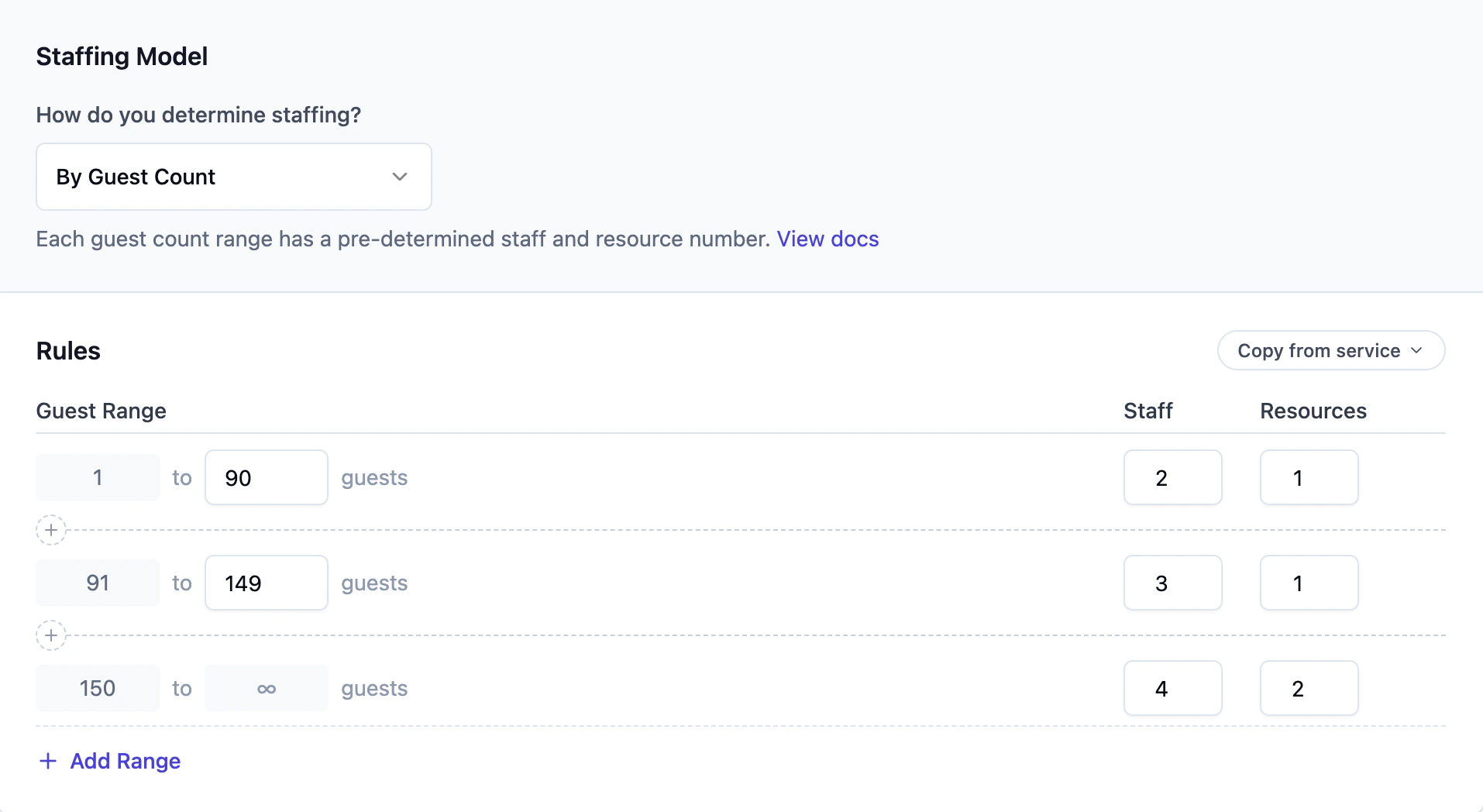
Maps guest count ranges to fixed staff and resource quantities. How it works:- Define guest count ranges (e.g., 1–74, 75–149, 150–300)
- For each range, specify how many staff and resources are needed
- The customer’s guest count determines which range applies
By Duration
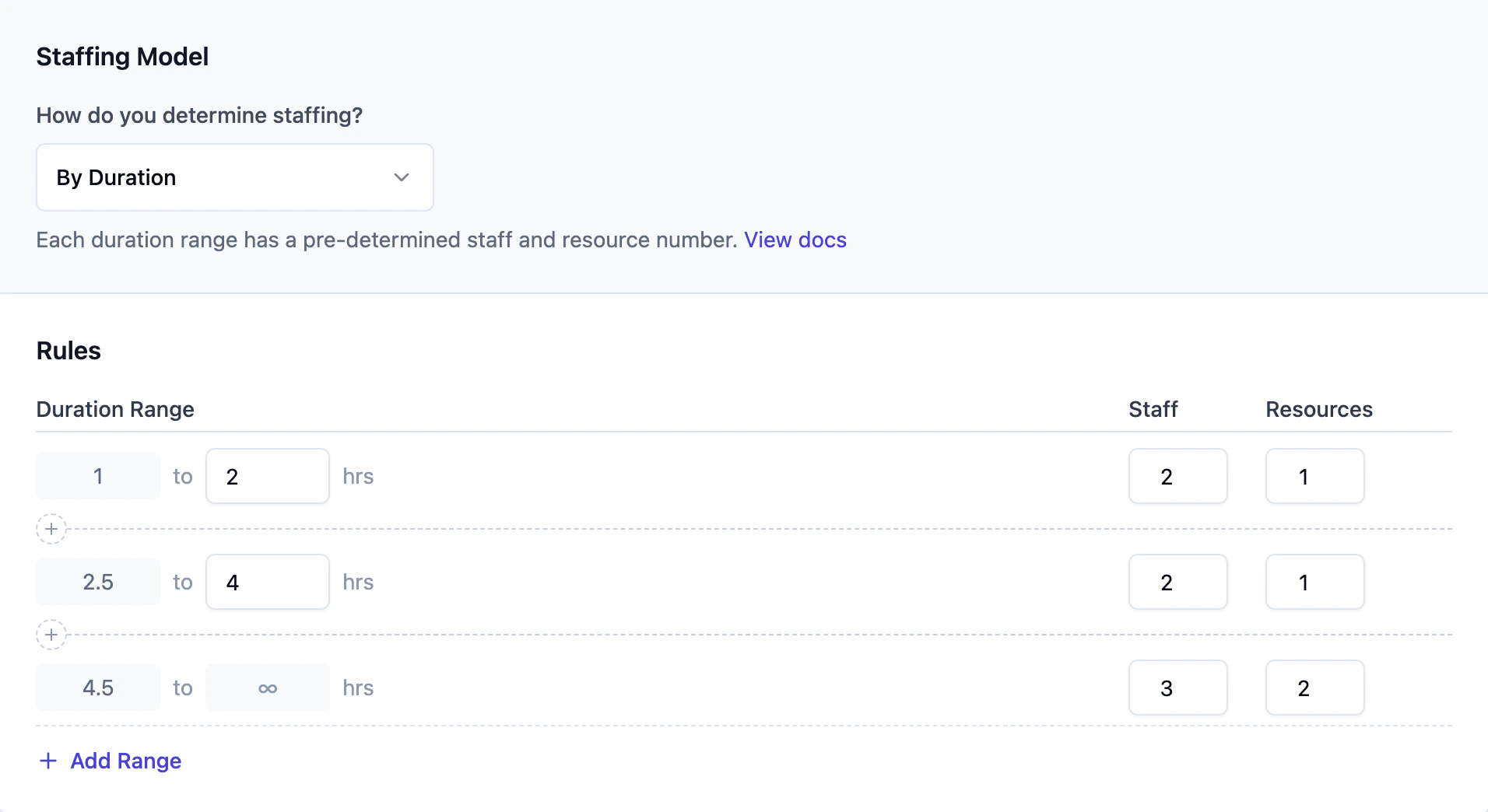
Maps service duration ranges to staff and resource quantities. How it works:- Define duration ranges (e.g., 1–2 hours, 2.5–4 hours, 4.5–8 hours)
- For each range, specify staff and resource counts
- The customer’s selected service length determines which range applies
By Guest Count + Duration
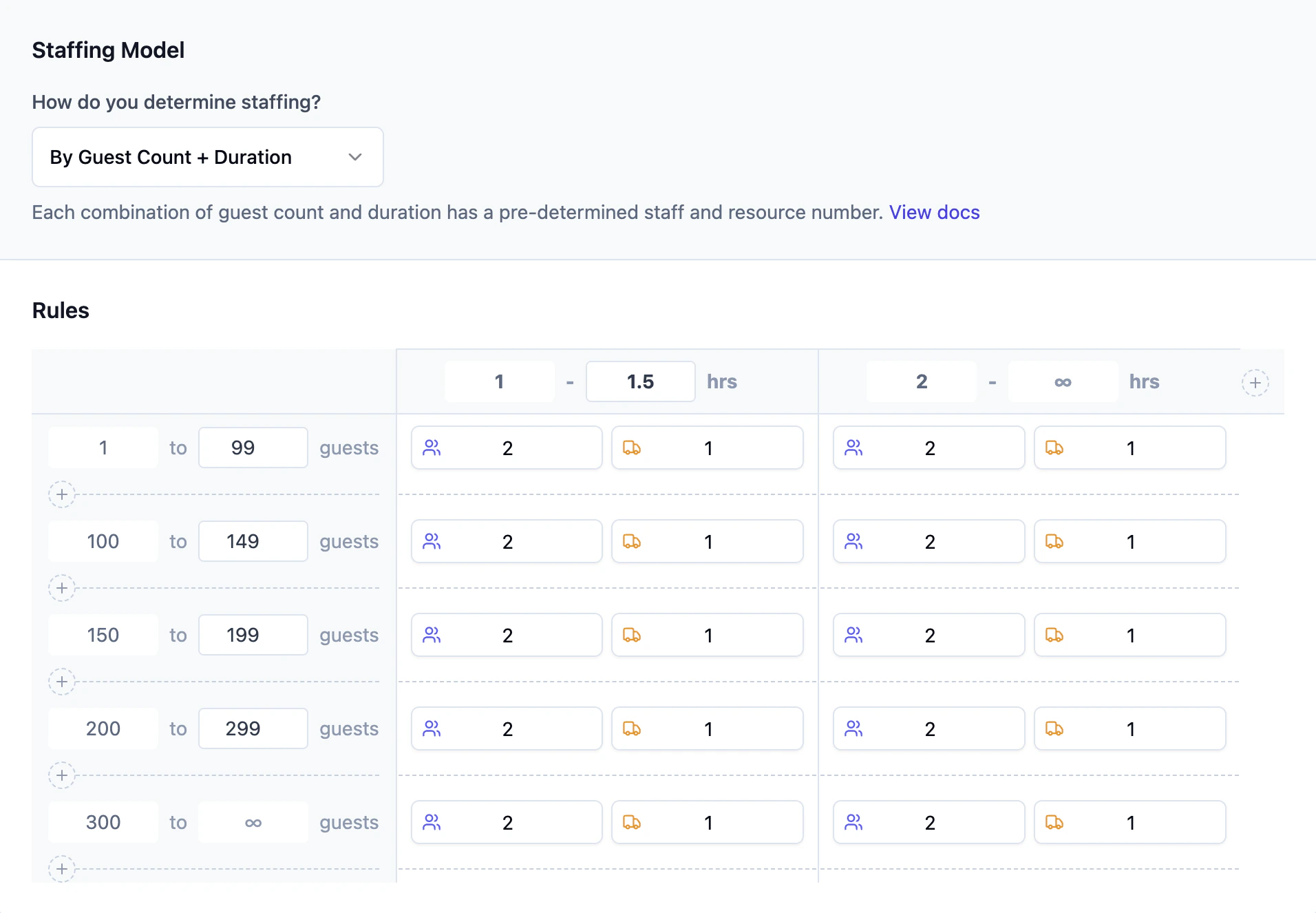
A two-dimensional table that factors in both guest count and service duration at the same time. How it works:- Define guest count ranges along the rows
- Define duration ranges along the columns
- Each cell specifies staff and resource counts for that combination
- Both the guest count and duration must match for a cell to apply
Setting Up a Rule
1
Navigate to Your Service
Go to Services & items, then select the service you want to configure.
2
Open Staffing Rules
Click the Staffing Rules tab on the service page.
3
Choose a Mode
Select a mode from the dropdown: Hourly Capacity, By Guest Count, By Duration, or By Guest Count + Duration.
4
Define Your Rules
Fill in your ranges, capacities, or matrix values. Changes save automatically.
5
Test Your Configuration
Go to the Pricing section on the service to see how the rules interact with pricing settings to build your service price.
How Rules Apply to Quotes
When a quote is created from your lead intake form, Flashquotes resolves staffing like this:- For each selected service with a staffing rule, the rule runs using the guest count and duration
- Each service’s price is calculated using its own staff and resource quantities
- The quote reflects the per-service pricing based on those calculated quantities
Copying Rules Between Services
If multiple services share similar staffing needs, you can copy a rule configuration from one service to another:- Open the rules editor for the service you want to configure
- Click Copy from service
- Select the source service
- The full rule configuration (mode, ranges, and values) is copied over